Setting environment variables
This manual helps to set up environment variables
Windows:
Under Windows these variables can be set from the Control Panel. For example in the case of Windows 11:
Start menu -> Control panel -> System -> Advanced -> Environment variables
Here are the steps to take on Windows to set up this environmental variable:
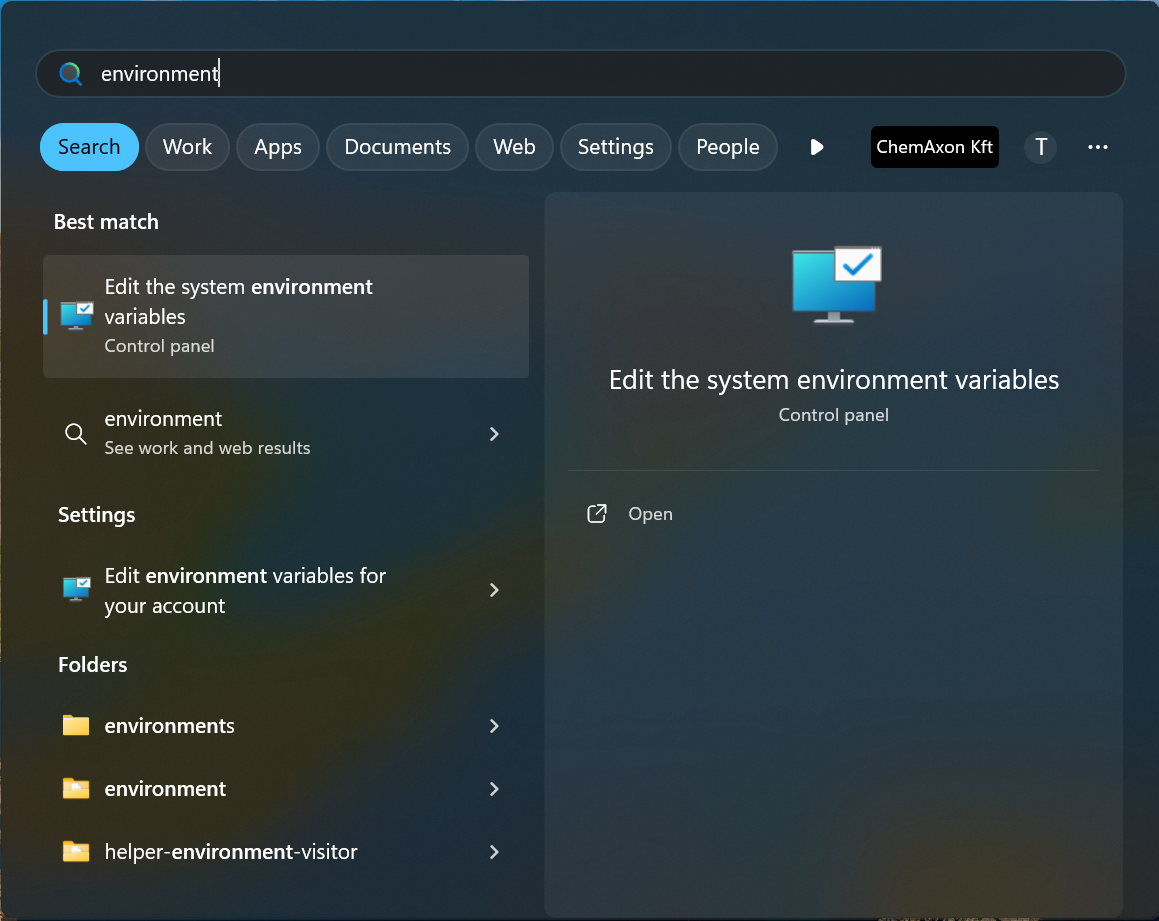
1, Click on Windows tart button and type "environment"
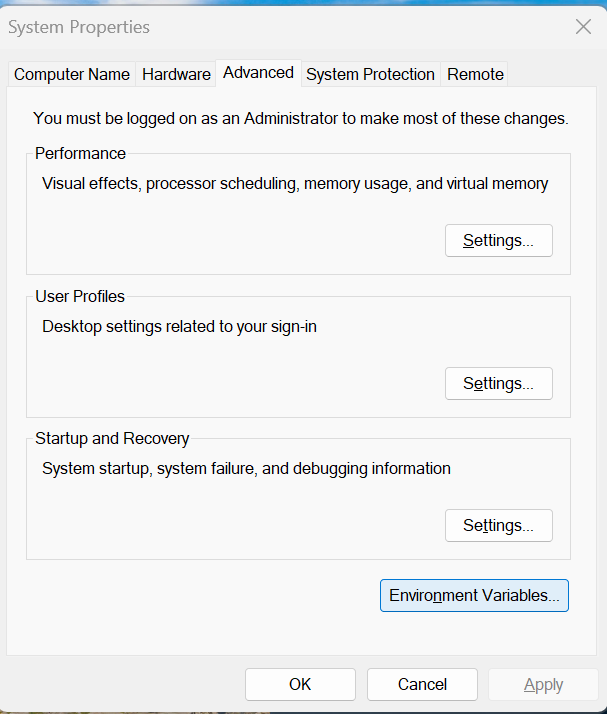
2, Click on "Environmental Variables..."
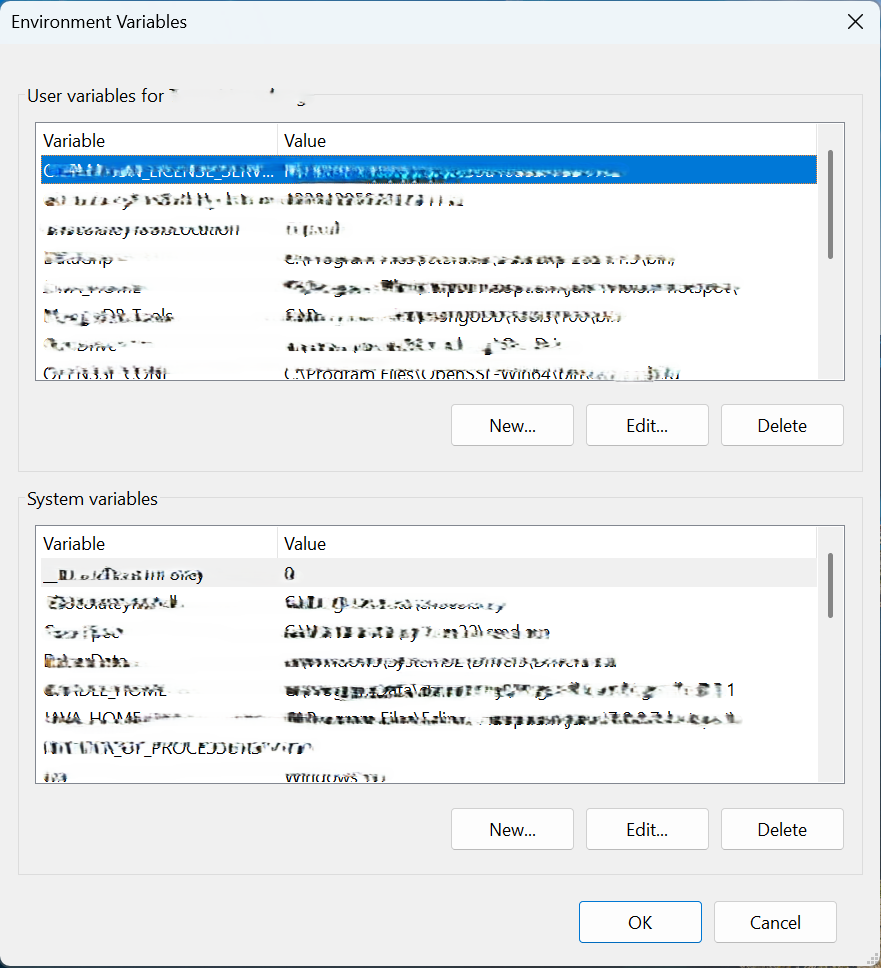
3, Click on "New..." button under "User variables for"
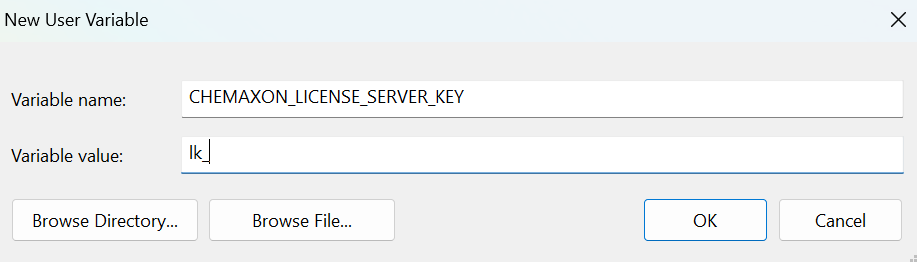
4, Create a new environmental variable with name and value, e.g. with name CHEMAXON_LICENSE_SERVER_KEY, with value lk_01234567890123456789012345678912
After changing the environment variables a new console (Command Prompt) should be opened so the changes can take effect.
To check the current setting of environment variables, type "set" in the console. To print a specific variable type "echo %VARIABLE_NAME%".
Linux / UNIX / MacOS:
The variables are usually set in a profile file for the used shell (e.g. ".bash_profile"). E.g. setting license key as an environment variable, append .bashrc with the following line:
export CHEMAXON_LICENSE_SERVER_KEY=lk_01234567890123456789012345678912
To check the current setting of environment variables, type "set" in the console. To print a specific variable type "echo $VARIABLE_NAME".