Structure Editor in JChem for Office
The figure below shows the structure editor options.
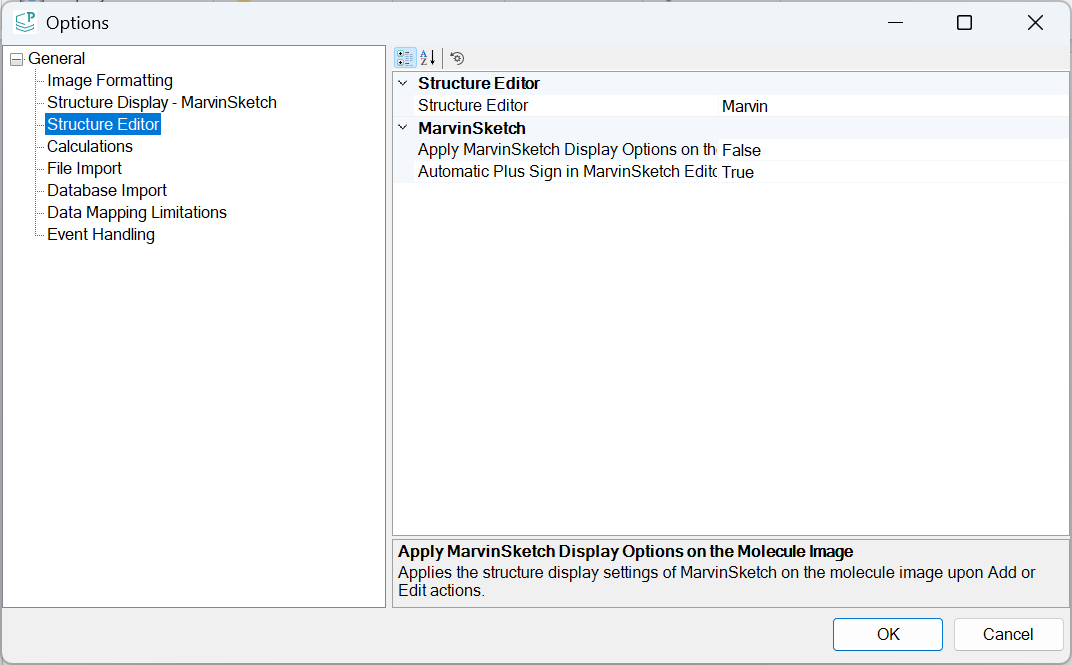
Structure Editor
Structure Editor
Use this option to specify the default structure editor. The selected structure editor can be used to work with structures if the selected structure editor is installed on the computer.
The following structure editors are available:
Marvin
MarvinSketch
The default editor is Marvin.
MarvinSketch
Apply MarvinSketch Display Options on the Molecule Image
Use this option to apply the structure display settings of MarvinSketch on the molecule image upon Add or Edit actions. If it is set to TRUE, after pressing OK on the MarvinSketch window the structure will be displayed with the settings defined in MarvinSketch during editing. Later MarvinSketch will be opened again with default settings.
The available values are as follows:
TRUE
FALSE
The default value for this option is FALSE, which means that the structures will be displayed according to the settings in Options of JChem for Office.
Automatic Plus Sign in MarvinSketch Editor
Use this option to specify whether MarvinSketch is forced to enable the Automatic Plus Sign in the Single Step Reactions option whenever MarvinSketch is opened.
The available values are as follows:
TRUE
FALSE
The default value for this option is TRUE.