Resonance Plugin
This manual gives you a walk-through on how to use the Resonance Plugin:
Introduction
The Resonance Plugin generates all resonance structures of a molecule. The major contributors of the resonance structures can be calculated separately.
As an example see the two structures below: the major resonance contributors of diazomethane, while the structure below them is its canonical form.
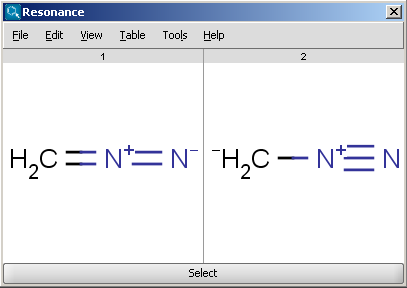
Fig. 1 Calculated resonance structures of diazomethane
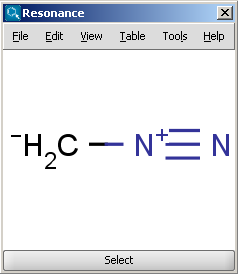
Fig. 2 Canonical resonance structure of diazomethane
Options
The following options can be adjusted in the Resonance Options panel:
- Max. number of structure: maximize the number of structures to display (decrease calculation time).
- Take canonical form: displays the canonical structure of the molecule.
- Take major contributors: selects the most relevant structures.
- Single fragment mode : if checked (default), the results are displayed in separate windows, otherwise the calculation handles unlinked molecules together and the results appear in the same window.
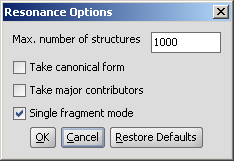
Fig. 3 Resonance Options window