Editor selection in JChem for Office Lite
Changing the structure editor in JChem for Office Lite works the same way as in JChem for Office. Go to JChem ribbon > Options > Structure Editor, then select your preferred editor from the dropdown list.
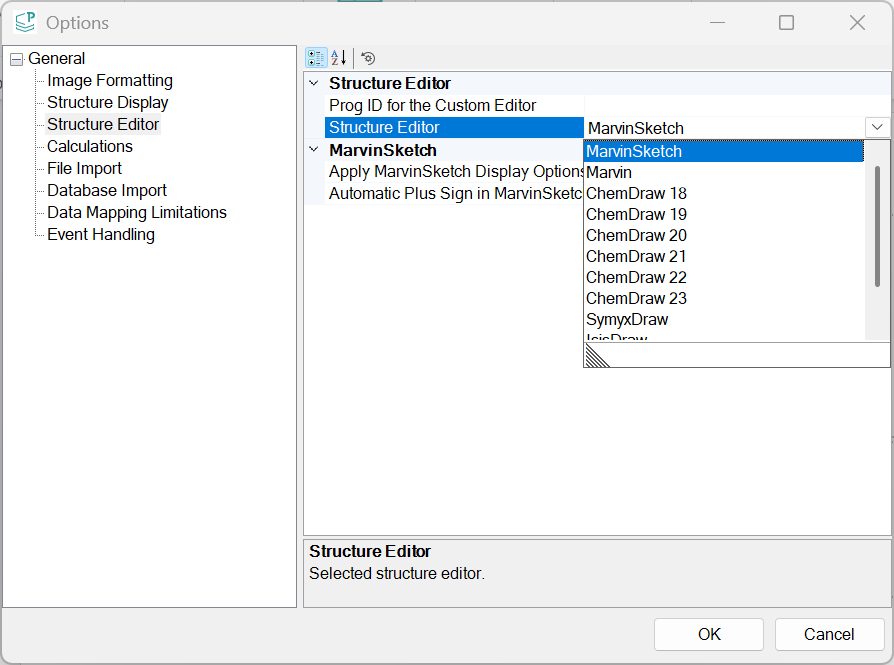
Supported Editors:
Marvin
MarvinSketch
ChemDraw 18
ChemDraw 19
ChemDraw 20
ChemDraw 21
ChemDraw 22
ChemDraw 23
SymyxDraw
IsisDraw
Note: To edit structures using editors other than Marvin or MarvinSketch, the corresponding editor must be installed.
Rendering structures:
By default, pasted structures are rendered according to their file format or the selected chemical editor.(This behaviour does not apply in Excel.)
Typical cases include:
- CXON - Marvin
- MRV - MarvinSketch
- CDX/CDXML - ChemDraw
If user.config files from a previous installation are detected, the stored renderer and editor settings will be applied automatically in Word, PowerPoint, and Outlook.
The user.config files can be found in the following locations:
C:\Users\<Current User>\AppData\Roaming\Chemaxon\JChem for Outlook
C:\Users\<Current User>\AppData\Roaming\Chemaxon\JChem for PowerPoint
C:\Users\<Current User>\AppData\Roaming\Chemaxon\JChem for Word
C:\Users\<Current User>\AppData\Local\Microsoft_Corporation\JChemForOutlook.vsto_vsto_Path_otgxb0fych3j2qkqv0eztcinbbbotaf1\<Build Version>
C:\Users\<Current User>\AppData\Local\Microsoft_Corporation\JChemForPowerPoint.vsto_v_Path_ekpbzjafv2drri5srphx40rdemxeglss\<Build Version>
C:\Users\<Current User>\AppData\Local\Microsoft_Corporation\JChemForWord.vsto_vstoloc_Path_pvhtd1e1ppkkzfxje0m4cjzlmgt3likm\<Build Version>
1 | |
The settings.xml file can be found in the following location:
C:\Users\<Current User>\AppData\Roaming\Chemaxon\JChem for Excel