Notifications
E-mail
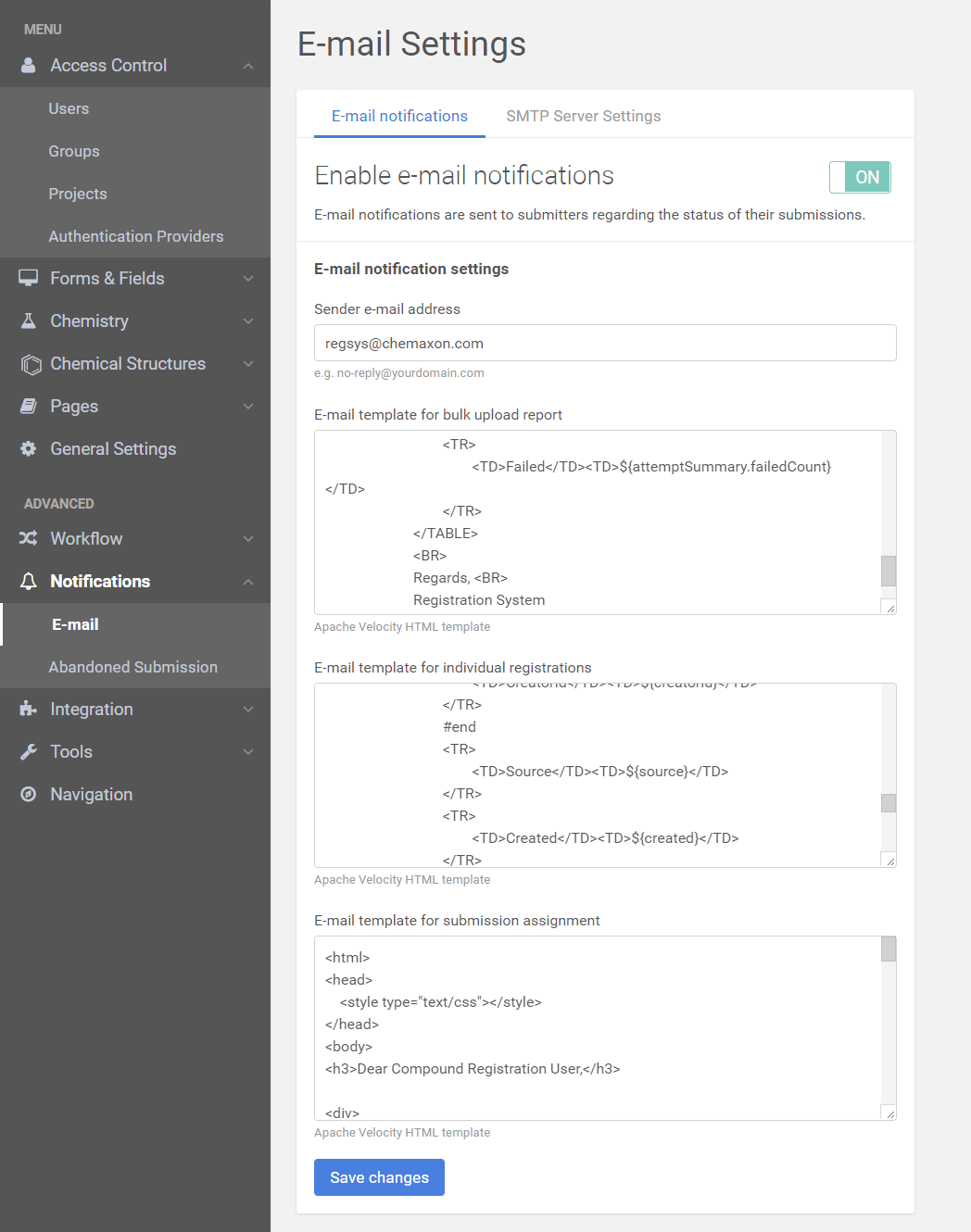
By turning on the e-mail notifications option the user can get feedback about his/her activity (bulk upload and individual registration as well) from the sender's address.
Upon assigning a submission to a user, an e-mail is sent to inform the new assignee.
Before the e-mail settings configuration please visit the Users page and set up an e-mail address for the user(s) who are about to receive the notification after the actions.
E-mail templates are available for:
-
## Bulk upload reports:
The following variables can be used in the template after attemptSummary:- library: It is e.g LIBRARY_1, LIBRARY_2. This is an identifier for a bulk uploaded file. It can be seen in the Upload page and Submission page.
- startDate: Start date of the upload.
- endDate: End date of the upload.
- successCount: Number of successfully registered compounds.
-
failedCount: Number of failed/ready for registration compounds. Label of this can be modified in the e-mail template:
{info} Counts above may sometimes not indicate the correct number, because of asynchronous registrations. The bulk upload summary page will always show accurate counts.
From version 20.8.0 a new variable is available to be used in the bulk upload notification email template: ${attemptSummary.uploadId}. Please find more information below.{primary}
If you change ${attemptSummary.attemptId}) to (${attemptSummary.uploadId}) in the ' E-mail template for bulk upload report' there will be the id of the submission in the e-mail notification:
Registration attempt (id of the submission) finished.{primary}
If you change ${attemptSummary.attemptId}) to (http:// ...server address.... /client/index.md#/summary/${attemptSummary.uploadId}) there will be a link to the submission in the e-mail notification:
Registration attempt (link to the submission) finished.
-
1
2
## Individual registrations: The following variables can be used in the template:- pcn: PCN - Parent Compound Number
- cn: CN - Compound Number
- lnbref: LnbRef -Acronym for (Electronic) Laboratory NoteBook (LNB) Reference
- lotid: A number representing the lot
- status: Submission status (e.g Invalid LnbRef)
- message: Message in case of failed registration. e.g LnbRef is not valid according to the regular expressions.
- userid: The user who initiated the registration
- creatorid: The submitter of the compound
- source: e.g Registrar
- created: Date when the registration was initiated
- submissiontype = e.g. AutoRegister, AdvancedRegister
-
1
2
## Submission assignments: The following variables can be used in the template:- actor: Who did the assignment.
- assignedOn: When the assignment happened.
-
submissionId: Link to the submission. e.g.baseUrl+/client/index.html#/submission?submissionId=66
{info}
id: From version 20.8.0 you can use this to create your own link to the submission. You can change this: ${submissionId} to this: http:// ...server link..../client/index.html#/submission?submissionId=${id} to get link to the submission.
- previousAssignee: Previous assignee.
- createdBy: Created by this user.
- createdOn: When the submission has been created.
- modifiedBy: Modified by this user.
-
modifiedOn: When the submission was modified.
{info}
If the "Automatically assign failed submissions to submitter" switcher is turned ON on Administration/General settings page the system will not send e-mail about the auto-assignment to the submitter.
 |
|---|
| E-mail settings - E-mail notifications |
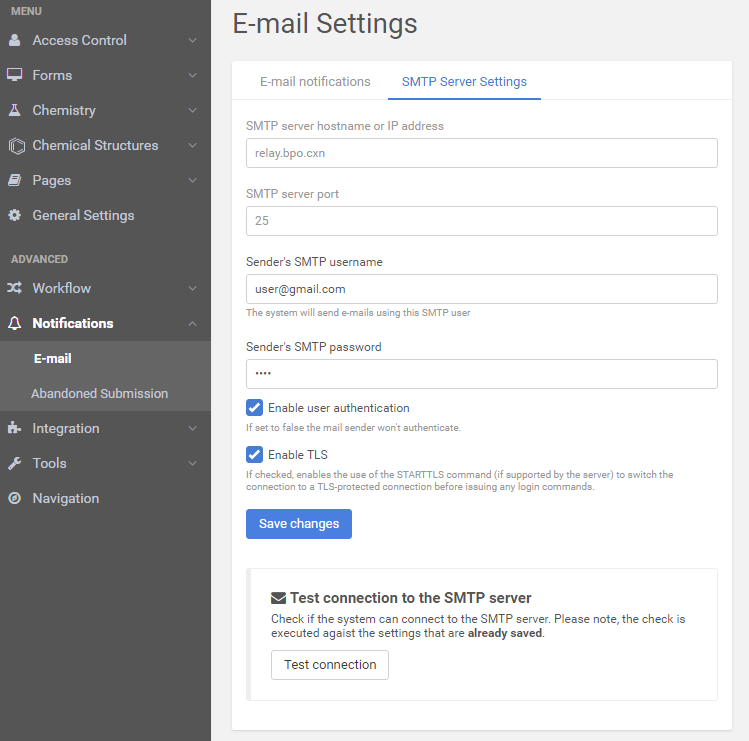
The correct settings of the SMTP server are essentials for the e-mail forwarding, but in order to be able to verify the settings, you must always save the changes first.
 |
|---|
| E-mail settings - SMTP Server Settings |
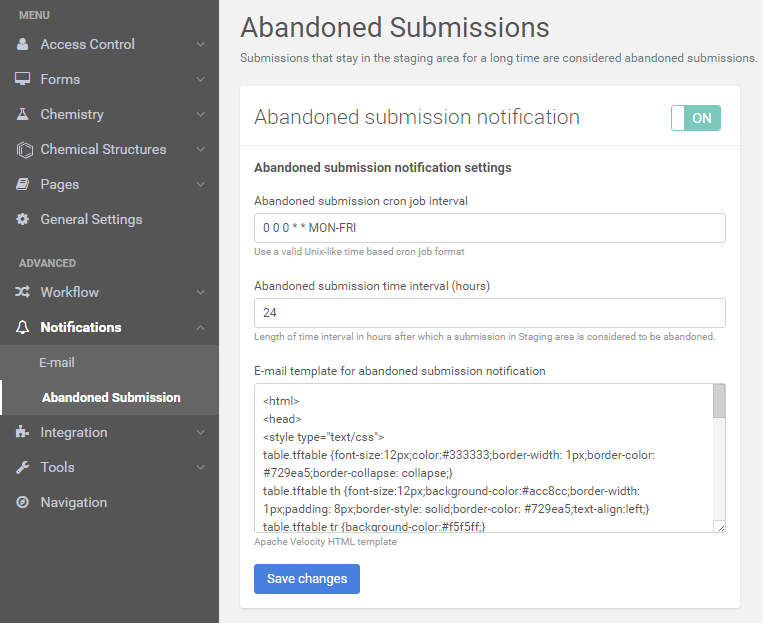
The user may also be notified about the long-standing submissions based on the parameters set.
Abandoned Submission
Submissions that are left in the staging area for a long time are considered abandoned submissions. If the setting is on the user will be notified periodically about these submissions.
 |
|---|
| Abandoned submissions |