Remove Fragment
This action removes molecule fragment(s) if the chemical structure contains more than one disconnected fragments.
There are four methods to select:
- keep the largest fragment, remove all others (
method=keeplargest) (default);
- remove the smallest fragment, keep all others (
method=removesmallest);
- keep the smallest fragment, remove all others (
method=keepsmallest);
- remove the largest fragment, keep all others (
method=removelargest).
The fragment size is determined by the number of atoms (default), the molecular mass, or by the number of heavy atoms.
- number of atoms (
measure=atomcount) (default);
- molecule mass (
measure=molmass);
- heavy atom count (
measure=heavyatomcount).
Example :
| Action | Input | Output |
|---|---|---|
Keep Largest Fragment by Molecule Mass ("removefragment:method=keeplargest") |
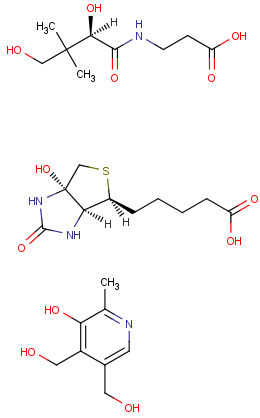 keep largest input keep largest input |
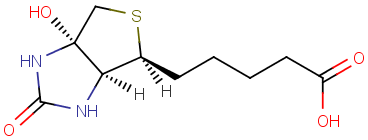 keep largest output keep largest output |
Remove Smallest Fragment by Atomcount ("removefragment:method=removesmallest:measure=atomcount") |
remove smallest input |
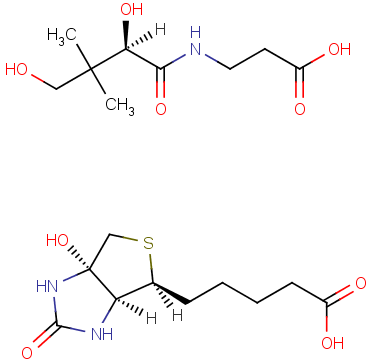 remove smallest output remove smallest output |
Note : Action "removefragment" as simple action string corresponds to the default behavior, i.e., set keepLargestand atomCountoptions.