Create Group
This action contracts user defined structural elements into abbreviated groups. "Create group" standardization process consists of three steps:
- substructure match;
- group, and;
- contract group.
Substructure match will not search inside existing S-groups, and no clean action is applied on output molecules.
The user defined structural elements have to be set on the options panel of the action.
- You can import Marvin's default abbreviated group list when you click on button
 : amino acids are listed in front of the other abbreviated groups. Both amino acids and the remaining groups are in alphabetical order.
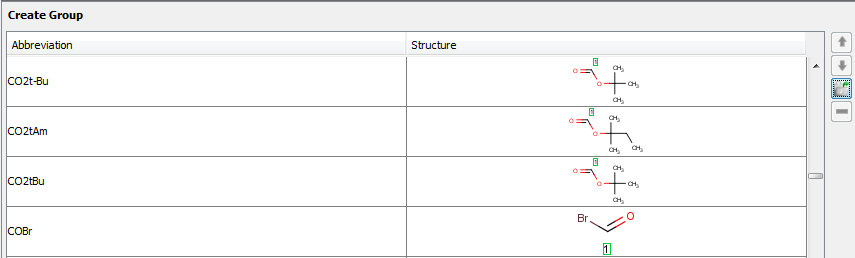
- You can set your own list when you define an abbreviation and its structure in the appropriate fields. Read about how to create groups in MarvinSketch here.

- You can reorder the list by using the up or down arrow on the right. Note : Action considers the order of set groups during standardization.
- You can remove elements from the imported/created list if you hit button
 .
.
- If you do not define any groups in the option panel, default abbreviation groups will be used.
Example :
| Action | Input | Output |
|---|---|---|
Create Group (creategroup) |
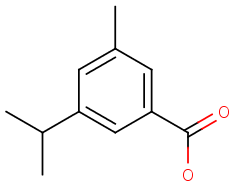 create group input create group input |
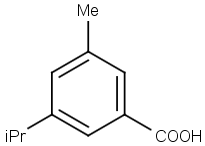 create group output create group output |