Pages Configuration
Registration
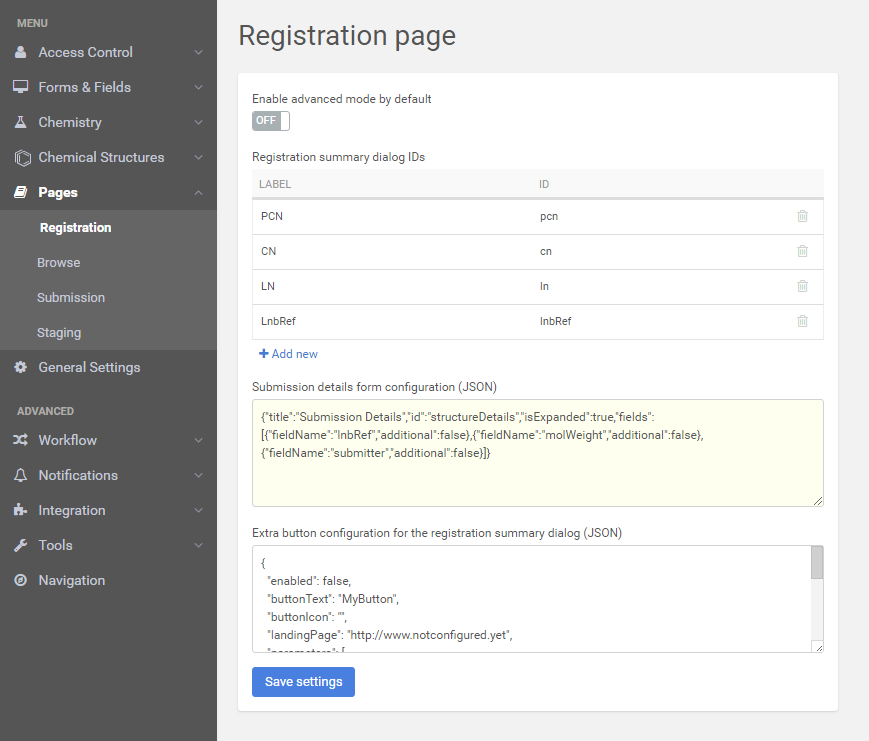
The user can set what is visible on the Registration Summary window and the submission details form can also be configured here.
 |
|---|
| Registration page configurations |
Browse
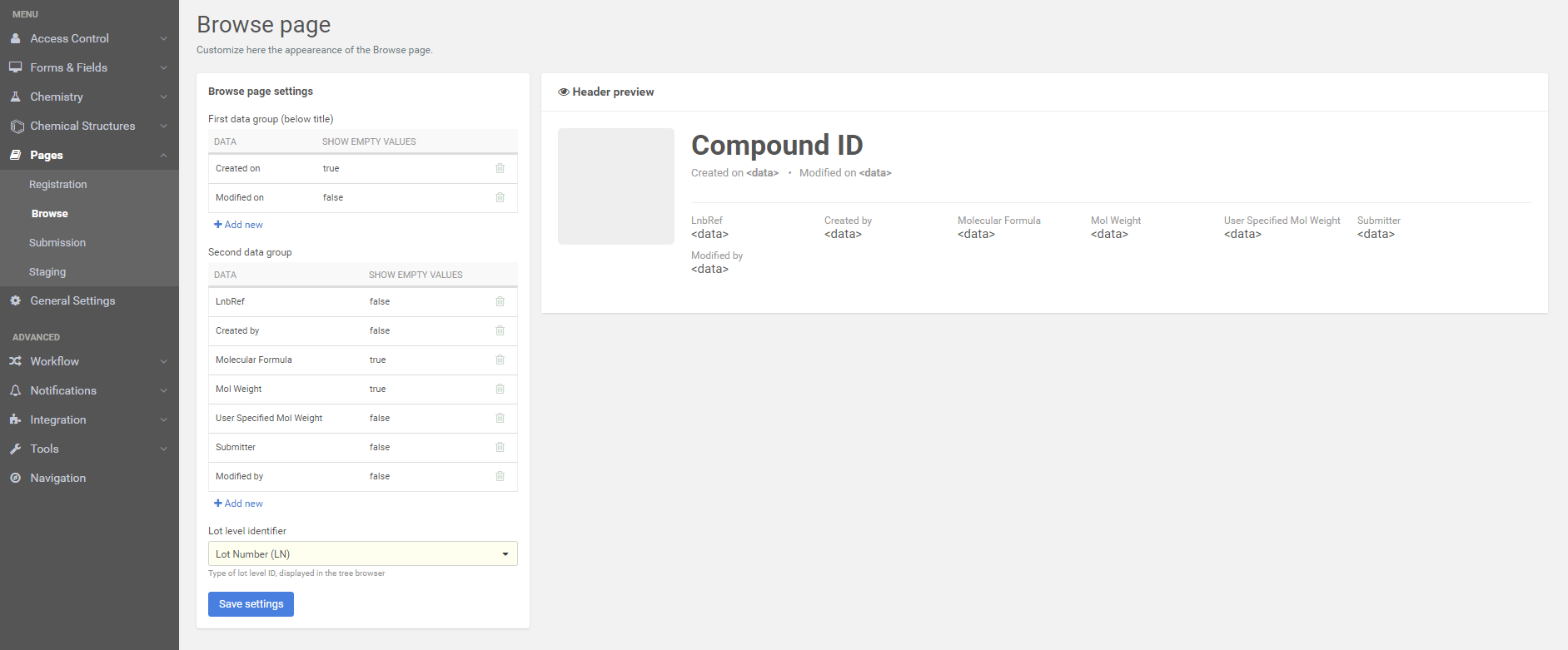
Browse page appearance can be varied here. The preview of the header helps in the customization (the changes are reflected on the preview).
 |
|---|
| Browse page configurations |
Submission
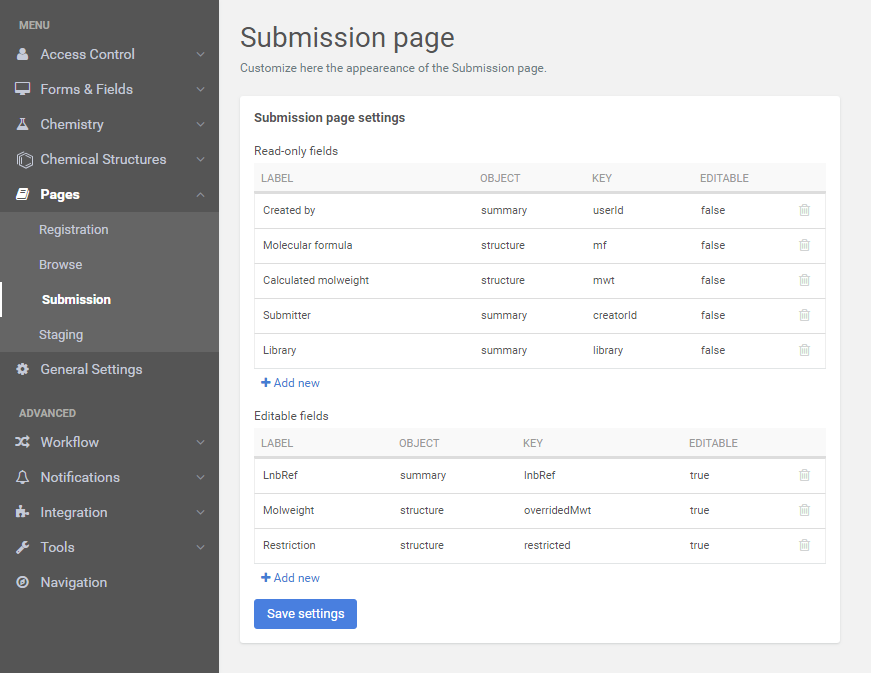
User can add new fields to the existing ones and can customize their editing capabilities.
 |
|---|
| Submission page configurations |
The Submitter/Chemist field can be set to be editable on the Submission page.
Staging
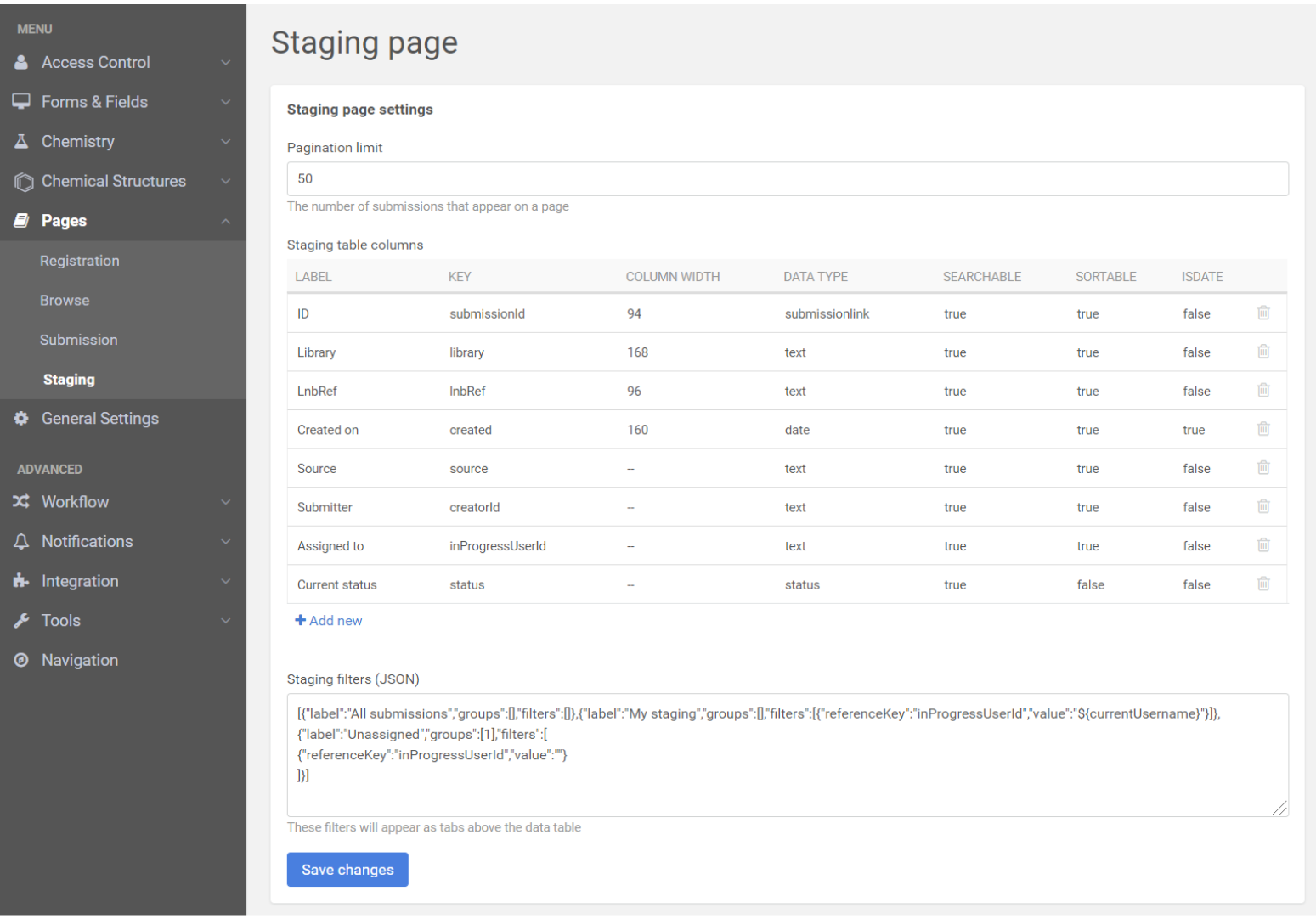
The pagination of the staging page and the staging filters can be customized here.
 |
|---|
| Staging page configurations |
When configuring Staging tabs and considering group filtering the group name has to be replaced by the group Ids within the JSON configuration.This change should be made manually. E.g.
While in the previous Compound Registration versions:
[..."groups":["SUPER"],...
was used, from version 20.19.0-2011251655
you should configure it this way:
[..."groups":[1],...
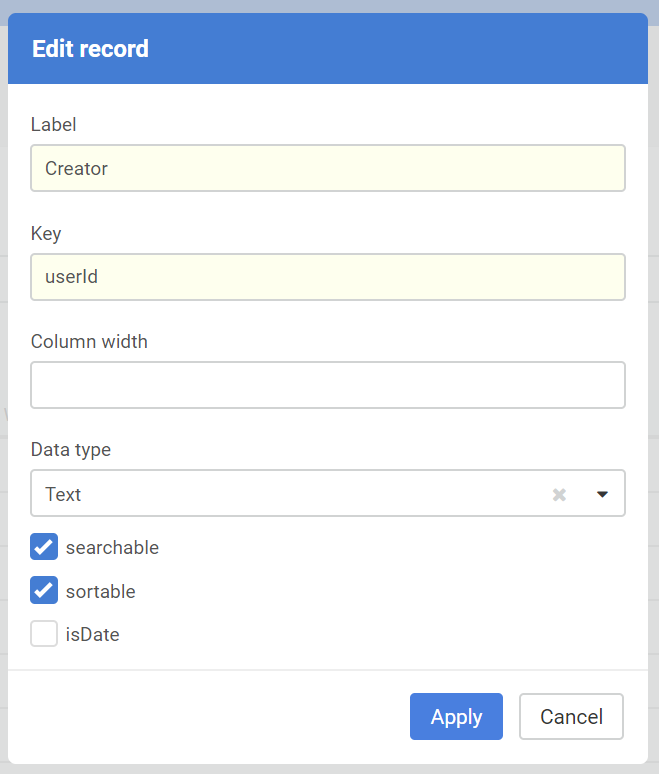
As an administrator you can add new columns, e.g. Creator into the Staging area. Then the Save settings should be applied.
 |
|---|
| Adding a new column Creator to the Staging |