Chemistry
This menu includes a set of chemistry field related settings:
General
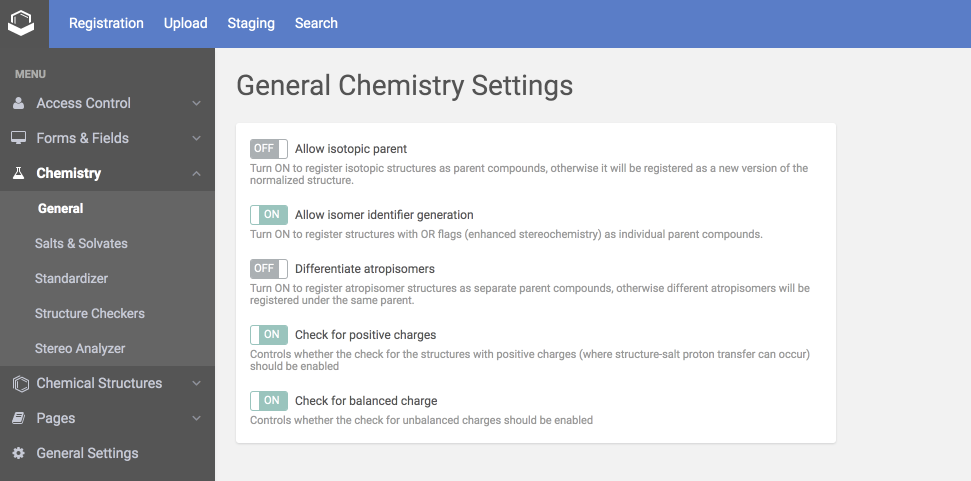
The General settings include the followings:
 |
| The General Chemistry Settings |
Isotopic parent
If ON isotopic structures are registered as different parent compounds, otherwise these are registered as new versions of the normalized structure to the same parent compound.
Isomer identifier generation (since version 20.13.0)
If ON, structures with OR flags (enhanced stereochemistry) are registered as individual parent compounds during auto-registration. For each registration an ISOMER label with an integer increment is added.
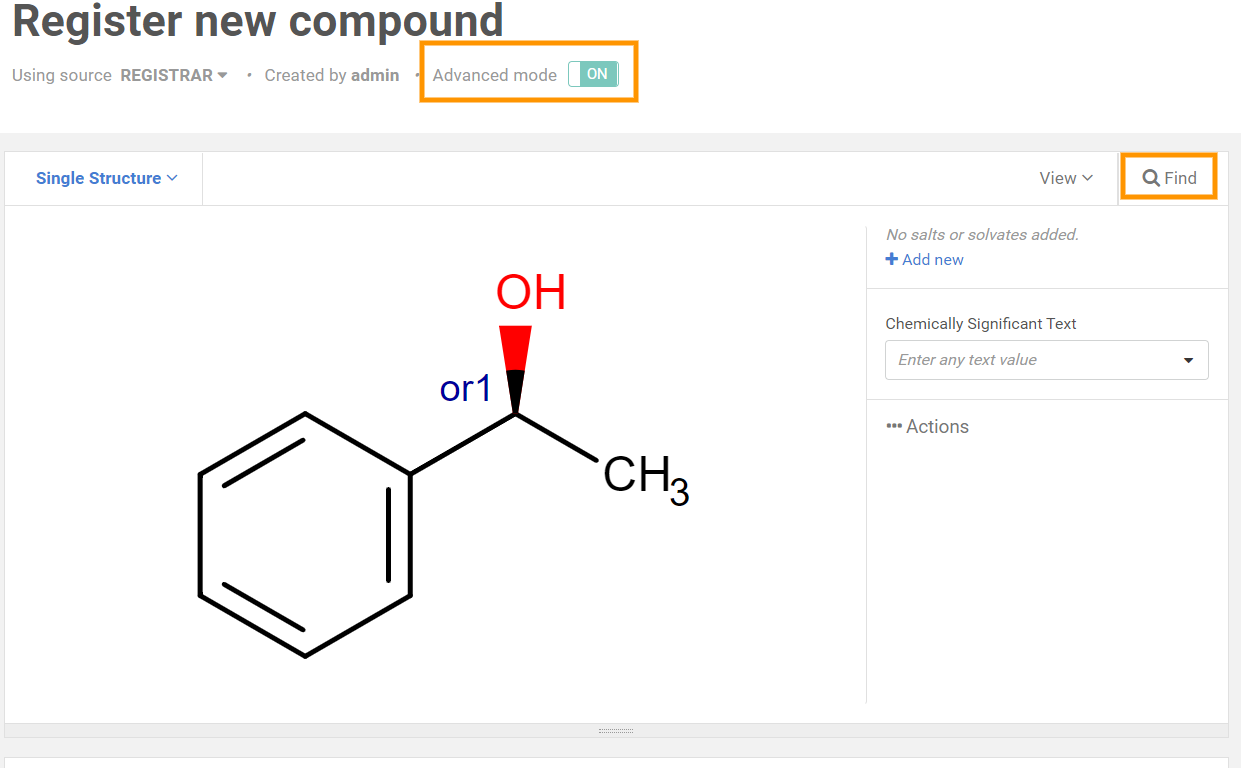 |
| Structure with OR flag |
When you click on 'Find' or turn ON 'Advanced mode' and register, you can see also the similar compounds.
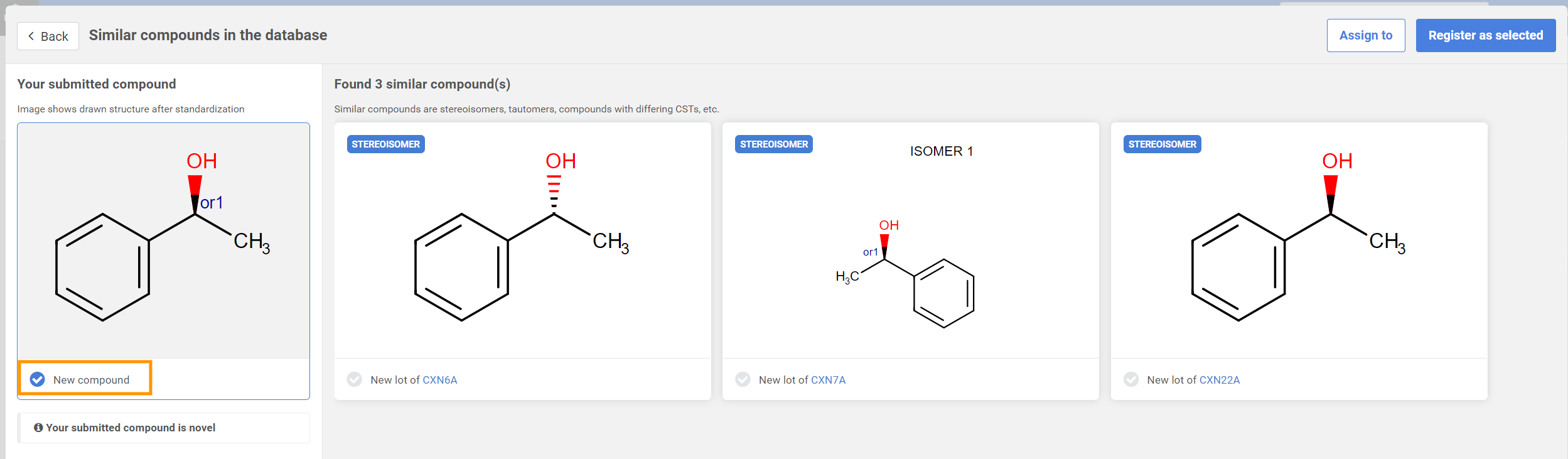 |
| Stereoisomers displayed as similar compounds |
{info} Structures with OR flag can be registered as new compounds.
{warning} In order to register unknown isomers as new compounds when using the Remove Attached Data fixer, you need to provide the Excluded "Unknown" property:
``` css
| <a name="src-1806847-safe-id-q2hlbwlzdhj5luf0cm9waxnvbwvyzglmzmvyzw50awf0aw9ukhnpbmnldmvyc2lvbjiwljgumc0ymda1mtexndqwkq"></a>
## Atropisomer differentiation (since version 20.8.0)
If ON, atropisomer structures can be registered as separate parent compounds, otherwise different atropisomers will be registered under the same parent.
| <img src="images/download/attachments/1806847/14.png" alt="images/download/attachments/1806847/14.png" height="250"/> |
| --- |
| *Atropisomer differentiation* |
<a name="src-1806847-chemistry-positivecharge"></a>
## Positive charge
Controls whether the check for the structures with positive charges (where structure-salt proton transfer can occur) should be enabled.
<a name="src-1806847-chemistry-balancedcharge"></a>
## Balanced charge
Controls whether the check for unbalanced charges should be enabled.
<a name="src-1806847-safe-id-q2hlbwlzdhj5lunozw1fu1ntywx0cyztb2x2yxrlcw"></a>
# <a name="src-1806847-chemistry-chem-ss"></a>Salts & Solvates
The list of Salts and Solvates contained by the dictionary are displayed here. New salts/solvates can be added from here one by one and unused salts/solvates can be deleted. For uploading a list of salt and/or solvates use the [Upload](bulk-upload.md) page.
| <img src="images/download/attachments/1806847/A6.jpg" alt="images/download/attachments/1806847/A6.jpg" width="750"/> |
| --- |
| *The Salt and Solvate settings page* |
On the Settings card, you can set the appearance of the Salt/Solvate panel, the rounding of the parent multiplicity, and the salt/solvate multiplicity fractional precision.
**How to add a salt or solvate** :
1.
Click on the Add salt button.
1.
Draw or import the structure of the salt/solvate and set a name for it.
| <img src="images/download/attachments/1806847/admin10.png" alt="images/download/attachments/1806847/admin10.png" width="400"/> |
| --- |
| *Add salt by drawing* |
1.
Click on the Add salt button.
1.
In case of success, we will be informed about the received ID of the salt or solvate.
**How to delete a salt or solvate:**
From version 19.20.0 it is possible to delete unused salts/solvates.
1.
Choose one or more of the unused salts/solvates to be deleted.
- Salts/solvates that are currently in use by the system cannot be deleted. A salt/solvate is considered to be used in the following cases:
* A registered compound contains it.
* A deleted compound contained it.
- A salt/solvate is considered to be unused and can be deleted:
* It has never been used.
* Registration of the compound with this salt/solvate failed and it is in the staging area.
* It has been removed during amendment from all of the compounds that contained it.
1.
Click to the Delete selected button.
| <img src="images/download/attachments/1806847/delete_salts.png" alt="images/download/attachments/1806847/delete_salts.png" width="700"/> |
| --- |
| *Delete unused salts* |
1.
Click to Proceed to confirm deletion.
<a name="src-1806847-chemistry-chem-ststandardizer"></a>
# <a name="src-1806847-chemistry-chem-st"></a>Standardizer
| <img src="images/download/attachments/1806847/standsett.png" alt="images/download/attachments/1806847/standsett.png" width="700"/> |
| --- |
| *The default general and parent Standardizer configurations* |
The list of available standardizer actions is available [here](standardizer-actions.md).
<a name="src-1806847-chemistry-chem-scstructurechecker"></a>
# Structure Checker
Two categories of structure checkers are found in the Registration system:
1.
Quality Checkers are always running
1.
Source-based checkers (optionally) can be set for a given source to be used during the registration.
These checkers can run as warnings (in the "do_not_fix" mode) or, if available they can be set to fix the structural problems. You can find more details on the [Structure Checker](definitions-of-terms.md#src-1803221-definitionsofterms-structurecheckerstructurechecker) and [Structure Fixer](definitions-of-terms.md#src-1803221-definitionsofterms-structurefixerstructurefixer) page.
| **<img src="images/download/attachments/1806847/image2018-5-4_10-22-54.png" alt="images/download/attachments/1806847/image2018-5-4_10-22-54.png" width="700"/>** |
| --- |
| *The Quality Checkers and the Source-based Structure Checker settings page* |
{warning} In order to register structures with enhanced stereo (*e.g.* OR flag) or structures having "STEREO" data (*e.g.* 'Major' applied by Fixer in Stereo Analyzer) as new compounds when using the [Remove Attached Data fixer](https://docs.chemaxon.com/display/docs/attached-data-strch.md), you need to provide the 'Excluded' property:
``` css
<AttachedDataChecker excluded="UNKNOWN,STEREO" fixMode="fix" fixerClassName="chemaxon.fixers.RemoveAttachedDataFixer"/>
|
Stereo Analyzer
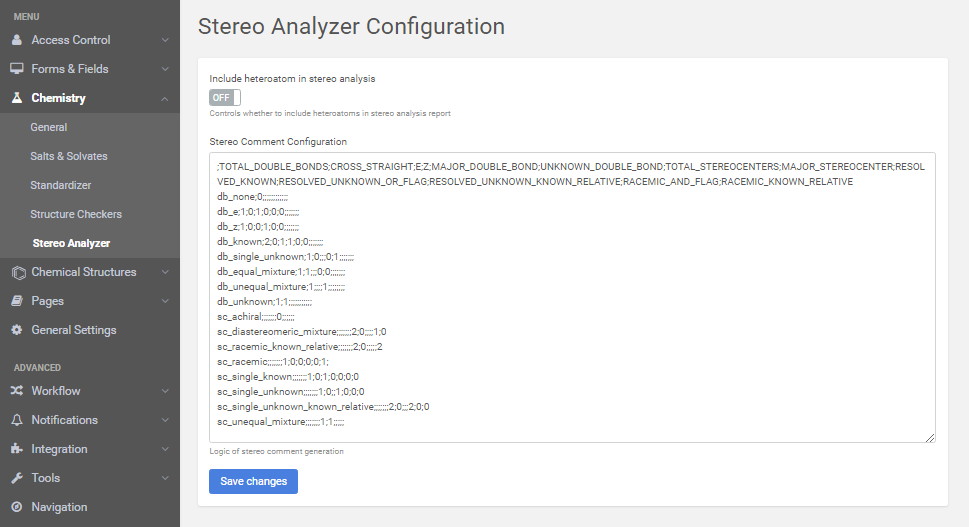 |
| The default Stereo Analyzer Configuration (it will be improved) |