Structure Editor Options in JChem for Excel
The figure below shows the structure editor options.
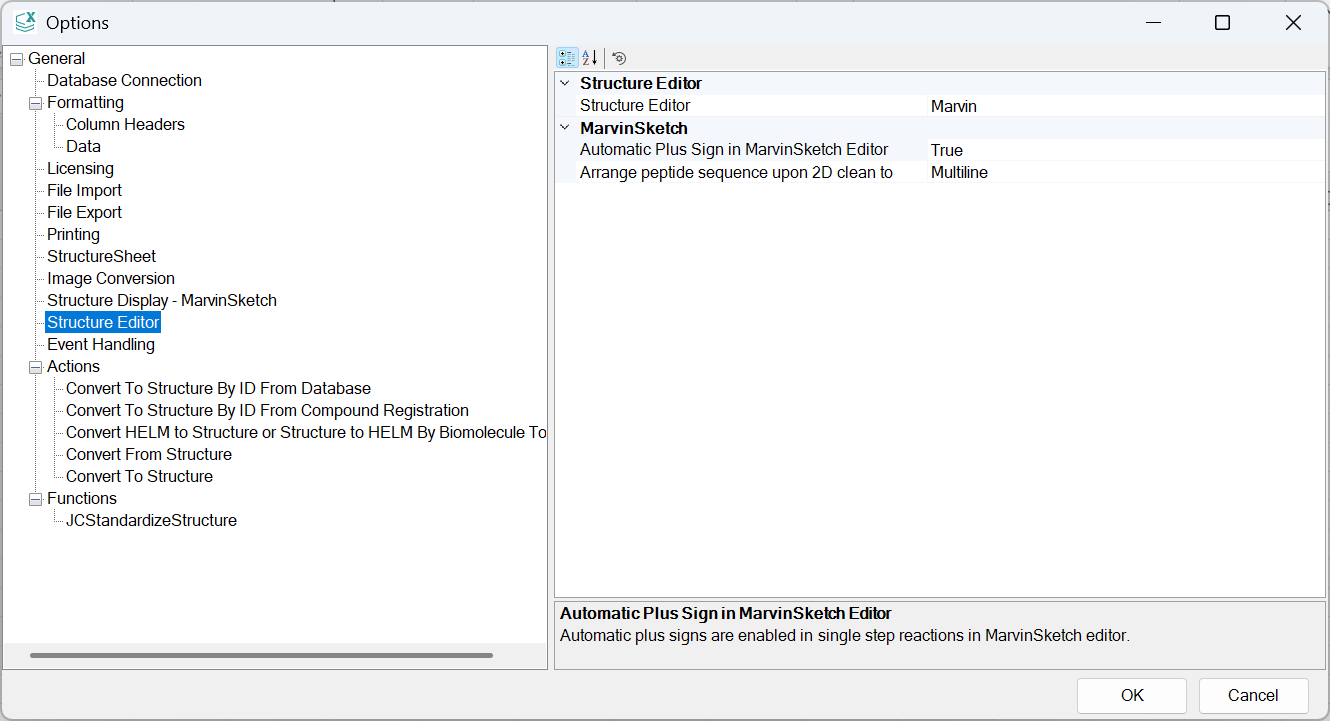
Structure Editor
Structure Editor
Use this option to specify the default structure editor.
The following structure editors are available:
Marvin
MarvinSketch
The default editor is Marvin.
MarvinSketch
Automatic Plus Sign in MarvinSketch Editor
Use this option to specify whether MarvinSketch is forced to enable the Automatic Plus Sign in the Single Step Reactions option whenever MarvinSketch is opened.
The available values are as follows:
TRUE
FALSE
The default value for this option is TRUE.
Arrange peptide sequence upon 2D clean to
Use this option to select how a peptide sequence should be arranged upon a 2D clean action in MarvinSketch Editor.
The available values are as follows:
Multiline
SingleLine
The default value for this option is Multiline, showing 20 amino acids in each line. The SingleLine option shows all amino acids in one straight line.