File Export Options in JChem for Excel
The figure below shows the file export options of JChem for Excel.
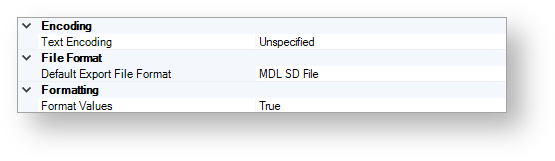
Encoding
Text Encoding
Set the value of this option to UTF-8 if you would like to export a file that has UTF character coding. This ensures that the characters are exported correctly.
The default value of this option is Unspecified.
File Format
Default Export File Format
Use this option to specify the default file format of files during export processes. The following file formats are available:
Chemaxon extended Smiles
Chemaxon MRV format
Chemaxon CXON format
Daylight Smiles
MDL RD File
MDL SD File
MDL SD File V3000
IUPAC Names
The default value of this option is MDL SD File.
Formatting
Format Values
Use this option to specify whether the date and currency data are exported according to the current regional settings or not.
The possible values are as follows:
TRUE
FALSE(in this case, prices are exported without any currency signs and dates are exported as strings)
The default value is TRUE.