Integration
Downstream
 |
|---|
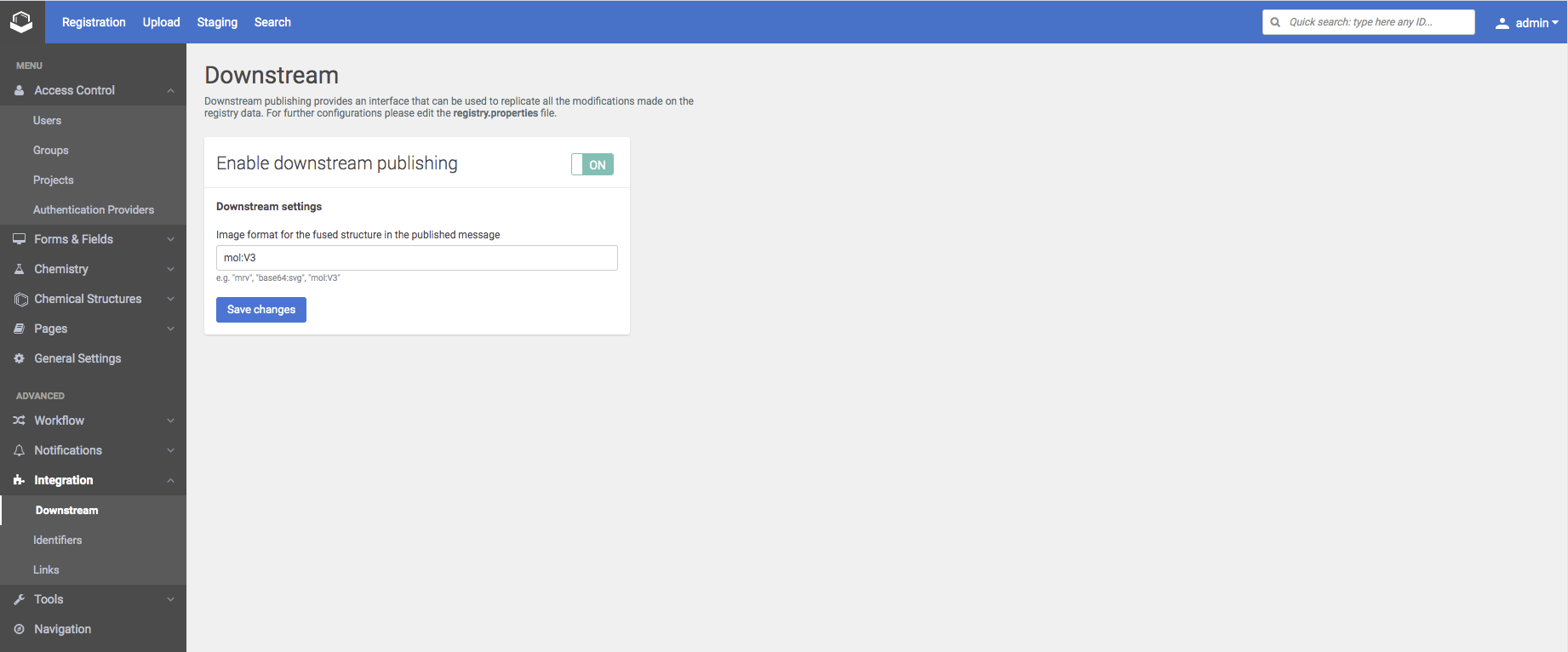
| The Downstream configuration |
By enabling the downstream publishing the JMS publishing in case of changes is controlled.
The image format for the fused structure in the published message can be set (mol:V3 format is the default setting).
The Downstream publishing cron job interval is not available since version 20.8.0.
Since version 21.9.0 the order of the additional data records have been included in the downstream messages as
List fields:
Collections:
In case of ID-based fields the IDs are present in the downstrem message.
The collection names have been also included in the downstream message:
Recommendation: A collection should be identically configured for each source. Collection name should match in all sources this collection appears.
More info about downstream configuration is available in the Developer guide.
Identifiers
 |
|---|
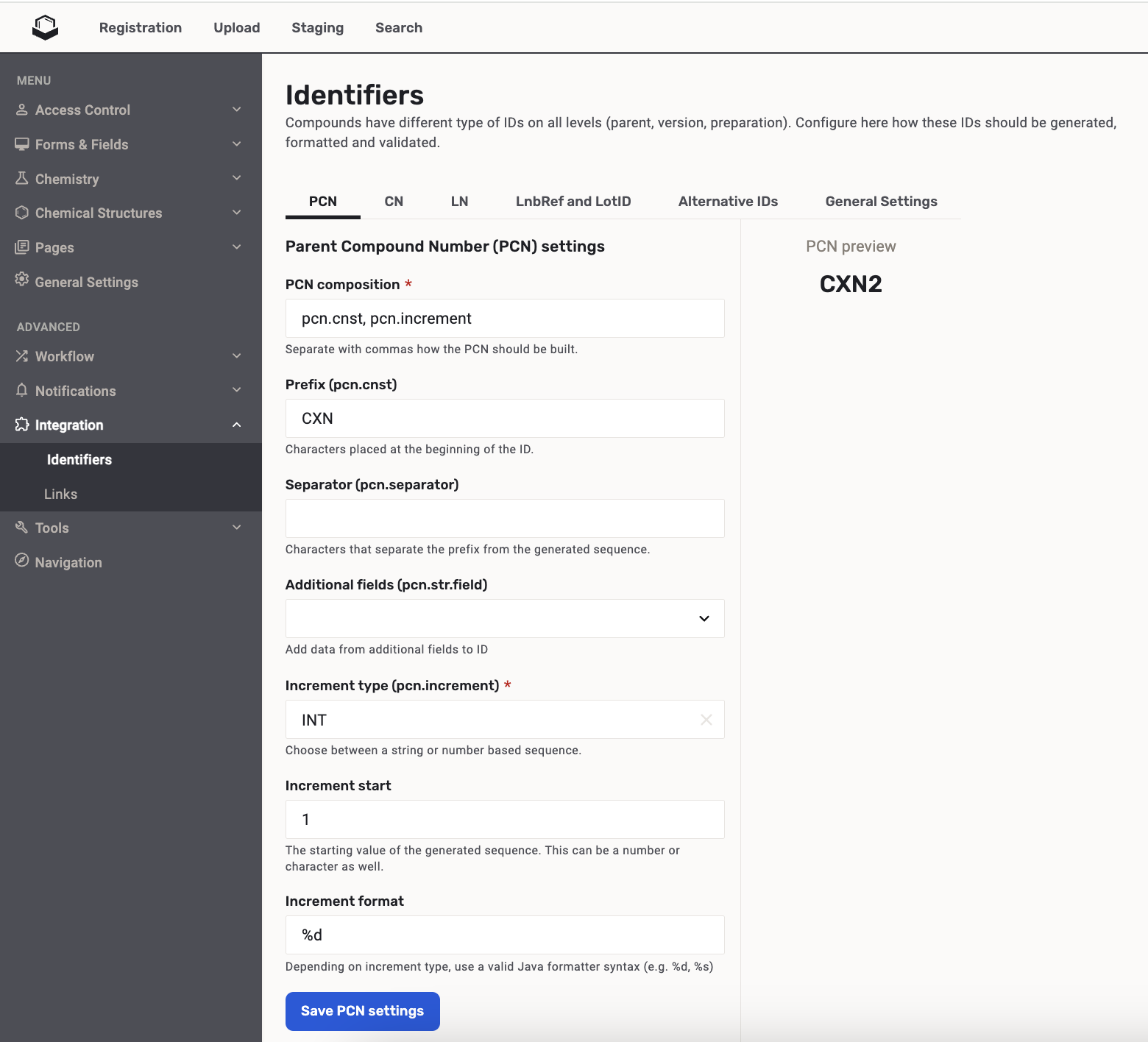
| Parent Compound Number (PCN) settings |
PCN/CN/LN/AID settings
| Setting | Description |
|---|---|
| PCN/CN/LN/AID composition | Separate with commas how the PCN/CN/LN/AID (Alternative ID) should be built. |
| Prefix | Characters placed at the beginning of the ID. |
| Separator | Characters that separate the prefix from the generated sequence. |
| Additional fields | Add data from additional fields to ID. |
| Increment type | Choose between a string or number based sequence. |
| Increment start | The starting value of the generated sequence. This can be a number or character as well. |
| Increment format | Depending on increment type, use a valid Java formatter syntax (e.g. %d, %s) |
| PCN Allocation limit | The PCN allocation limit setting used to control the maximum number of PCNs that could be reserved through the SOAP API. It is deprecated since version 19.2.0. It is removed from the UI since version 24.3.2. |
| ID prefix field name | Name of the Alternative ID. |
1 | |
Alternative IDs
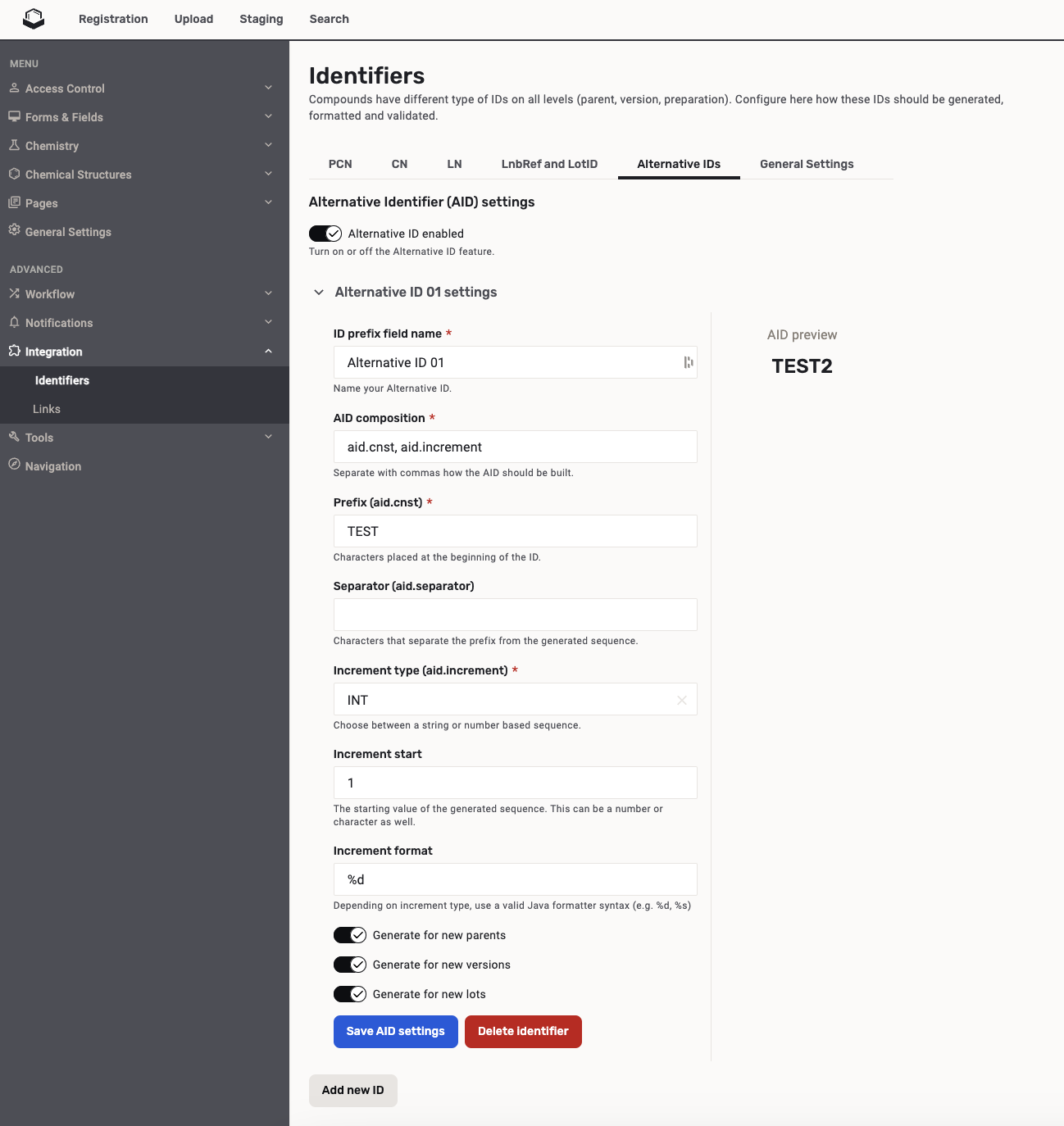
Since version 24.3.4 Secondary (alternative) identifiers can be configured on the Administration page to be assigned to the registered compounds.
 |
|---|
| Alternative Identifier (AID) settings |
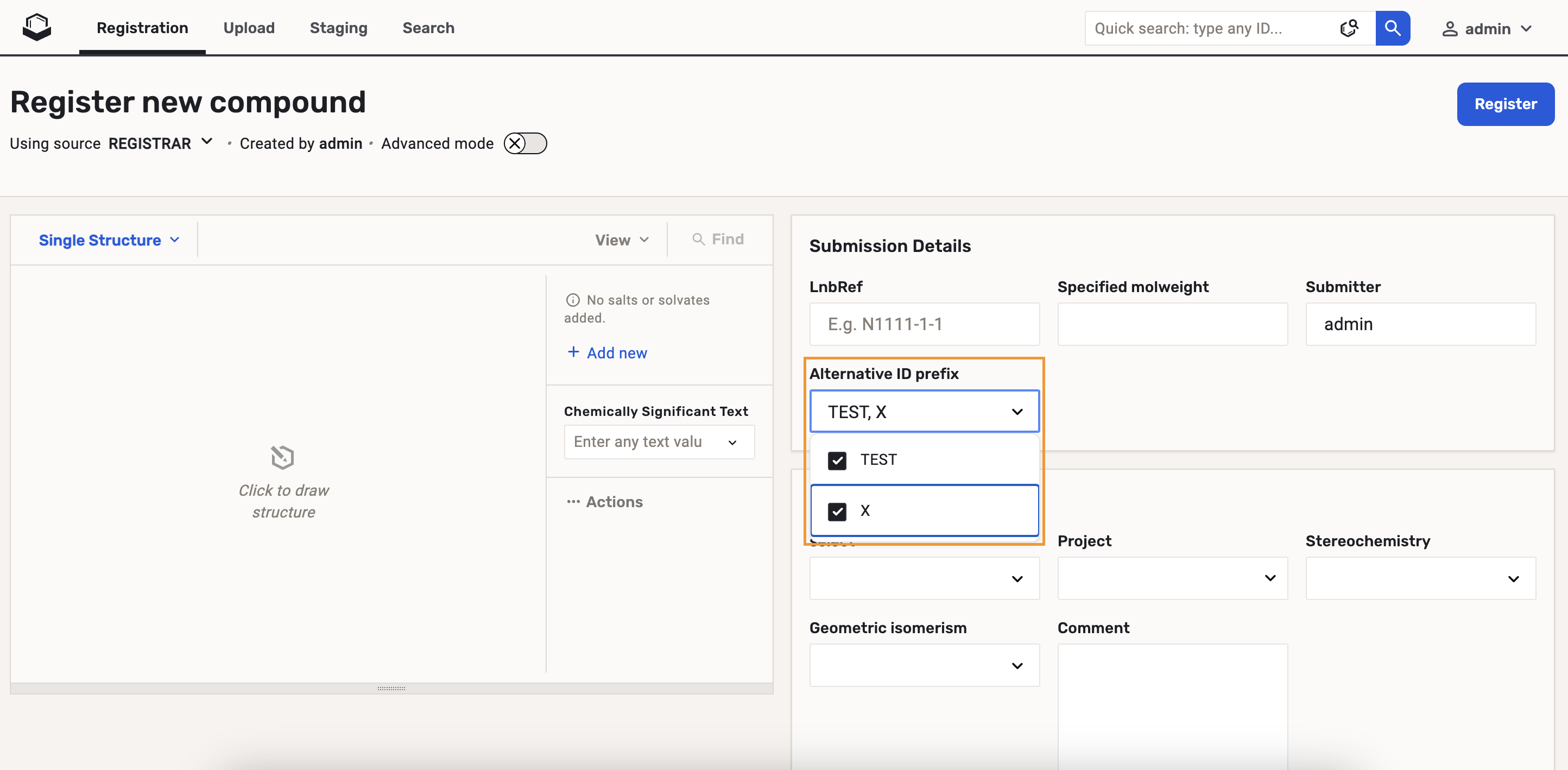
When the "Alternative ID enabled" switcher is set to true, the "Alternative ID prefix" field appears on the Registration page.
 |
|---|
| Alternative ID prefix field |
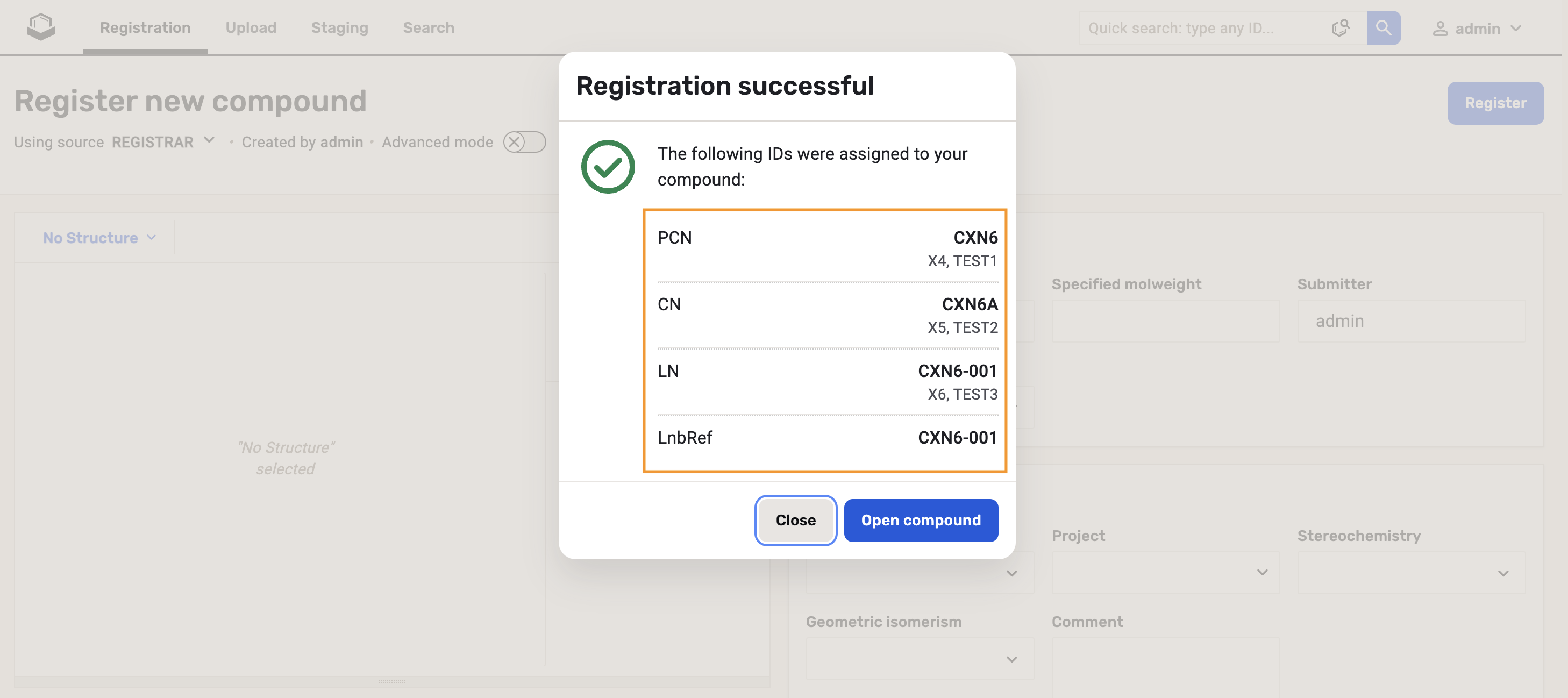
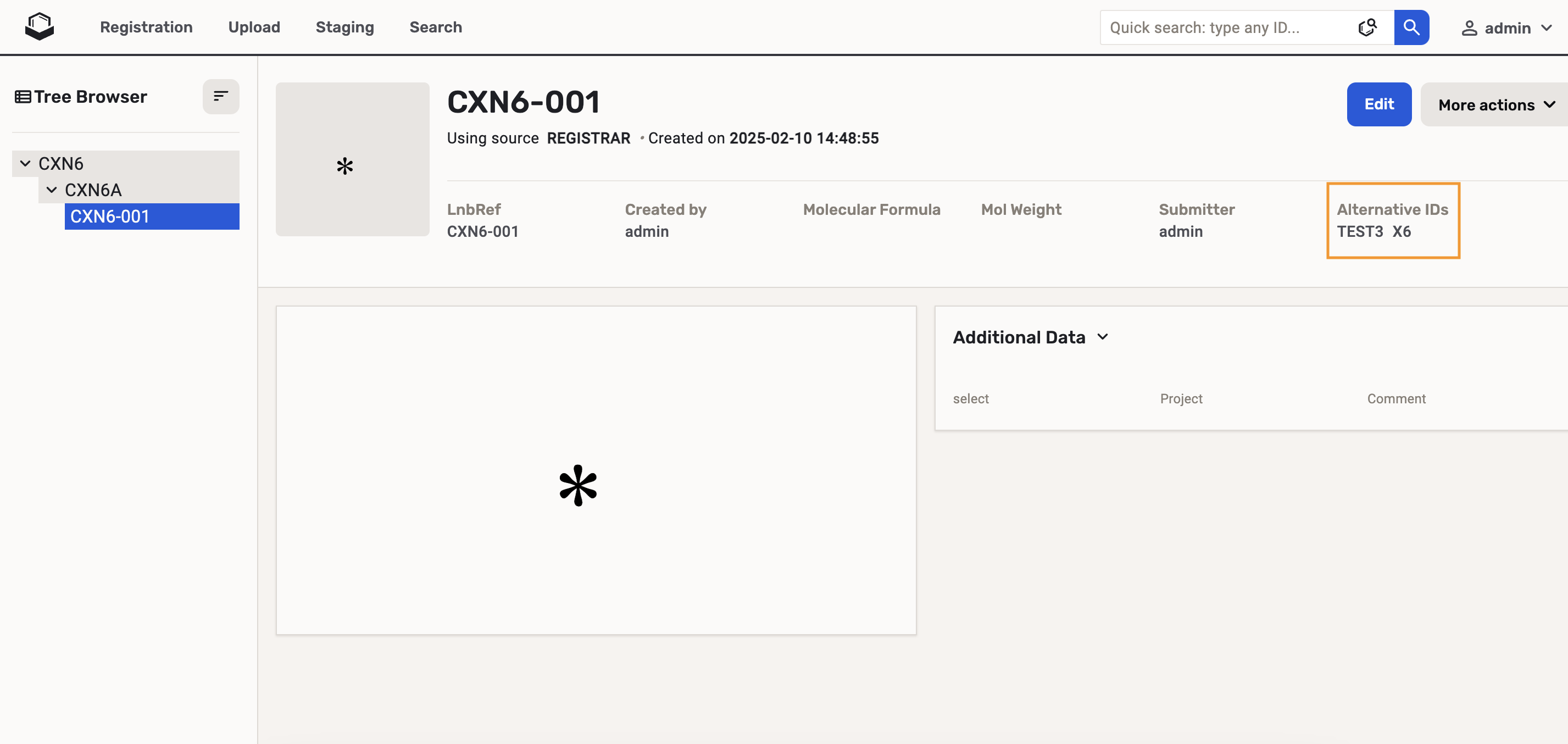
After the registration the Alternative IDs will be visible in the Registration summary and on the Browse page.
 |
|---|
| Registration summary with Alternative IDs |
 |
|---|
| Browse page with Alternative IDs |
LnbRef and Lot Id settings
 |
|---|
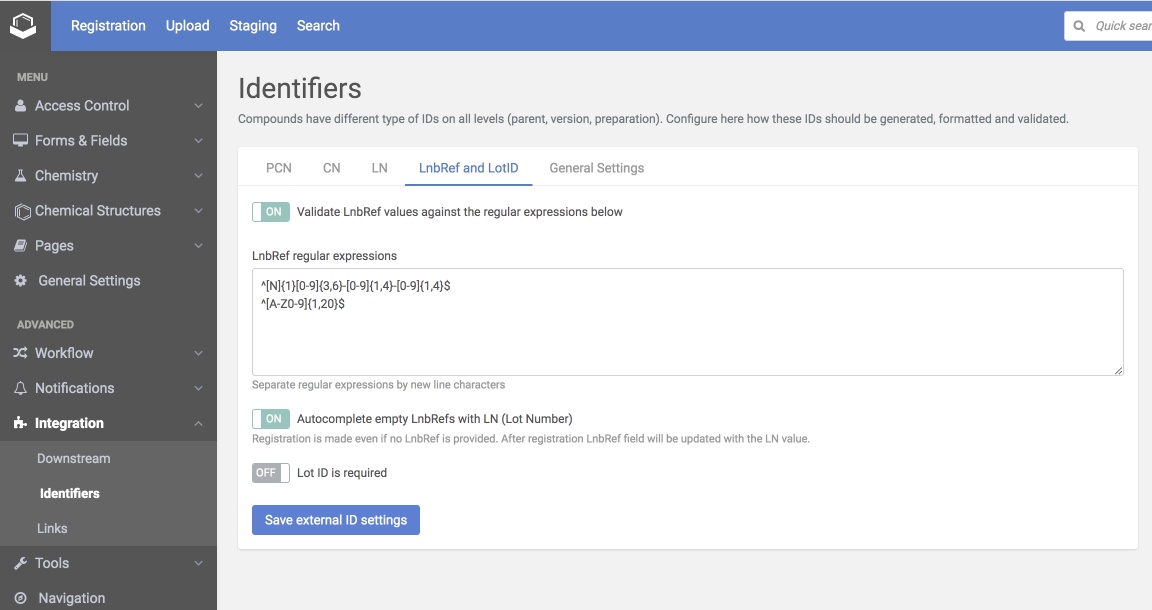
| LnbRef and LotID settings |
| Setting | Description |
|---|---|
| Validate LnbRef | Controls if LnbRef should be validated against the regular expressions during the registration |
| LnbRef regular expressions | List of regular expressions used to validate the submitted LnbRef |
| Autocomplete empty LnbRefs | Registration is made even if no LnbRef is provided. After registration LnbRef field will be updated with the LN value. |
| Lot Id required | Controls if the existence of Lot Id should be validated during the registration |
General settings
 |
|---|
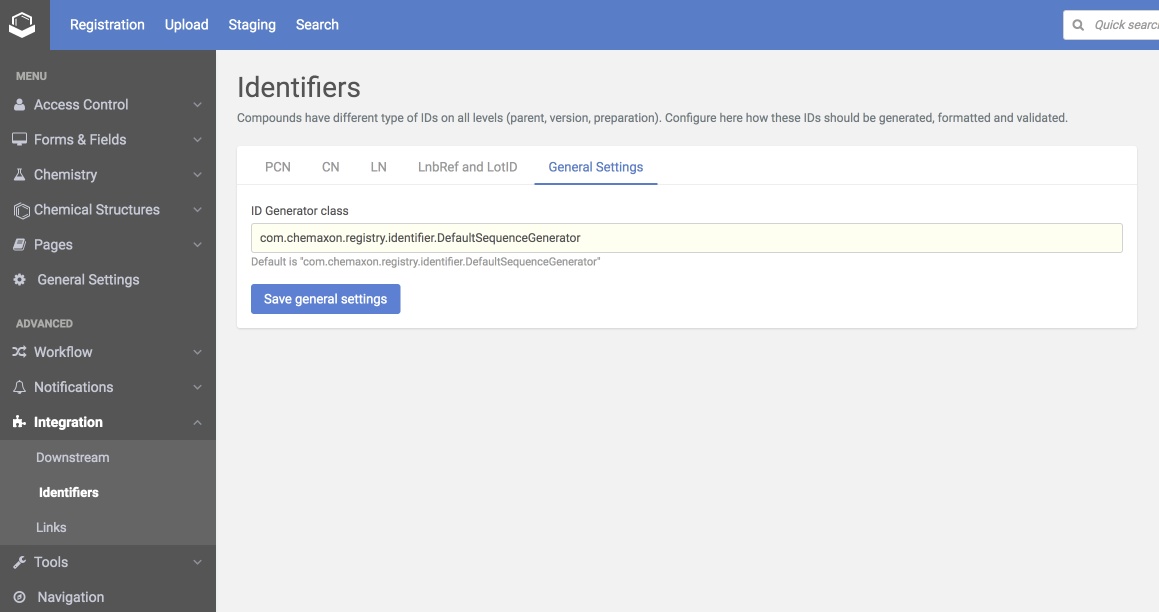
| General settings |
| Setting | Description | DefaultValue |
|---|---|---|
| Id Generator Class | Class name of the corporate ID generator | com.chemaxon.registry.identifier.DefaultSequenceGenerator |
Links
 |
|---|
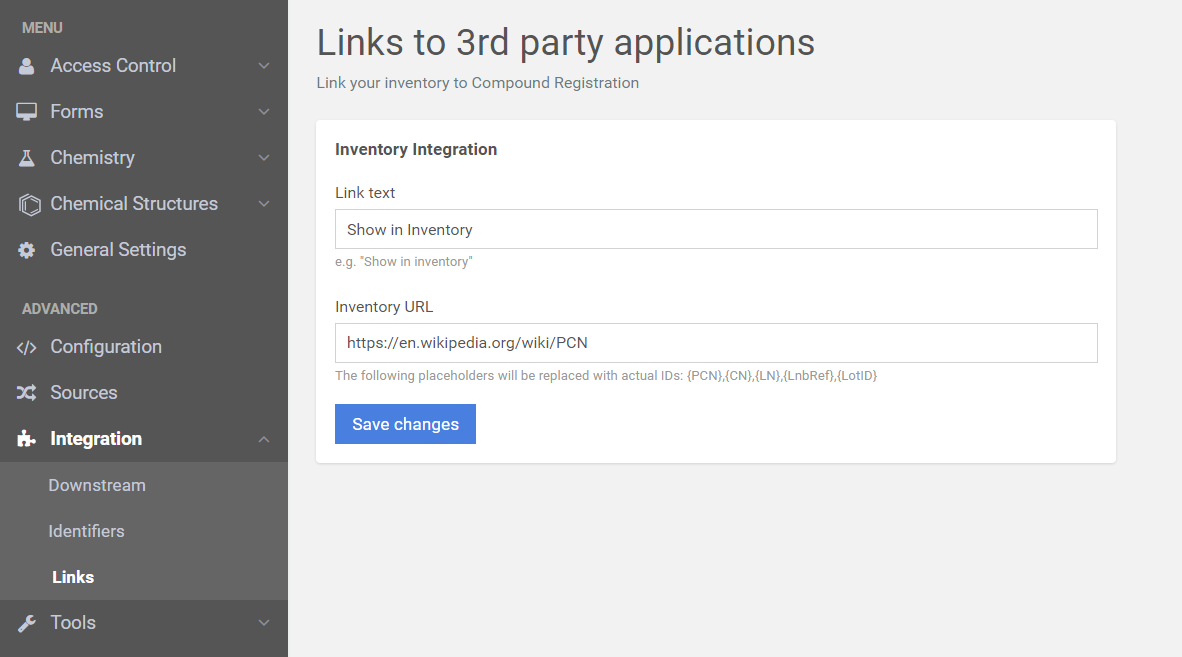
| The setting of the links to third party applications |