Draw Stereocenters
To draw stereocenters, follow the steps below.
- Draw a chiral molecule.
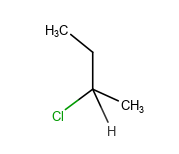
- Select the asymmetric carbon atom that you want to configure as S or R.
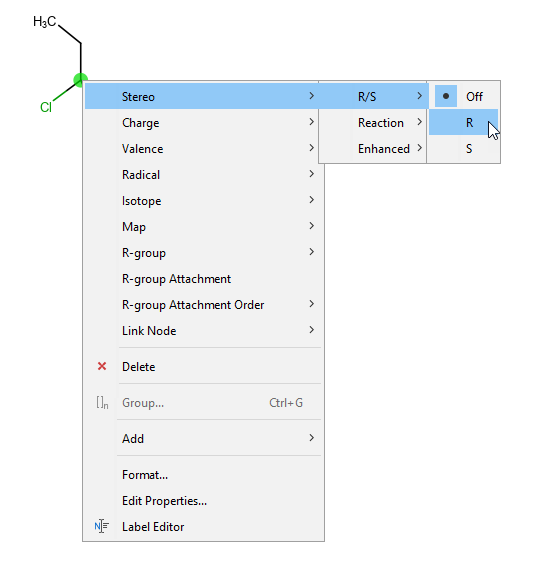
- Right-click the carbon atom.
- Navigate to Stereo > R/S and select the appropriate configuration.
- The relevant bonds are changed automatically according to the proper R or S configuration.
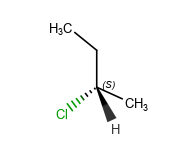
You can alternate between label displays on the asymmetric carbon atom by navigating to View > Stereo > R/S Labels.
To delete stereo representation, right-click on the asymmetric carbon atom and choose Atom > Stereo > R/S > Off.