Information to be sent for bug investigation
To solve the issue you experienced on your computer we need to reproduce it in our in-house testing environment. To be able to do this, please check if you filled out the Properties drop-down list on the right side of the screen:
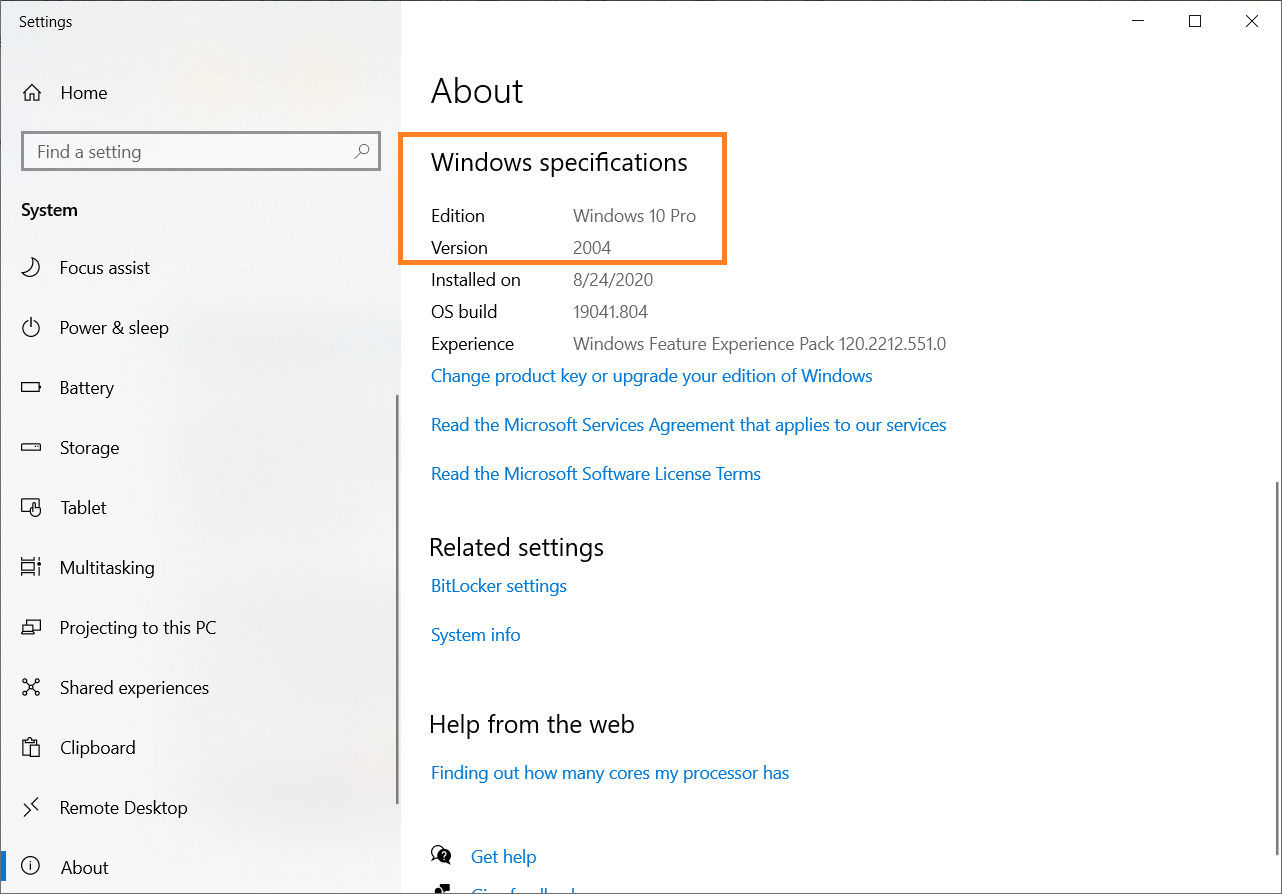
Windows version: type "About" in the search bar at the left bottom of the screen
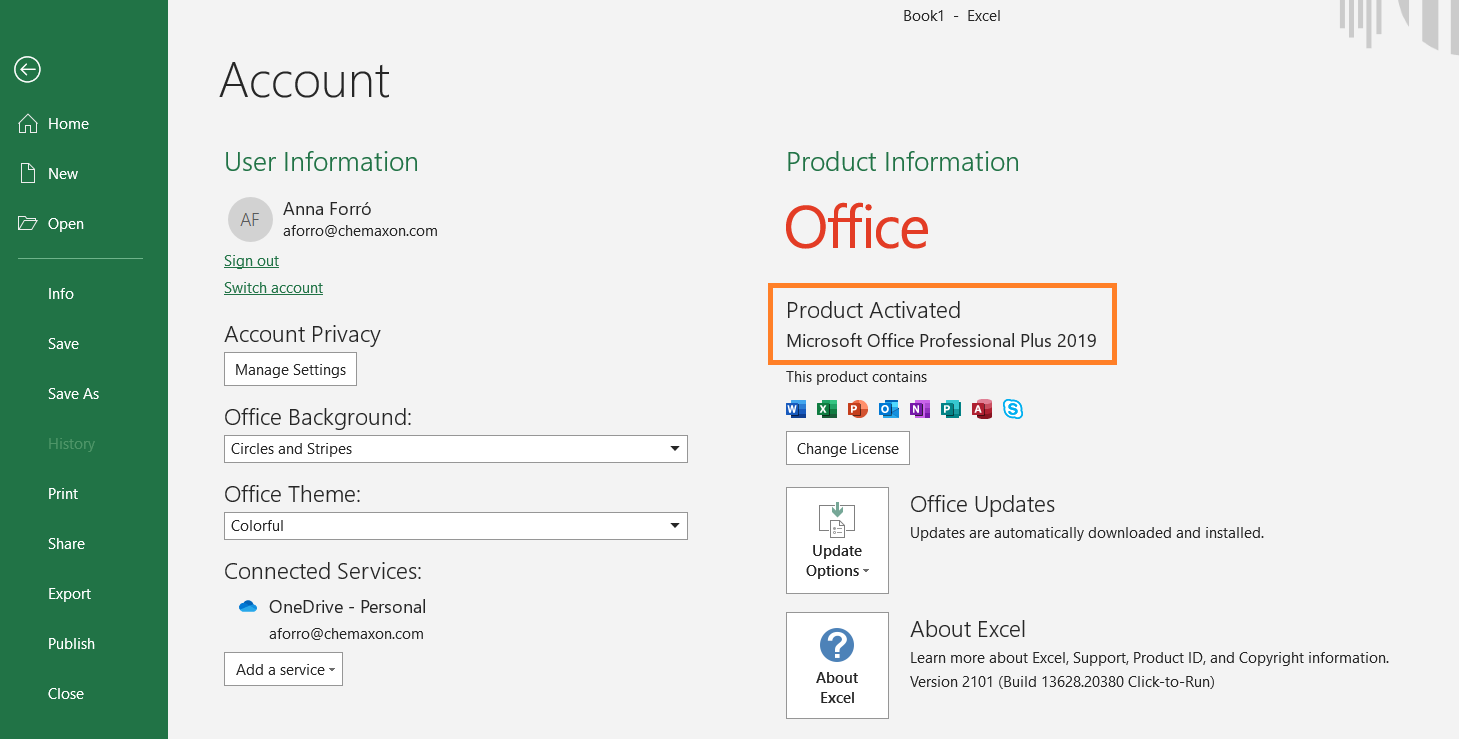
Microsoft Office version (check out here how to find out the bit version of your MS Office): launch Microsoft Excel, Word, Powerpoint or Outlook.
Go to File/Account:
JChem for Office version: press "About" on JChem tab in Excel, Word, Powerpoint or Outlook
The bit version of your Microsoft Office is also important, you can find the steps how to check it on your computer here.