JChem PostgreSQL Cartridge in Instant JChem
Introduction
JChem PostgreSQL Cartridge (JPC) is supported by IJC. JChem PostgreSQL Cartridge integrates the 2nd generation JChem Base engine with PostgreSQL interface. It adds chemical database management and search capabilities to PostgreSQL databases via the JChem-psql service. Among its advantages are high-speed chemical search and quick sorting of chemical structures by relevance. It offers the most used chemical search options like substructure search, full fragment (exact fragment) search, superstructure search and duplicate search. A comparison of JChem Engines is available here.
Performance comparison between JChem Base and PostgreSQL Cartridge indicates that the PostgreSQL queries are executed faster. Performance can vary significantly based on the specific query executed and its frequency of execution. The speed difference is also influenced by the fact that the JChem Base entity caches structure fingerprints in Instant JChem’s memory, which is a time-consuming process. PostgreSQL Cartridge search is done inside the database so the first and the second query don’t differ significantly in terms of speed. Further advantage of the PostgreSQL Cartridge is less memory use, which was proven by measurements of memory usage after GC with the following results: JChem Base 450 MB, PostgreSQL 400 MB.
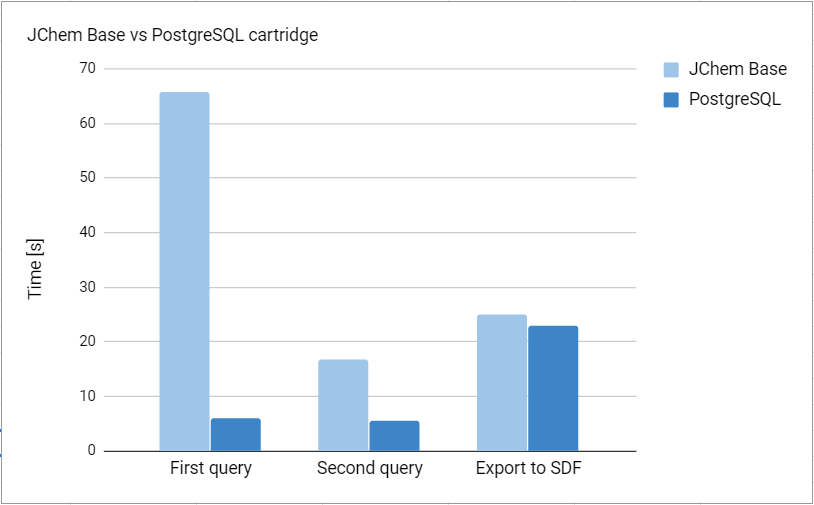
The test was conducted using ChEMBL 25 database containing 1.8 million structures. The query was CdId > 0 and substructure search for Naphthalene with a result of 55 936 hits.
Installing the JChem PostgreSQL Cartridge
This guide will serve as a basic introduction to the installation and use of JChem PostgreSQL Cartridge installation.
Upgrading
Upgrade process of IJC schema is done automatically, but upgrade of the cartridge itself has to be done manually and it is described in the JPC upgrade documentation.
About the JChem PostgreSQL Cartridge table types in IJC
JPC does not handle JChem tables, only regular Postgres tables are handled. The column for storing the chemical structures must be Molecule type. CREATE INDEX using chemindex or sortedchemindex makes the JChem search processes run faster, however searching in unindexed tables is also possible. There are no table settings because, unlike with the JChem Oracle Cartridge, table types do not exist here.
JChem PostgreSQL Cartridge entity
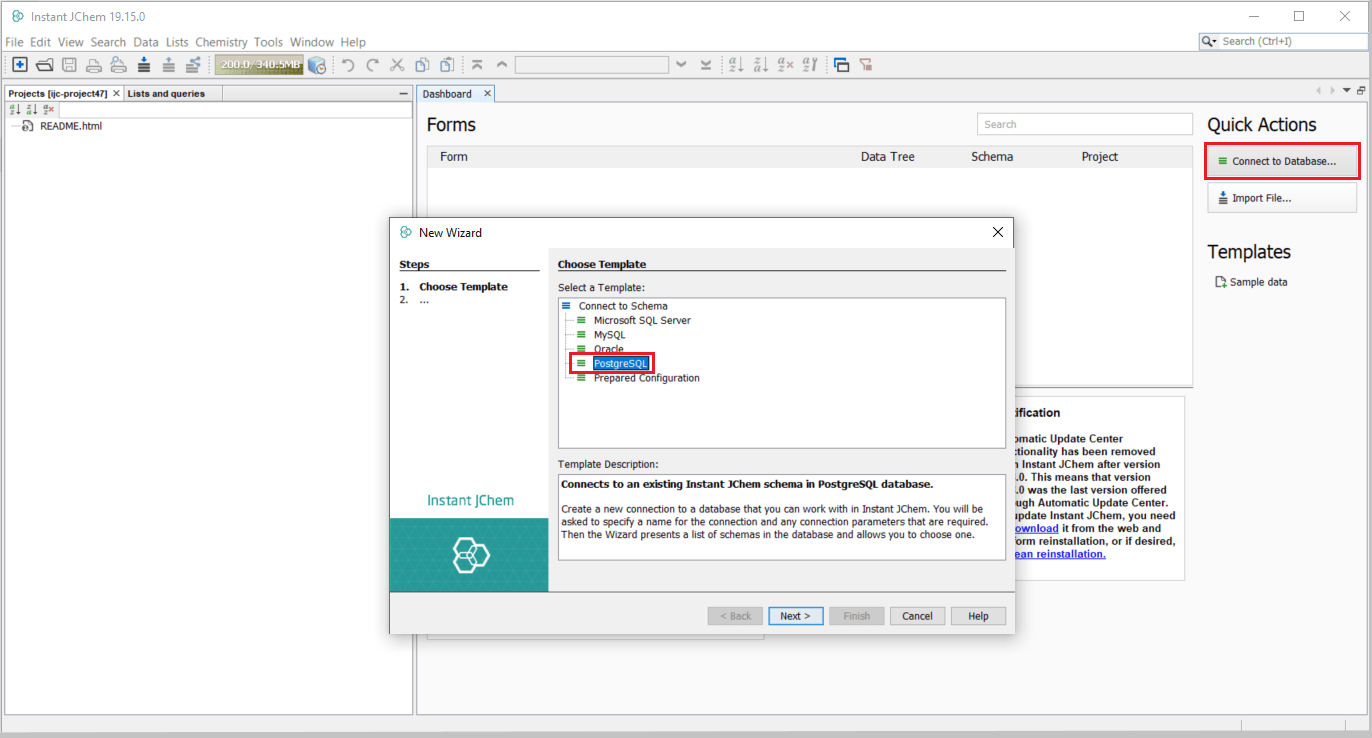
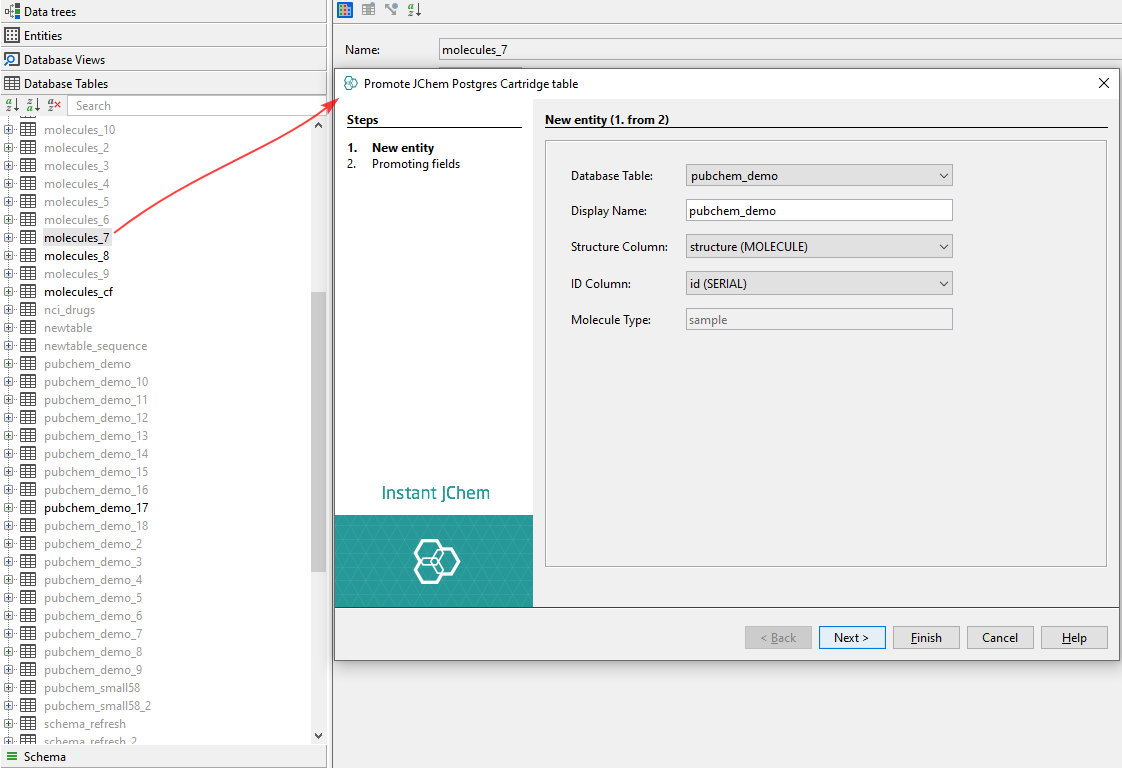
If you are using a PostgreSQL database and have the JChem PostgreSQL Cartridge installed and running, a new JChem PostgreSQL Cartridge entity can be created. After selecting the JChem PostgreSQL Cartridge entity as entity type, which is a default option, the following settings need to be specified:
- In the Display Name text field, enter a name for the new entity.
- In the Database Table text field, the name of the new entity is automatically copied from the Display Name text field.
- In the Structure Column field, enter a name for the structure column in the database table.
- In the ID Column field, specify the column name for the identity column (primary key column) in the database table. For a JChem PostgreSQL Cartridge entity, the ID is generated automatically.
- The default value of the Molecule Type field is ‘sample’. You can add a new molecule type or change the existing one. Detailed documentation about adding and changing molecule types is available in the JChem PostgreSQL Cartridge Manual here.
Import data
New JChem Postgres Cartridge entity is a default option when JPC is installed correctly; otherwise, it will be missing in the menu.
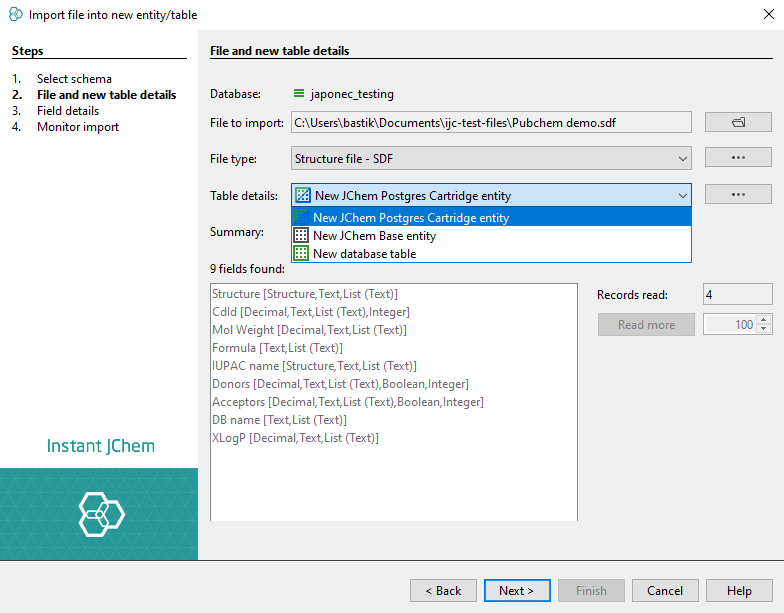
Table creation options can be changed under the ... button.
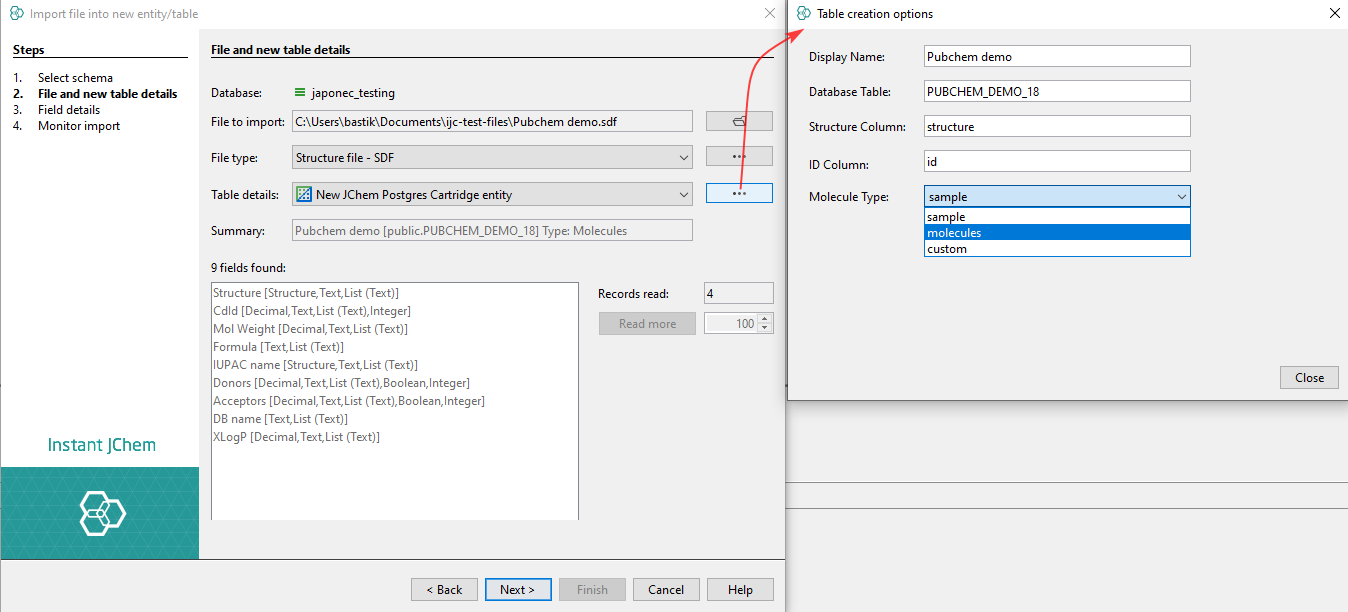
Specific molecule types can be set during the import process. Molecule types define the interpretation mode of the chemical structures. Molecule types are based on the extension chemaxon_type. The definition of these types has to be stored in /etc/chemaxon/types/ folder as a
Promote Table
If the structure table is in the correct state, it will be automatically recognized as a JPC table and promoted as a Structure entity. Otherwise, it will be promoted as a standard data table.
Structure search options
JPC provides the following structure search operators. See details in JChem PostgreSQL Cartridge Manual:
- Substructure
- Superstructure
- Similarity
- Duplicate
- Full fragment
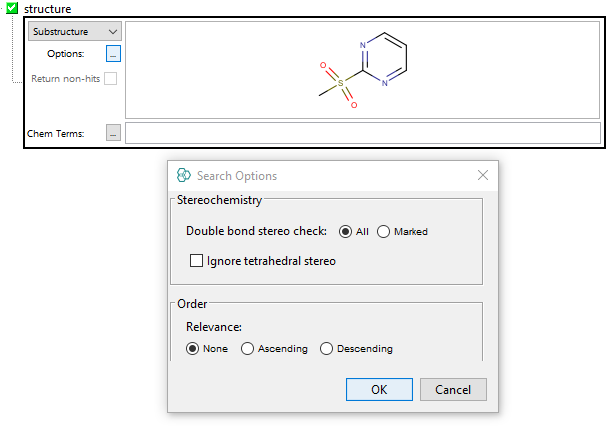
Substructure search
Using substructure search in IJC with JPC, its capabilities are more limited than those of other engines.
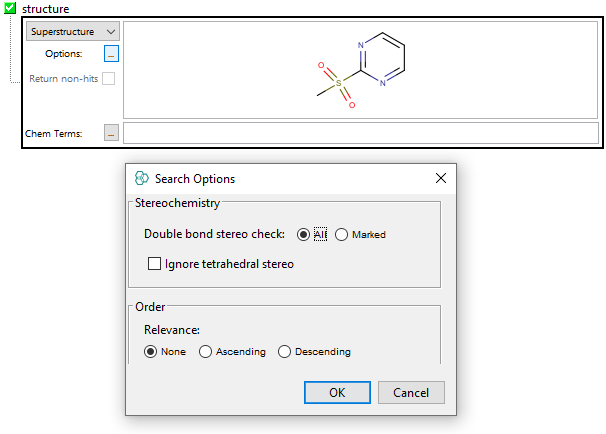
Superstructure search
Superstructure search has the same options as substructure search available.
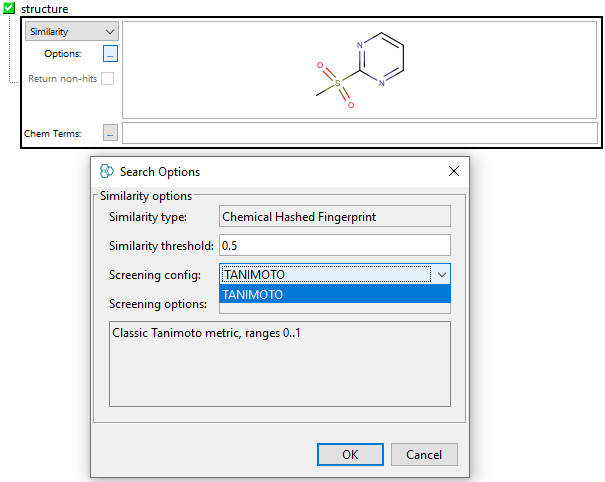
Similarity search
Using similarity search, only classical Tanimoto metric is available for it.
Duplicate search
Has no options available
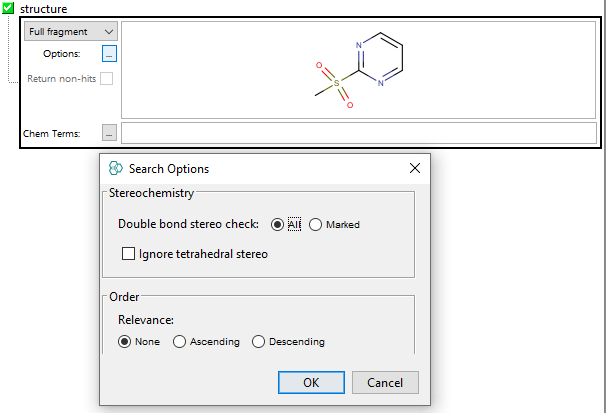
Full fragment search
Full fragment search has the same options as substructure search available.
Standardiser in PostgreSQL Cartridge
IJC is able to read standardiser settings in a standard way. In IJC the standardiser settings are READ ONLY.
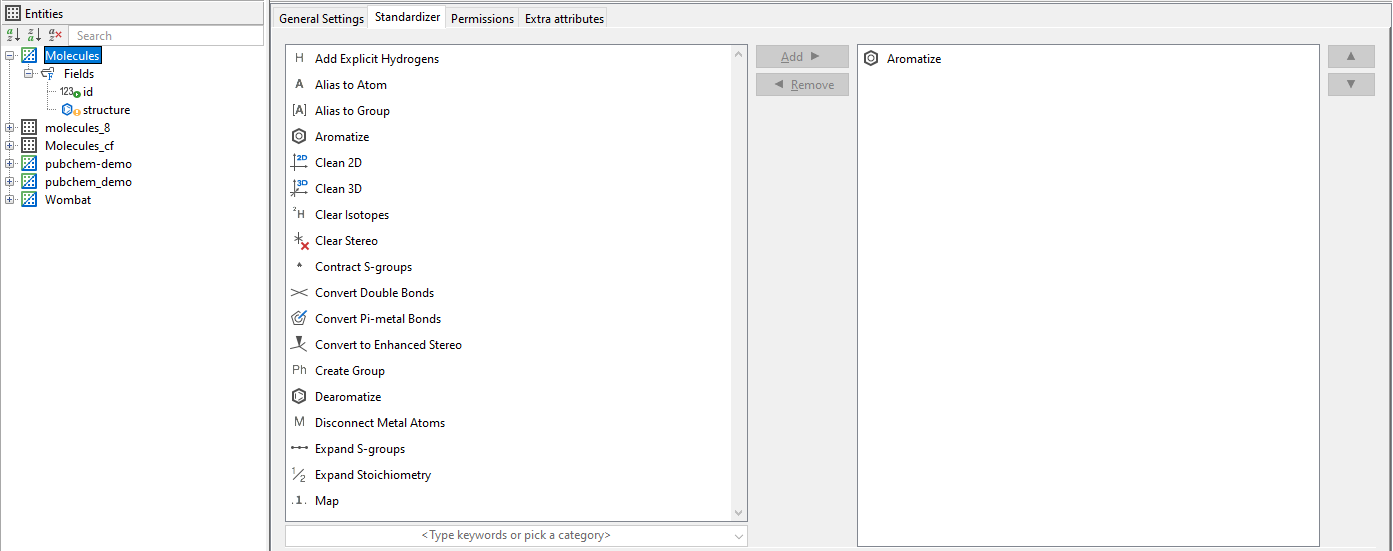
The required standardisation has to be set in the molecule type files. The name of the molecule type file has to be applied as a parameter of the Molecule column type. See details in JChem PostgreSQL Cartridge Manual.
Advanced features
Chemical Terms fields
From an IJC perspective, Chemical Terms (CT) can be created in the user interface similarly to other database search engines. However, JPC handles these fields differently than other cartridges.
IJC supports:
- Adding CT field of a different type (integer, decimal, text, boolean) with different formulas - creates DB column with trigger and function, promotes it to CT field
- Customization of CT field - set different name or formula, update DB function on formula change
- Removing of CT field
- All other basic field functionality - display, query, export, etc...
Limitations
IJC+JPC is currently missing the following features:
- Federated search
- Overlap analysis (not implemented)
- Re-promotion of the CT field. Once CT field is removed, but DB column+trigger+function is left, we cannot promote it back to CT field, only as a standard field