Add a MySQL Connection in JChem for Office
In the case of MySQL databases, it is possible to connect to tables, views, and synonyms.
To add a MySQL connection, follow the steps below.
-
Click the Import ** ribbon button under the **Database group.

-
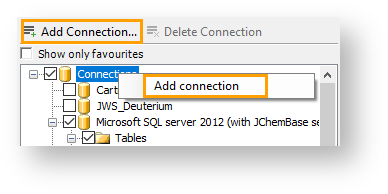
Click Add Connection or right-click the Connections ** root node and select **Add Connection from the context menu. By default, the Save Password and the Encrypt Password checkboxes are ticked.
-
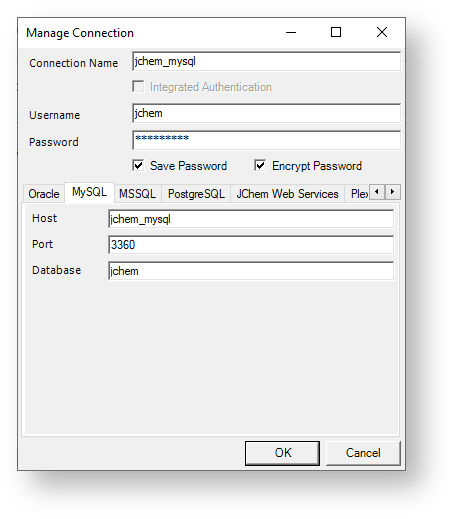
Select the MySQL tab on the Manage Connections form.
-
Enter the Connection Name.
-
Enter the User Name ** and the **Password.
-
Enter the hostname or IP address where the MySQL database can be found.
-
Enter the port number.
-
Enter the database name of the MySQL database.
-
Click **OK ** to save the connection.