Biology
Since version 26.1.6 the Biology page is available in the Compound Registration and monomers can be used in order to register Peptides using HELM sequences.
Administrators with the MANAGE_MONOMER role can create new monomer libraries and add/edit monomers.
Users with the READ_MONOMER role can only view the list of monomers and monomer libraries.
Manage monomers
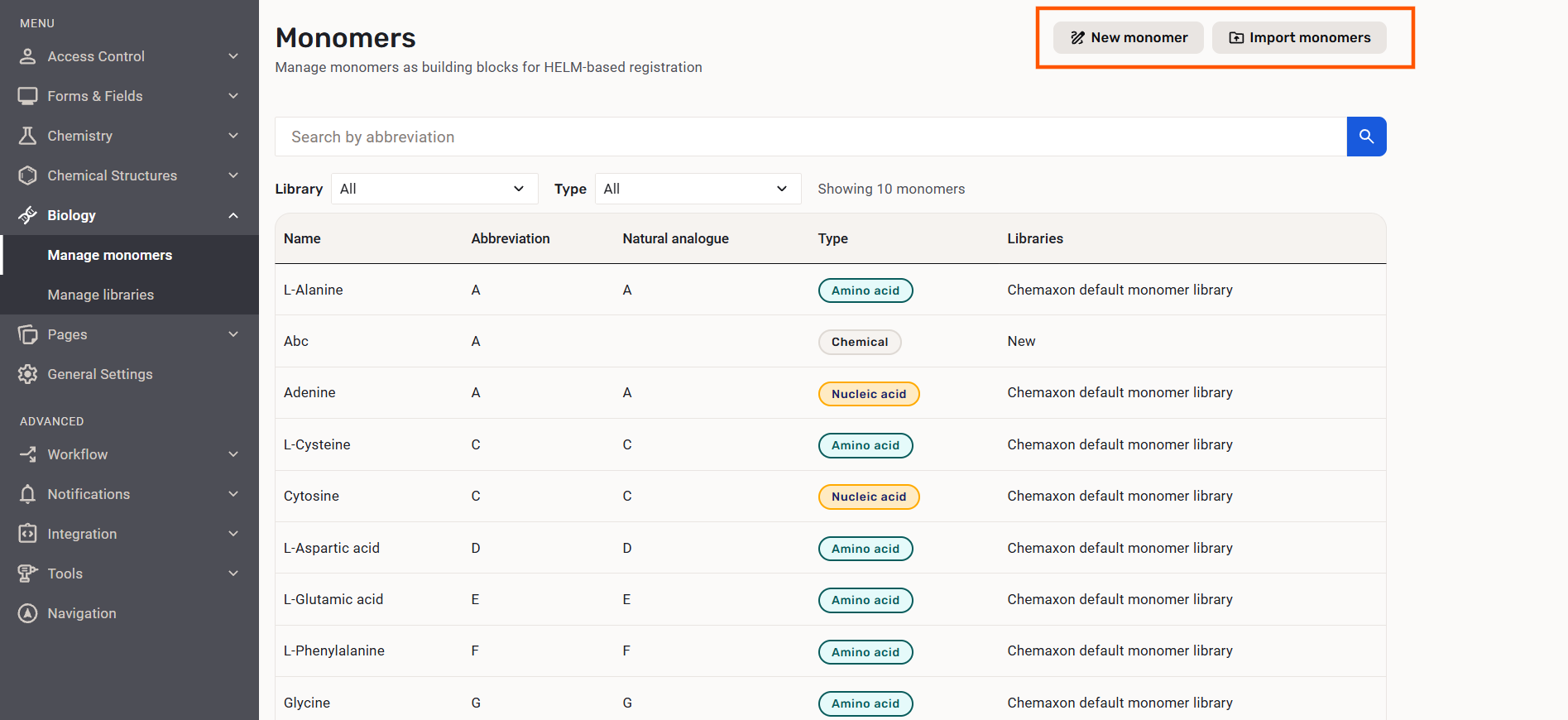
The Monomers page is available for adding/importing new monomers and for filtering existing monomers from certain monomer libraries.
 |
|---|
| The Monomers page |
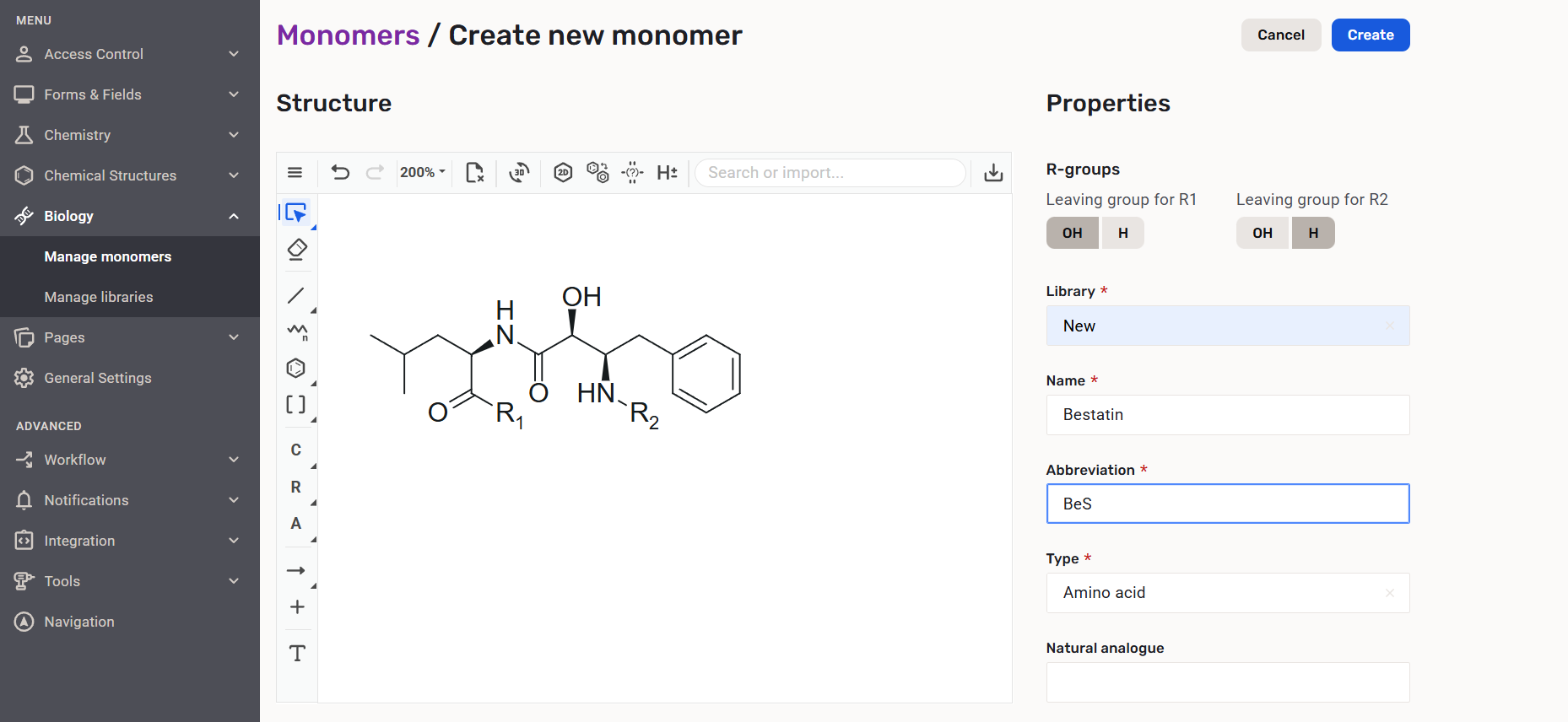
A new monomer can be added to a library by defining the chemical structure, the R-group definitions, the library (one is required but multiple libraries can be selected), the name, the abbreviation, the type and the natural analogue abbreviation (optional).
 |
|---|
| Creating a new monomer |
At least one monomer library needs to be selected from the available monomer libraries when creating a monomer, but the user can select multiple libraries as well.
The currently available types are: Amino acid, Nucleic acid, Chemical.
The currently available functional types for Nucleiv acids are: Sugar, Linker, Base.
Mandatory fields:
- Structure
- R-group definitions
- Monomer library
- Abbreviation
- Type.
 |
|---|
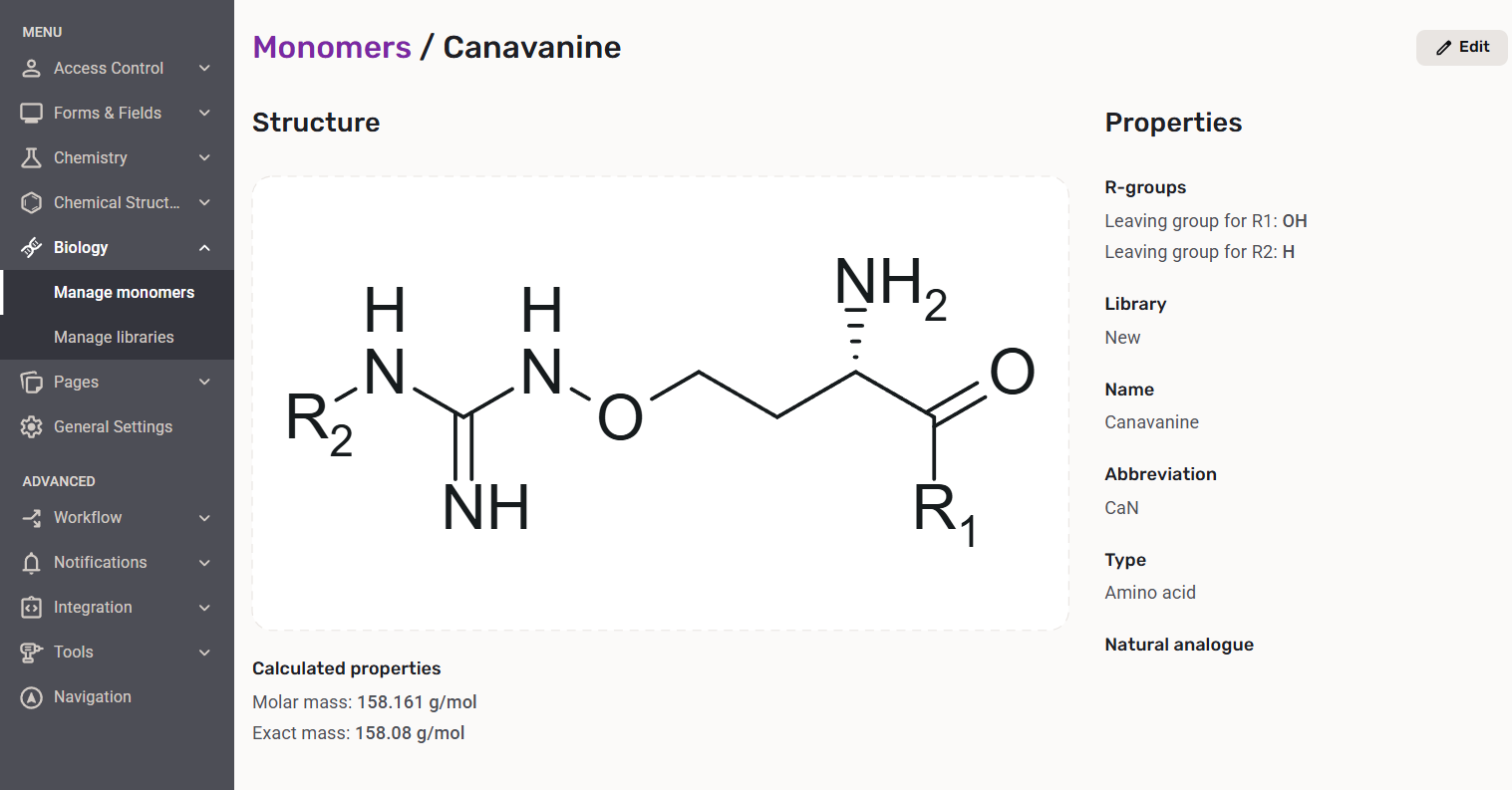
| The created monomer |
The monomer structure is standardized before the creation. The following standardizer actions are run: ExpandSGroups, RemoveExplicitH, Neutralize, RemoveAbsoluteStereo.
The monomer is validated before the creation. Structure and abbreviation duplication check and a check for filling the required fields are performed. The user is notified by an error message if e.g. a monomer with the same structure or abbreviation has already been registered.
The monomer structure and the abbreviation (within the same monomer type) must be unique.
Calculated properties like molar and exact mass are displayed below the monomer structure after creation.
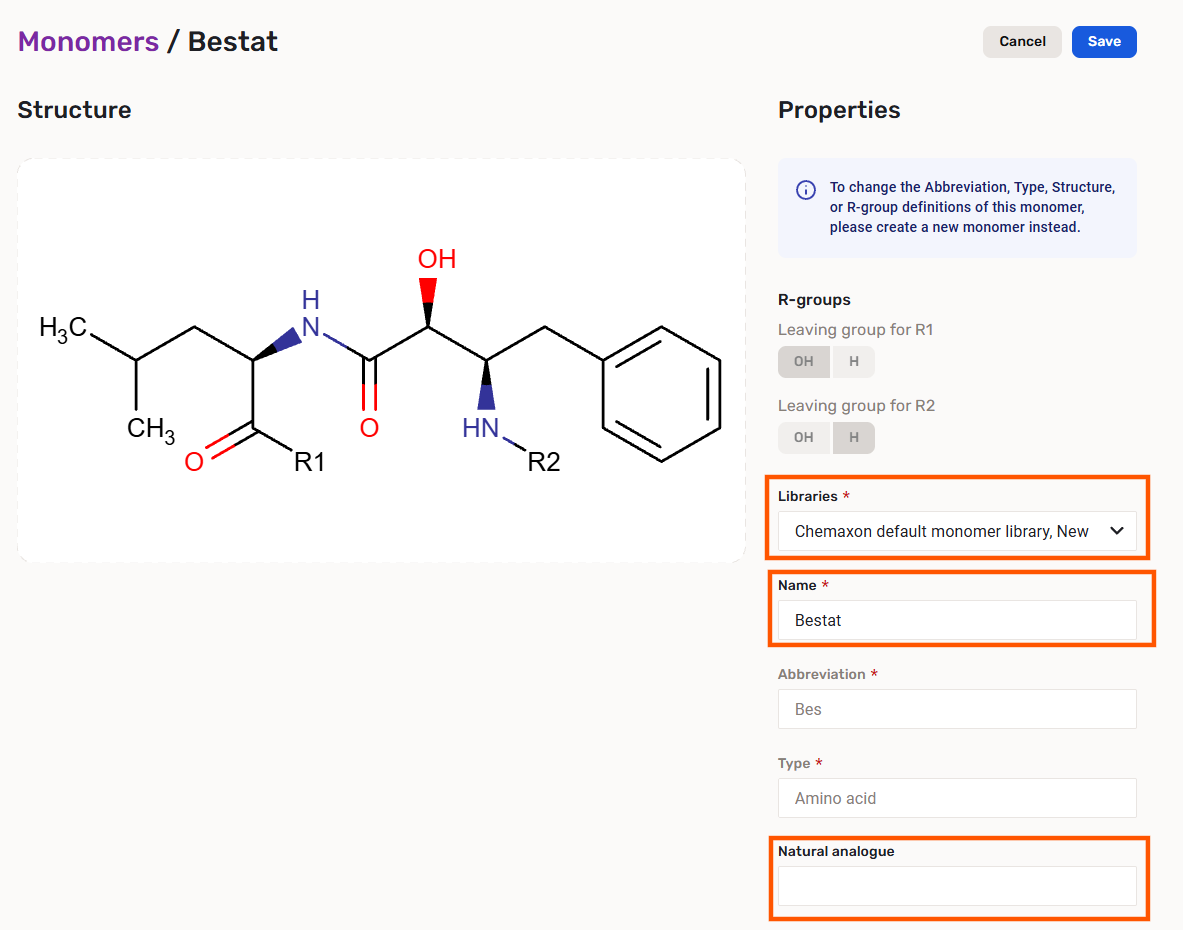
Created monomers can be edited. The library, the name and the natural analogue properties can be changed.
Properties like: Abbreviation, Type, Structure (including the Markush scaffold and the R-group definitions) and Library cannot be updated.
 |
|---|
| Editing a monomer |
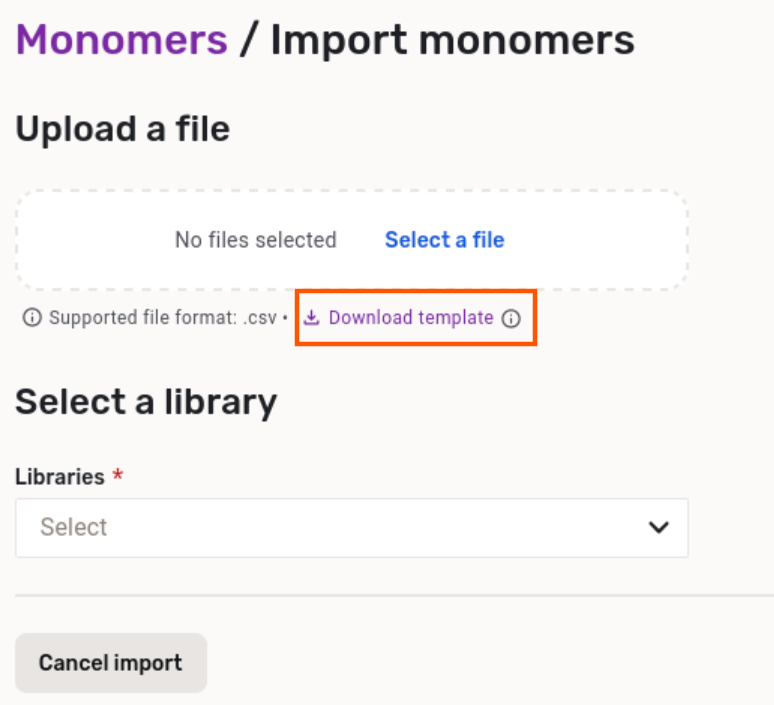
Monomers can be also imported from a CSV list. First the CSV file and the appropriate library should be selected.
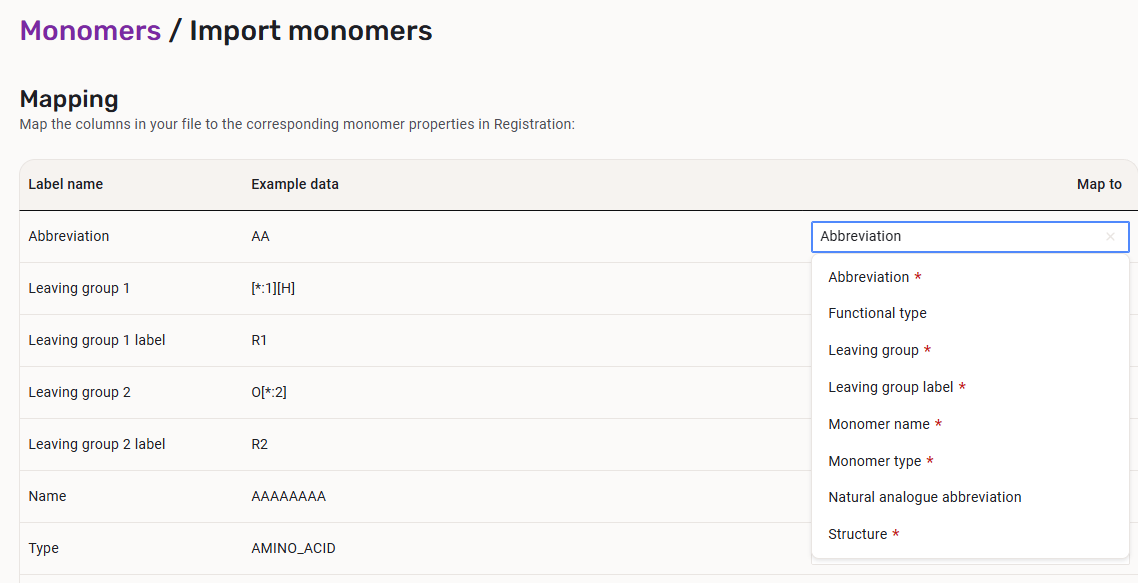
Mandatory fields to be mapped during the import:
- Monomer type
- Structure
- Abbreviation
- R-group definitions (Leaving group and Leaving group label)
The fields that are required to be mapped are marked with a red asterisk:
 |
|---|
| Required fields during the moinomer import |
As an aid, a template CSV file is also available for the user to be downloaded.
 |
|---|
| Preparing to import a monomer list |
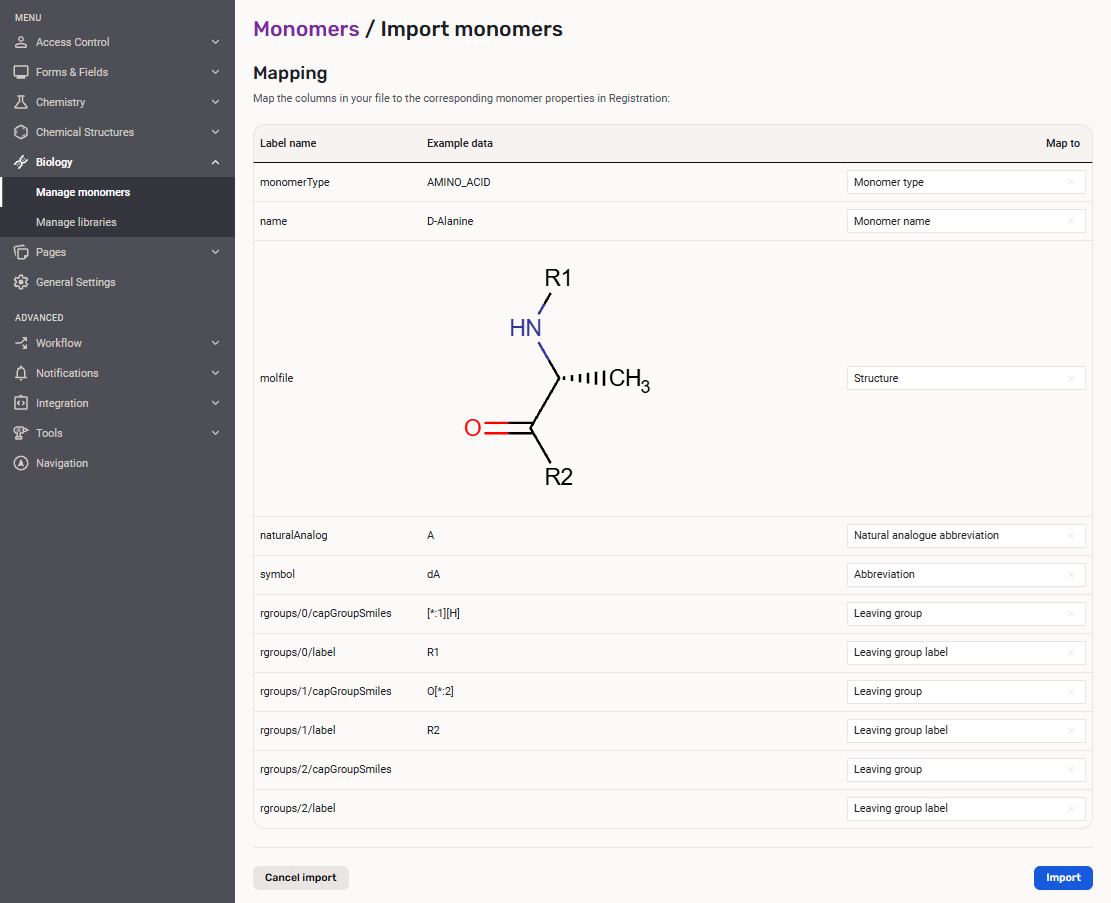
The system is prepared to use automapping of the fields from the CSV.
 |
|---|
| Importing a monomer list |
 |
|---|
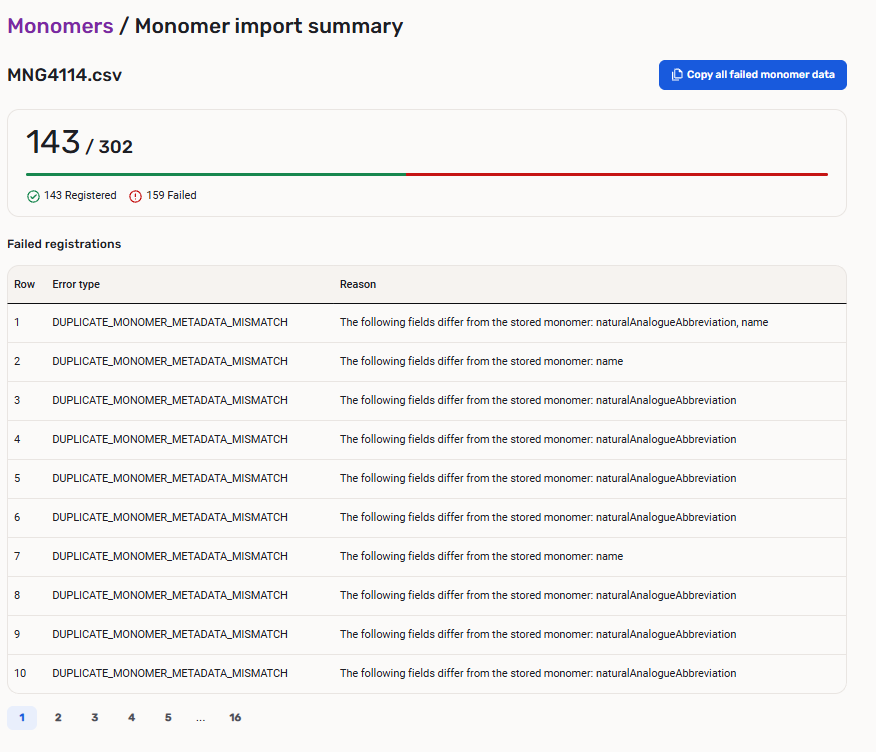
| The result of importing a monomer list |
When importing the same monomer structure that is already present with the same abbreviation, the import will display it as a "Registered" entity.
When importing the same monomer structure that is already present with a different abbreviation, the import will display it as a "Failed" entity.
The import process will not fail if the items include a few duplicates or erroneous monomers.
On the Monomer import summary page the user is provided with a "Copy all failed monomer data" option. The data can be copied in a JSON format for further analysis.
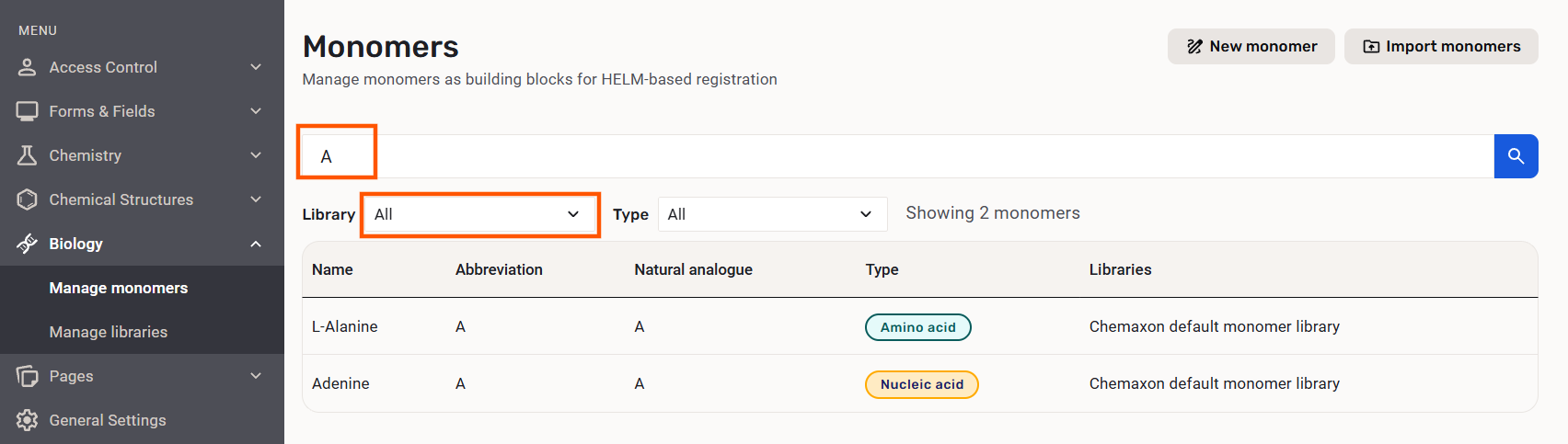
On the Monomers page you can filter monomers based on the monomer library. As a result the monomer with the name, abbreviation, natural analogue, type and library are displayed.
On the Monomers page the sorting of the results is available based on name, abbreviation, natural analogue any type.
 |
|---|
| Filtering for a monomer |
ALL monomer libraries can be selected simultaneously.
Manage libraries
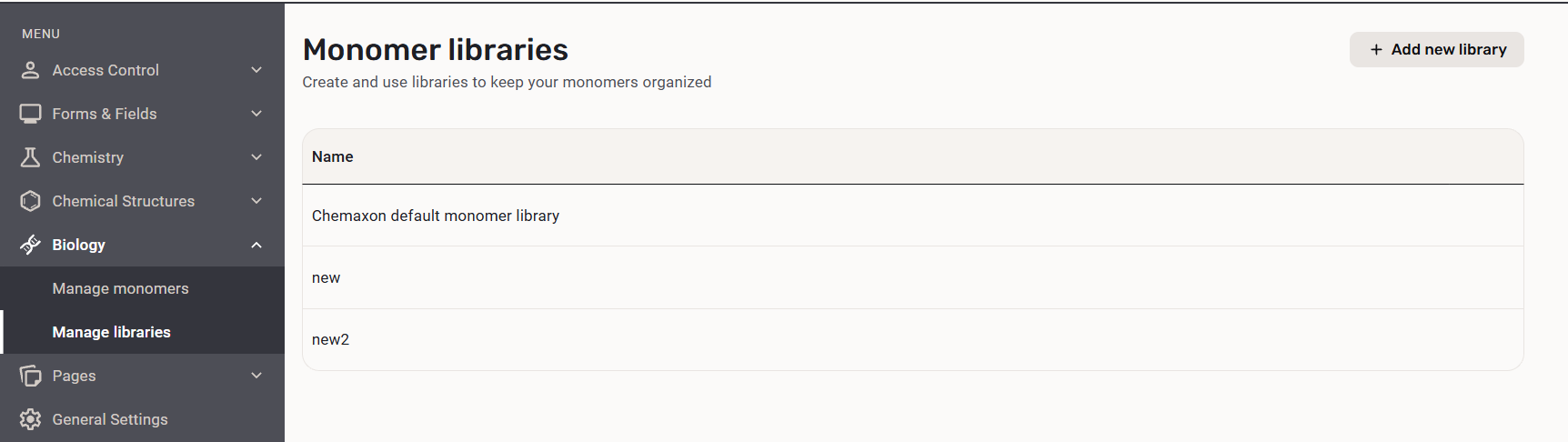
The Monomer libraries page is available for adding new libraries and renaming ones.
When creating a new library the only property to set is the Name.
 |
|---|
| Monomer libraries page |
A monomer library (Chemaxon default monomer library) is available by default, containing the twenty-one amino acids and seven nucleic acids.
A monomer can be part of multiple monomer libraries and at least one library should be specified.
Monomer libraries are also available on the New monomer and Import monomers pages whrere multiple libraries can be selected.