Annotations
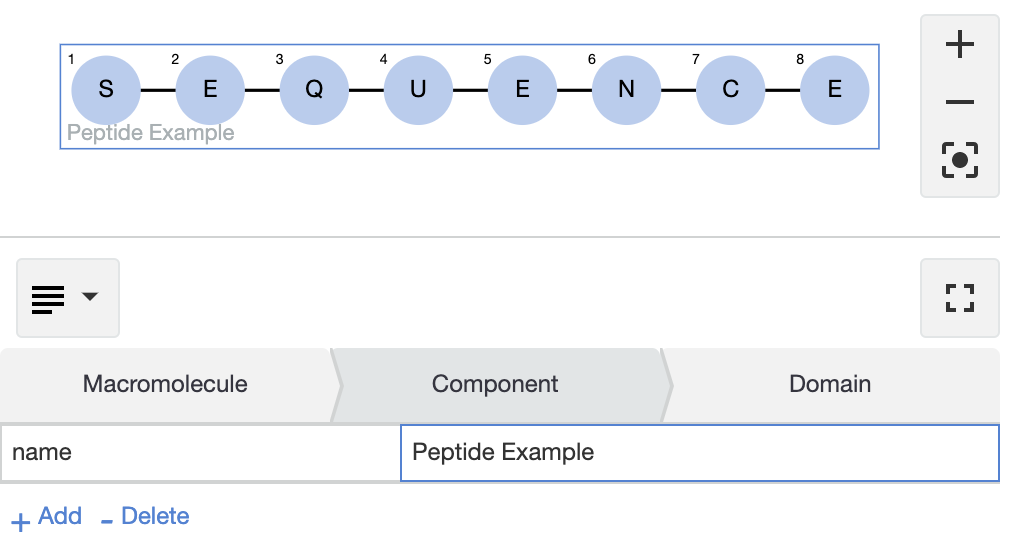
Additional information about the whole molecule or its parts can be viewed and edited in the Annotation view.
BioEddie supports textual and numerical additional data specified by attribute-value pairs, which enable representation of partially known structures of molecules, description of molecule components with no chemical structure, and annotations.
To add an annotation to a component:
-
Select the Annotation View in the panel selection drop-down at the top-left of the Secondary view.
-
Select the component to be annotated on the Canvas.
-
Double click on the empty cell to add an attribute name to the first column of the table. If sequence annotations contain a ’name’ attribute, the value of this attribute will be directly displayed on the canvas.
-
Use "Tab" to navigate to the value field and add the corresponding value.
-
Use "Tab" again or press "+ Add" to add a new annotation.