Structure Checker Getting Started
This page is a quick-start guide that helps you get started using the Structure Checker application.
On this page you will find information on how to
To get started with Structure Checker, install the Marvin package of Chemaxon firstly. For detailed instructions on the installation procedure, see the Structure Checker Installation Guide.
1. Specifying input molecules
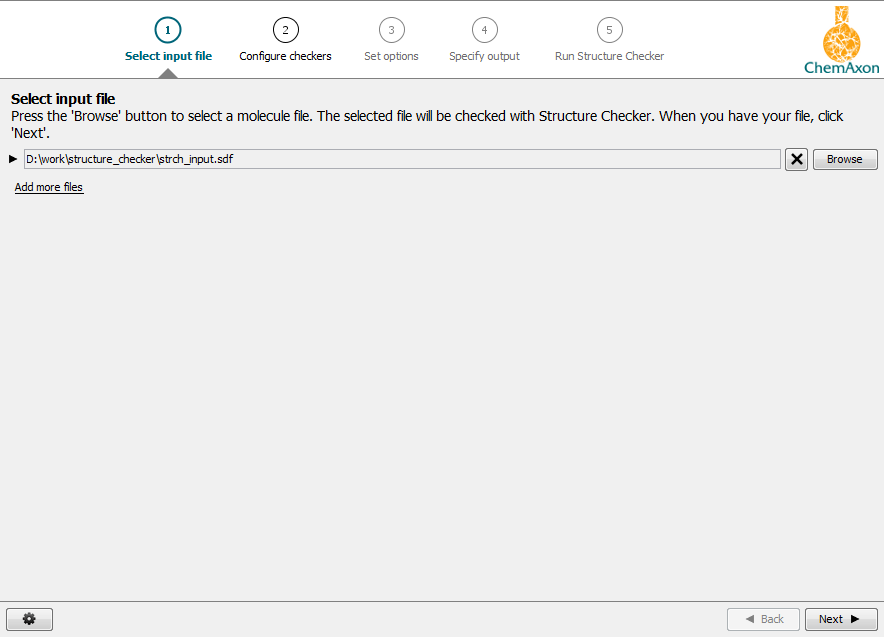
In the first step of the structure checking process, you are asked to select your input file that contains the structures to be investigated.
2. Configuring Checkers
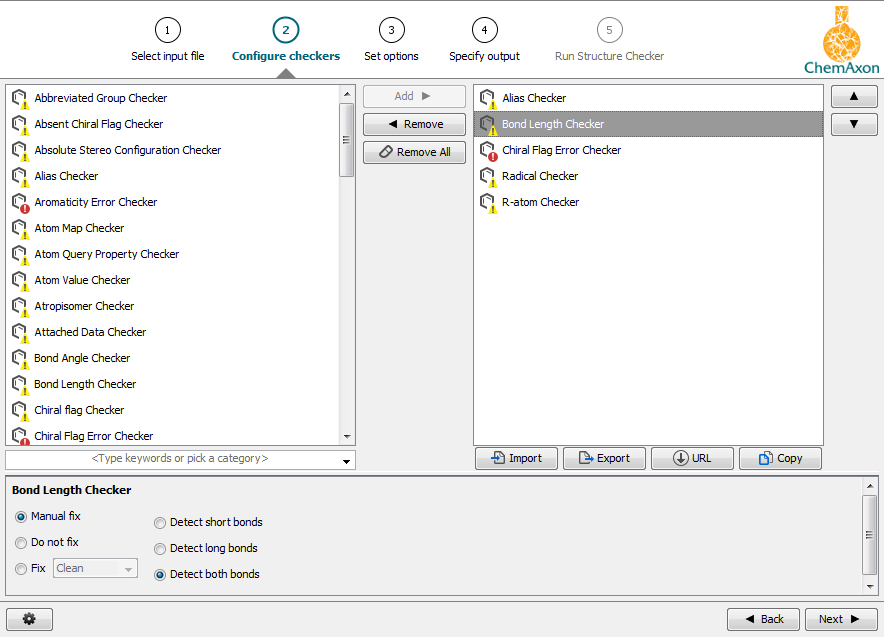
Checkers can be selected and configured subsequently that will operate on the specified set of molecules.
3. Setting options
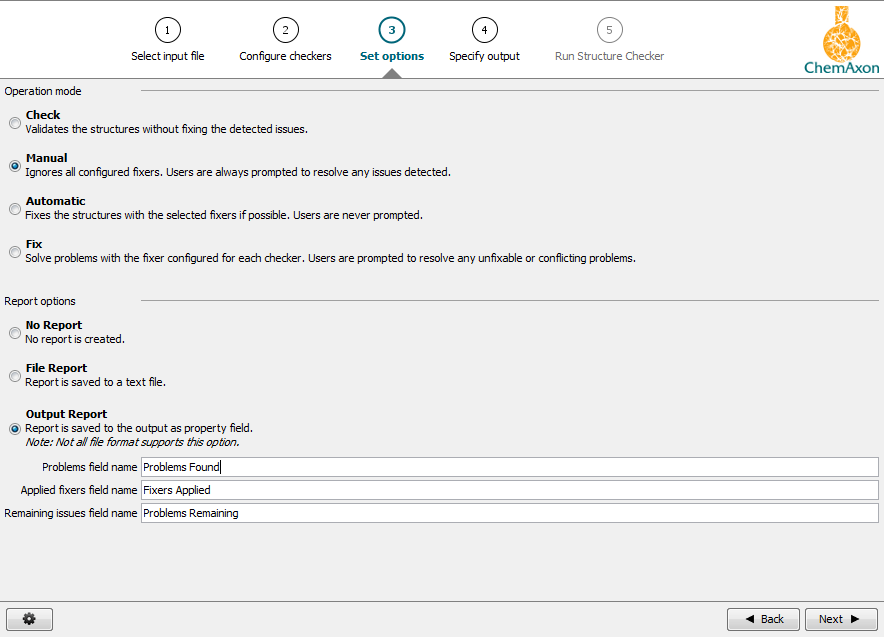
Then, operation and report options should be selected.
4. Specifying the output
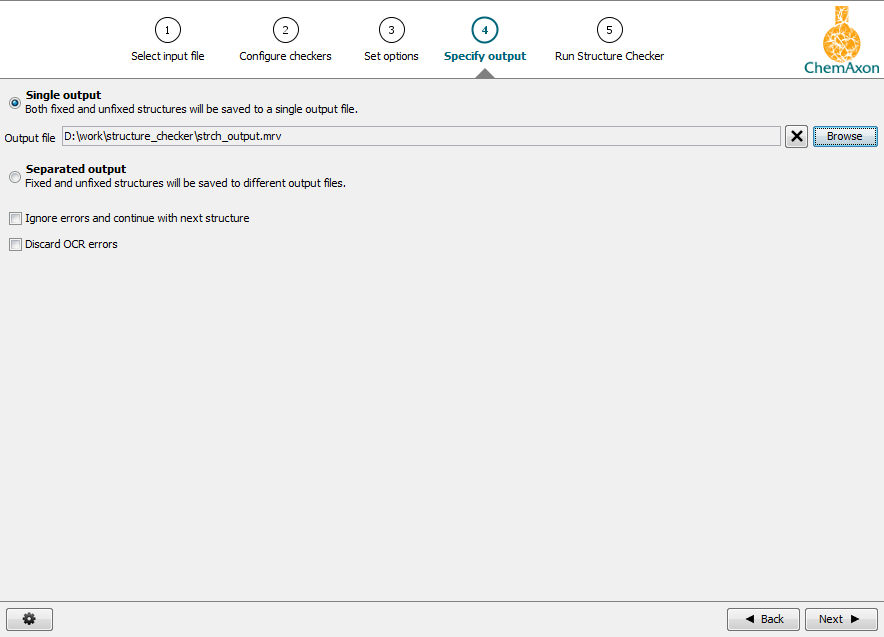
Single or separated output can be requested that will contain the structure checking results.
5. Running Structure Checker
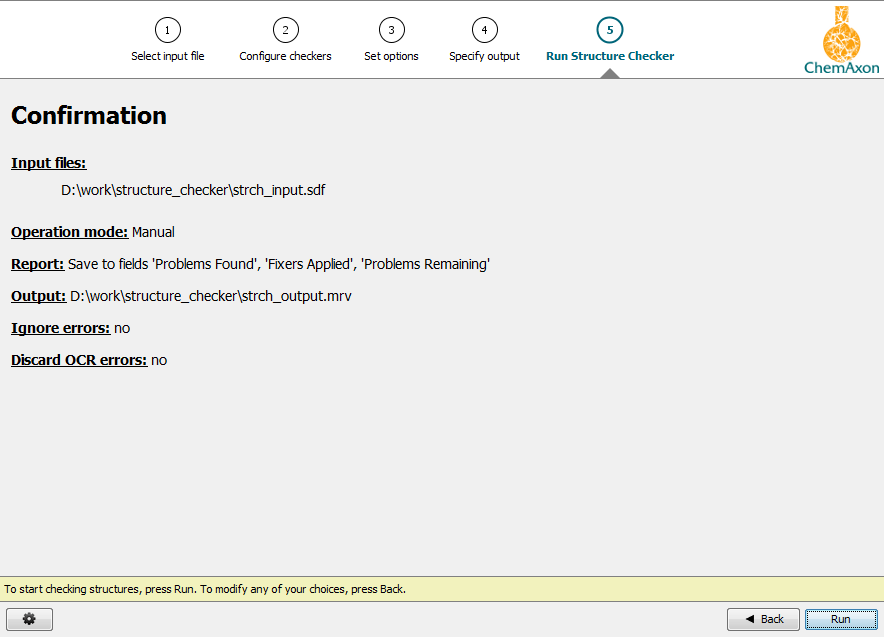
After reviewing the confirmation sheet that summarizes the set options, Structure Checker can be launched by pressing Run.
6. Interpreting Structure Checker output
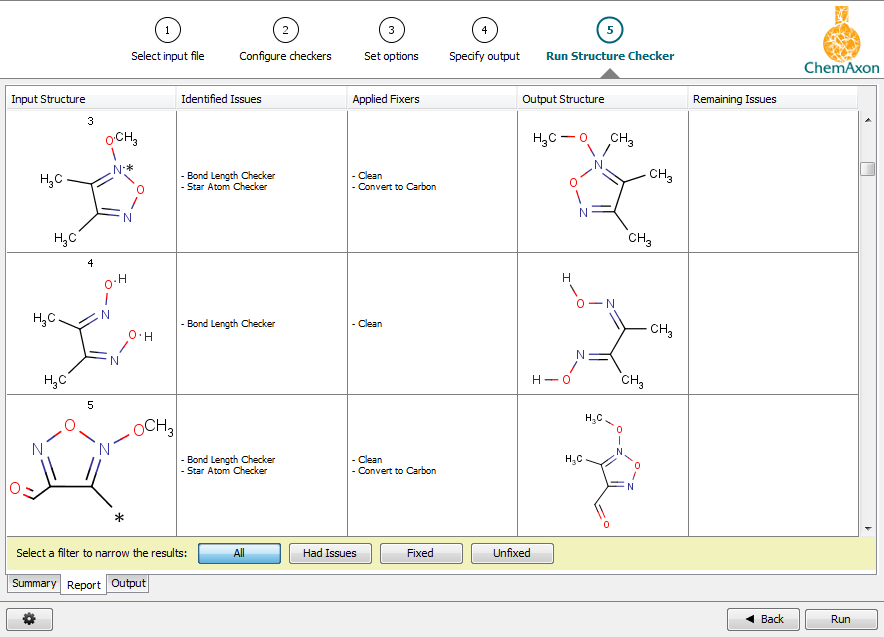
Original and transformed structures will be displayed on the Report tab. Identified issues and applied fixers will also be indicated for each structure pair.
See also: