Plexus Connect - Schema Refresh Without Restart
Since version 17.16.0, it is possible to use IJC to modify schema without a need to restart the Plexus Connect server container. When a change to the schema is done via IJC, IJC sends set of changes applied to running Plexus Connect instance. Plexus Connect server together with server schema id is specified in the IJS file for a schema connection. The server schema id is the name of .ijs file.
Prerequisities
- Plexus Connect 17.16.0 and higher
- IJC 17.16.0 and higher
- Additional settings to the .ijs file used by IJC.
To enable this functionality, you need to add 2 new options into the .ijs file that IJC uses:
1) URL, where the Plexus Connect is running and available to the users
2) Schema ID that you want to be able to pick the changes up without restart. The value for this option is basically the name of the .ijs file
IJS files on the server do not need to be touched. Only IJS files used by IJC.
A complete .ijs file example can be seen at the bottom here:
chembl_20.ijs
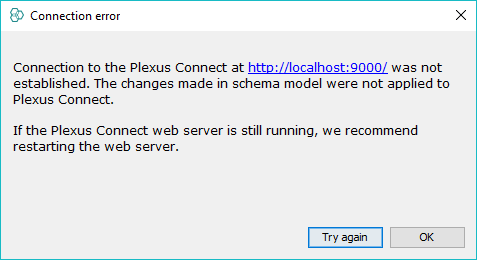
There is a "blank" time, where any changes done to the schema will not be picked up by Plexus Server. First obvious time is when Plexus Server is not running. The other time is, when Plexus Connect servlet is just starting up and is not yet fully initialised. To make sure you are aware such state, IJC will show you an information dialog. The dialog lets you either try again, or simply dismiss the dialog. If dismissed, the dialog will not appear again, until IJC is restarted again.
Support for multiple schemas
In case of deployment of multiple instances of Connect backend for the same IJC schema. The multiple instances are defined by “server.url1”, “server.url2” properties.