Register a new lot
New lots of existing compounds can be registered in two ways:
Providing the structure
Similarly, as for new compound registration, the structure and an Id should be provided.
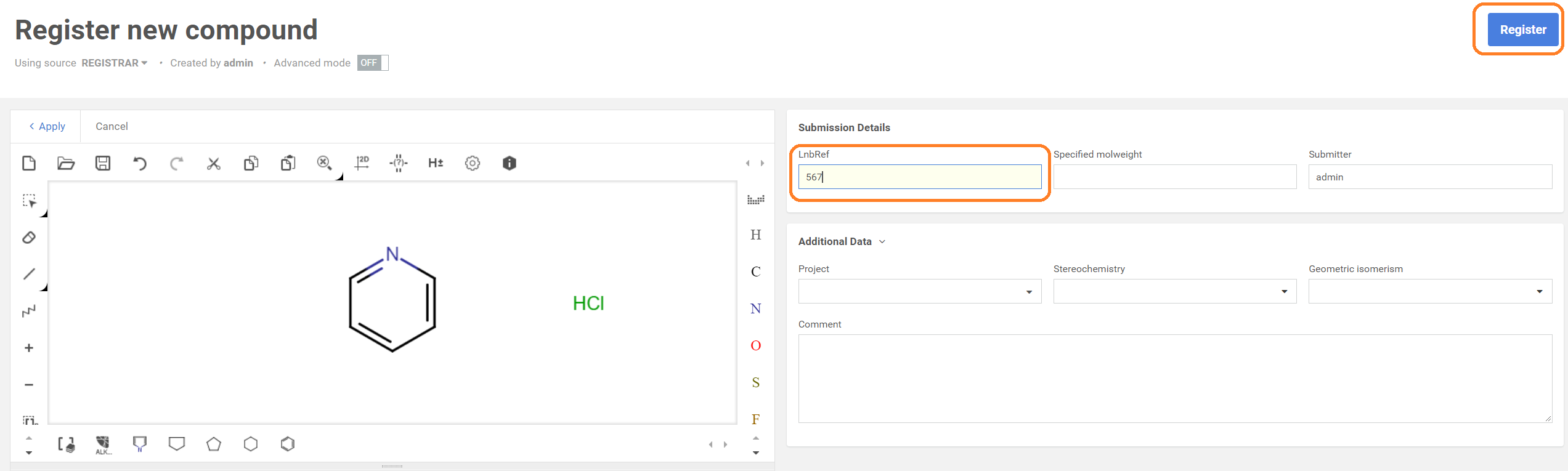
Steps for drawing a structure e.g with a salt component:
Preliminary steps:
- pyridine compound has been already registered
- HCl (Hydrochloride) as salt is already present in the salt DB
-
Draw pyridine and HCl
-
Set the LnbRef
-
Click on Register
 |
|---|
| The Registration page (structure with salt and ID are provided) |
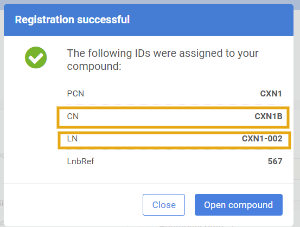
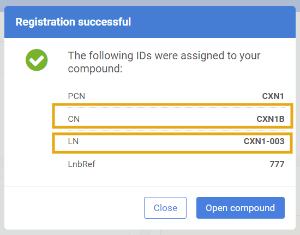
The successful registration is summarized in a window, where the allocated Ids are listed: PCN, CN and LN. Since pyridine structure was already registered previously, the new lot will be registered under the existing PCN (CXN2) but under a second version (CXN2B) and as a second lot within the tree (CXN2-002):
 |
|---|
| The summary window for a new lot registration |
Without providing the structure
A user can easily register a lot of an existing compound without providing the structure using the Register lot functionality
Steps for registering:
-
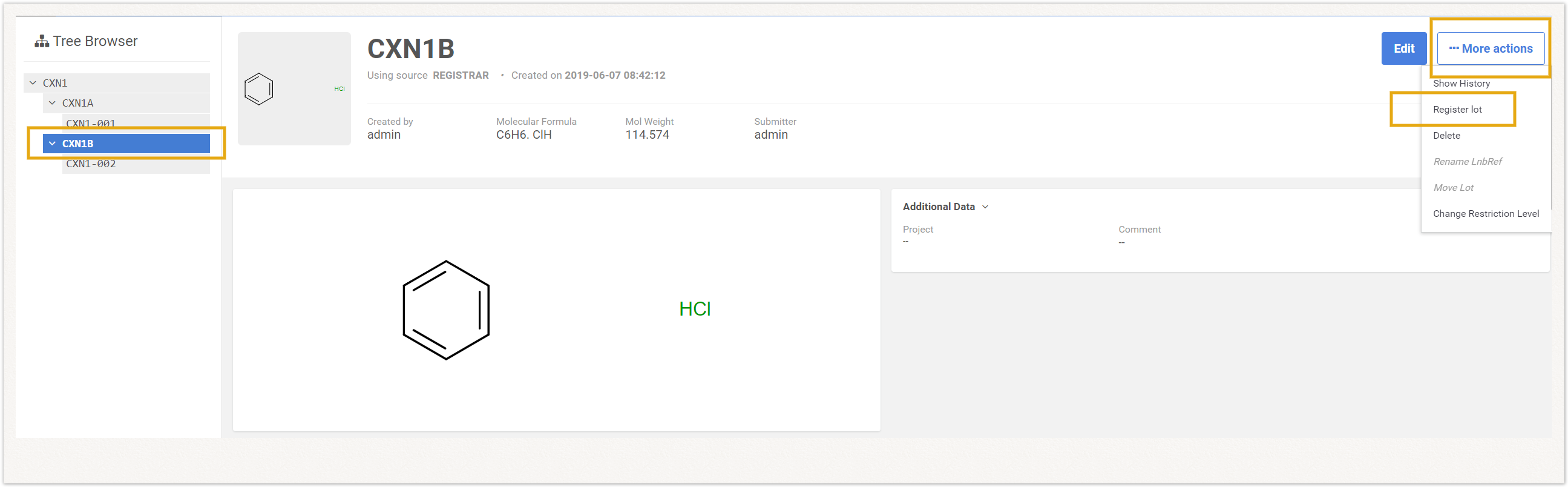
On the Browse page select a parent or version level.
-
Click on the More actions menu and choose the Register lot option.
 |
|---|
| Register lot - step 1 & 2 |
-
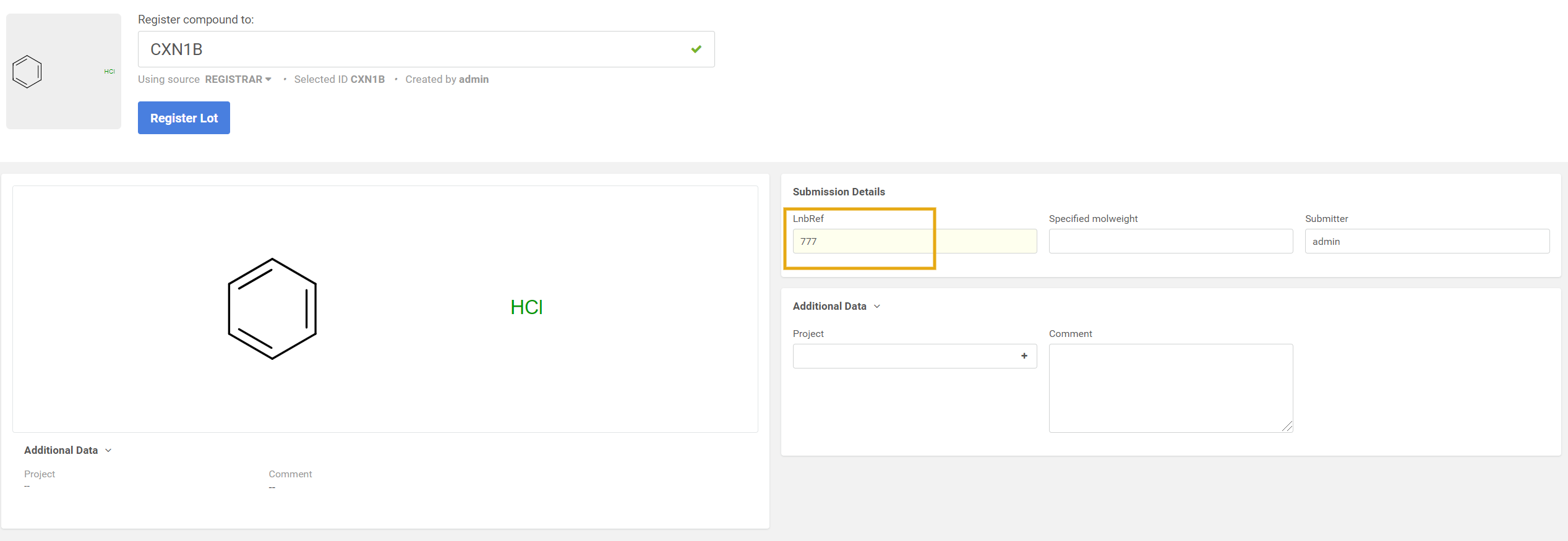
In the "Register Lot" page provide the LnbRef, then hit the Register Lot button.
 |
|---|
| Register lot - step 3 |
The successful registration is summarized in a window, where the allocated Ids are listed: PCN, CN and LN.
 |
|---|
| The summary window for a new lot registration |