Editing domains
A domain in BioEddie is defined as a continuous stretch of peptide monomers or nucleotides in a single sequence component. It an be used to annotate any functionally or structurally distinguished region of a given sequence.
Load the sequence of interest

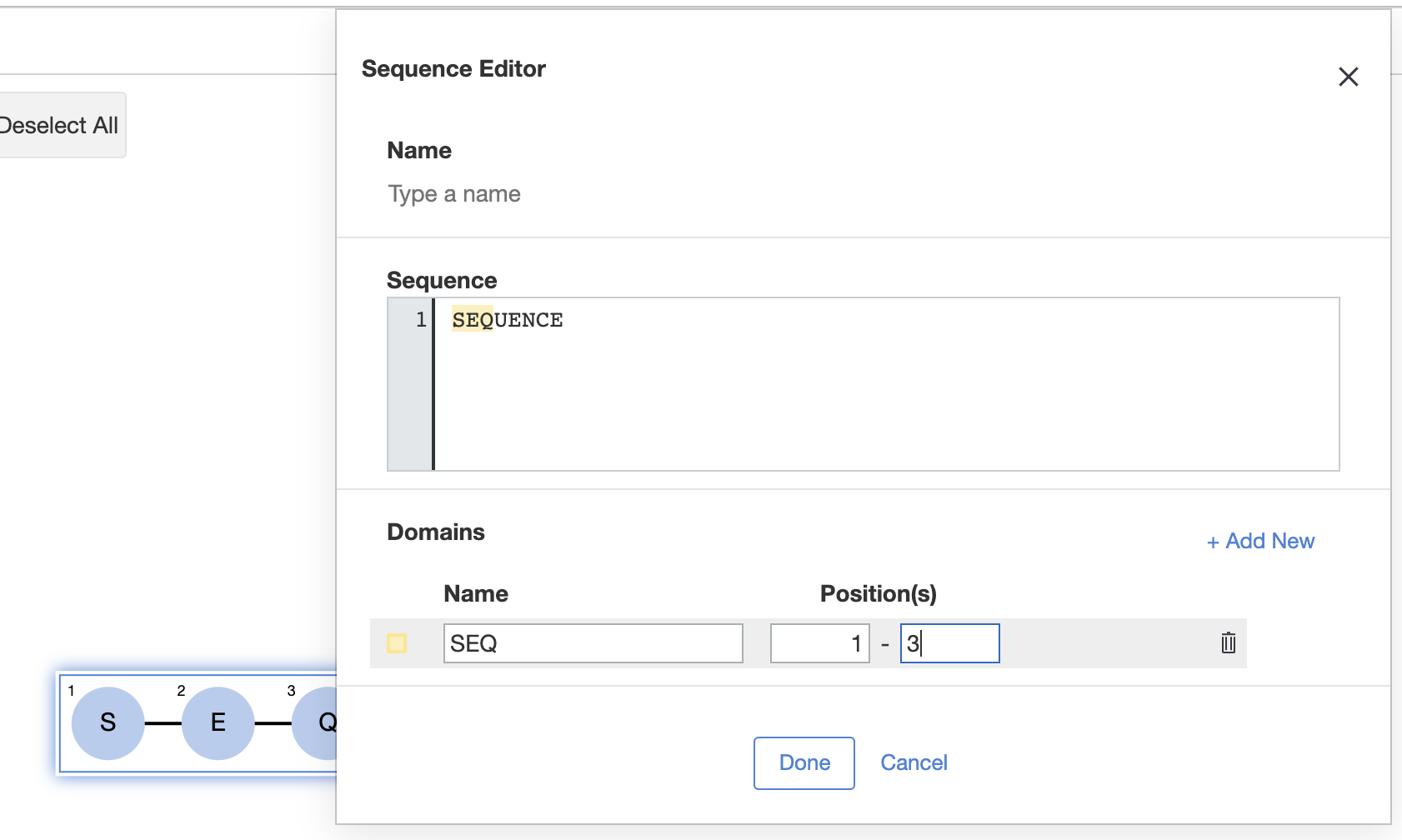
- Move your mouse cursor over a sequence until the component (not a monomer or bond) of interest is highlighted then double click
- Sequence Editor will pop-up for further actions
- In the section for domains, click on "+ Add New"
- Add a name for the domain
- Enter the position of the first and the last sequence residue in the domain
- Click on "Done" to complete the addition
- Add more domains if required to the same sequence by repeating the steps above
- Please note, that any sequence residue can only be part of one domain, i.e. overlapping domains are not supported.
By default a domain displayed on the canvas view in expanded state. The name (if provided) is visible inside the frame of the domain.

A selected domain can be collapsed or expanded by using the  and
and  buttons.
