General Options in JChem for Office
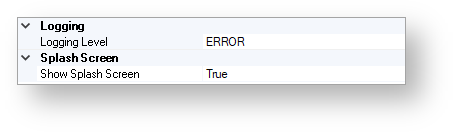
The figure below shows the general options of JChem for Office.
Logging
Logging Level
Use this option to specify the logging level of user actions. The following levels can be specified:
OFF:The logging is turned off. Not recommended.
FATAL:Serious errors are logged.
ERROR:Errors are logged.
WARN:Errors and problems which can be handled by the system are logged.
INFO:General information about the usage of the application is logged.
DEBUG:Information with values of the variables is logged. Recommended for developers.
ALL:The highest logging level. All information is logged.
Splash Screen
Show Splash Screen
The splash screen is displayed when starting the first JChem-specific function in a session.
Possible values are as follows:
TRUE
FALSE
The default value of this option is TRUE.