Edit a Structure in a Cell
To edit an added structure, follow the steps below.
-
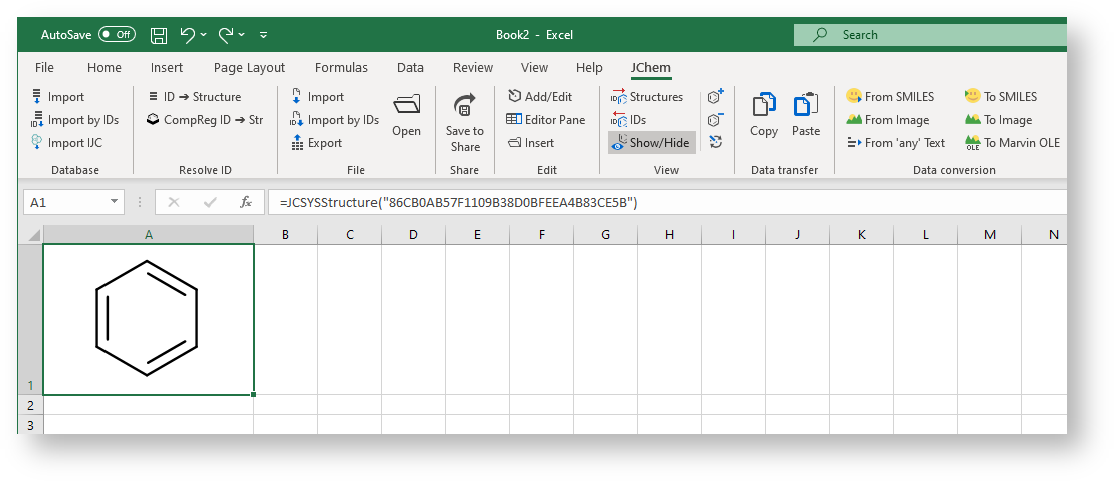
Select the cell which contains a structure and click **Add/Edit ** (either on the ribbon or in the context menu) or double-click the cell.
-
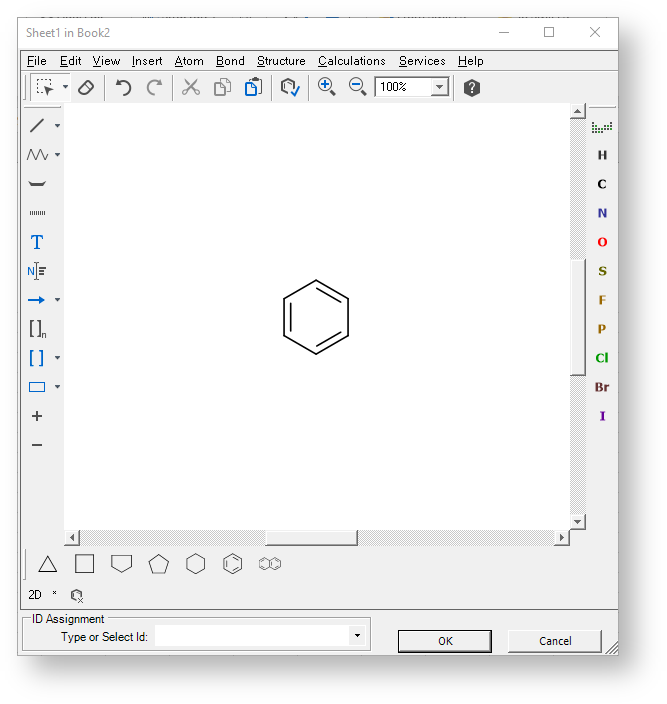
The structure is opened in the default structure editor.
-
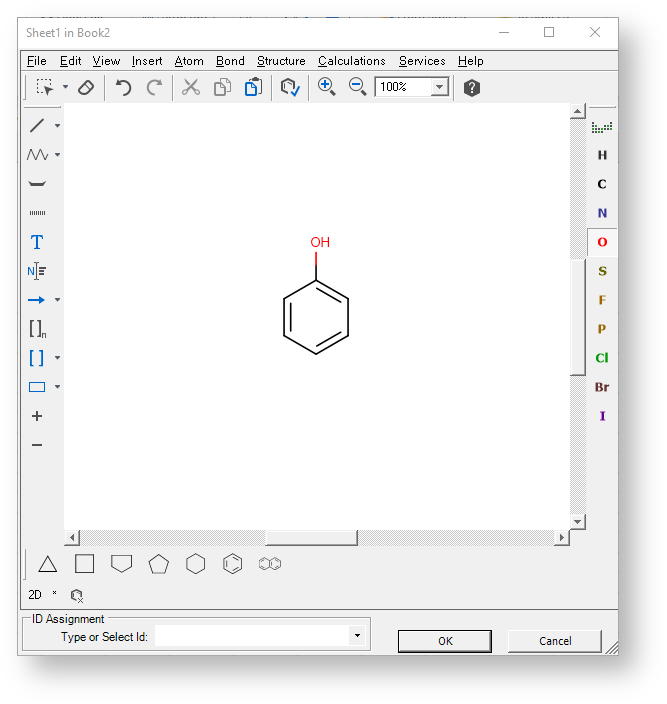
Edit the structure as needed, then click OK to save the changes (or Cancel to discard the changes).
-
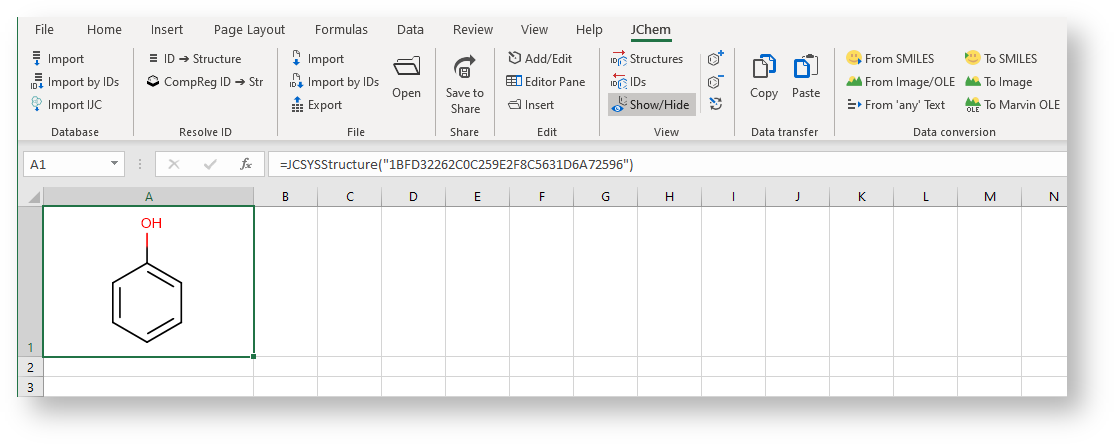
The modified structure is displayed in the cell.
-
Click the Undo button in Excel ( Ctrl+Z ) to undo the changes. The original structure is displayed in the cell again.