Changing IJC's Java Version
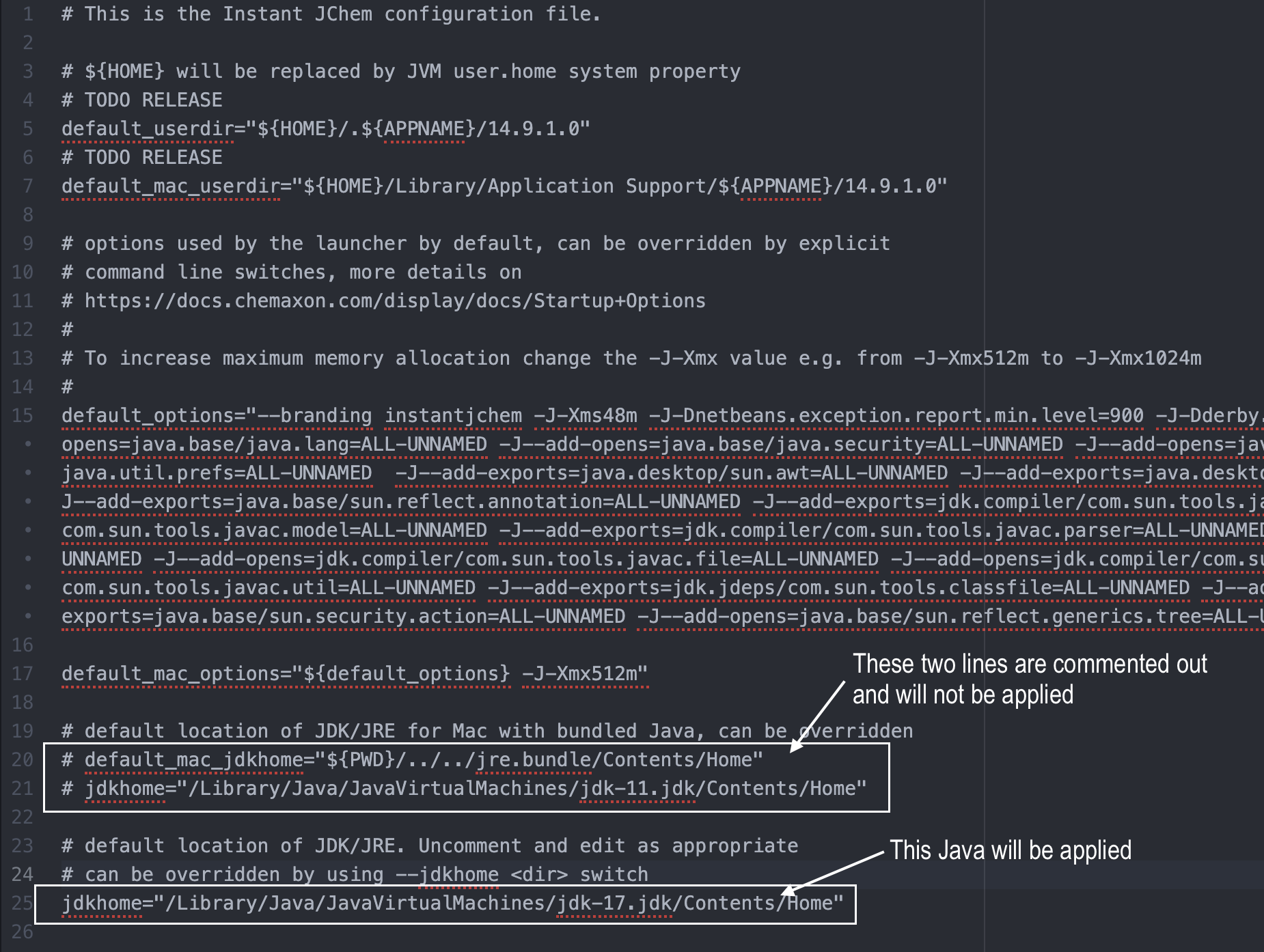
Each Instant JChem installation specifies the currently used Java version in the instantjchem.conf file. To change the current Java version, you need to set a new path in this configuration file.
-
Find Java Home directory
- Windows: Typically located in
C:\Program Files\Java\jdk<version>orC:\Program Files (x86)\Java\jdk<version>.
- macOS: Typically located in
/Library/Java/JavaVirtualMachines/jdk<version>.jdk/Contents/Home.
- Windows: Typically located in
-
Locate the
instantjchem.conffile in theetcdirectory of the Instant JChem installation. Open the file in a text editor. -
In the
instantjchem.conffile, look for a line that starts withjdkhome, or possiblydefault_mac_jdkhomefor macOS. For example:jdkhome="/Library/Java/JavaVirtualMachines/jdk1.8.0_291.jdk/Contents/Home". -
Replace
<version>with the actual version number of the Java installation you wish to use. Alternatively, write a new line specifying the entire path and comment out the current one by placing a#at the beginning of the line. This way, it will not be taken into account. -
Save the changes, close the text editor, and open Instant JChem. The newly specified Java version will now be used.