Personal Google Drive
Adding a personal Google Drive link into ChemLocator can be done by accessing Index -> Cloud accounts from ADMIN AREA and click on ADD PERSONAL ACCOUNT and select Google Drive.
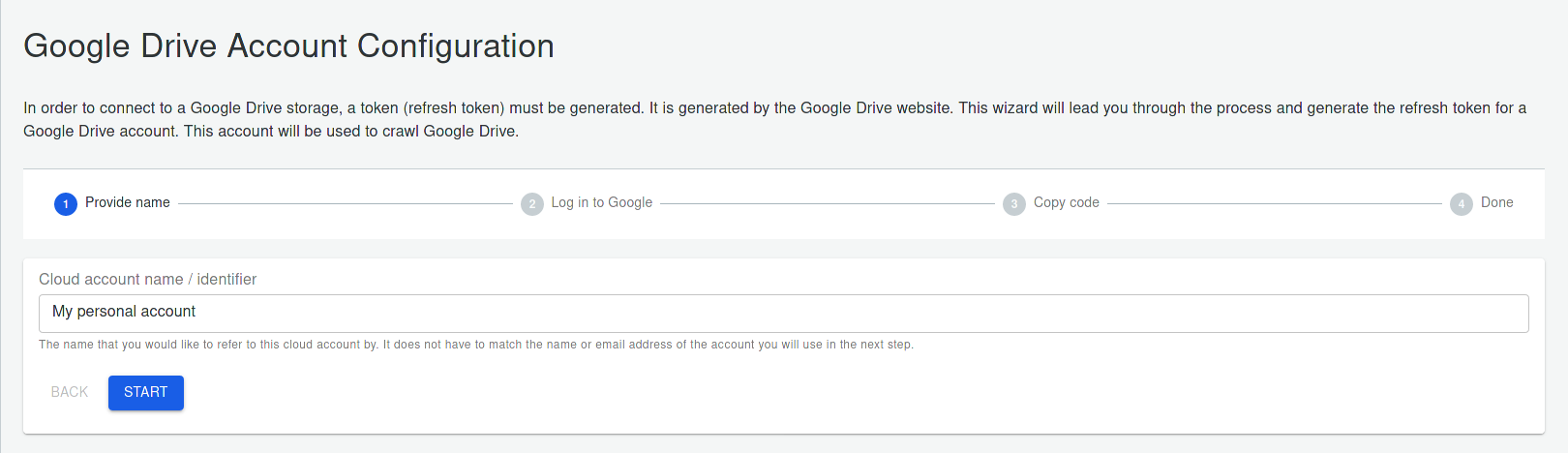
This is the starting page of the wizard that will guide you through configuring the link:
- Enter the name that will be used later to easily identify the connection.
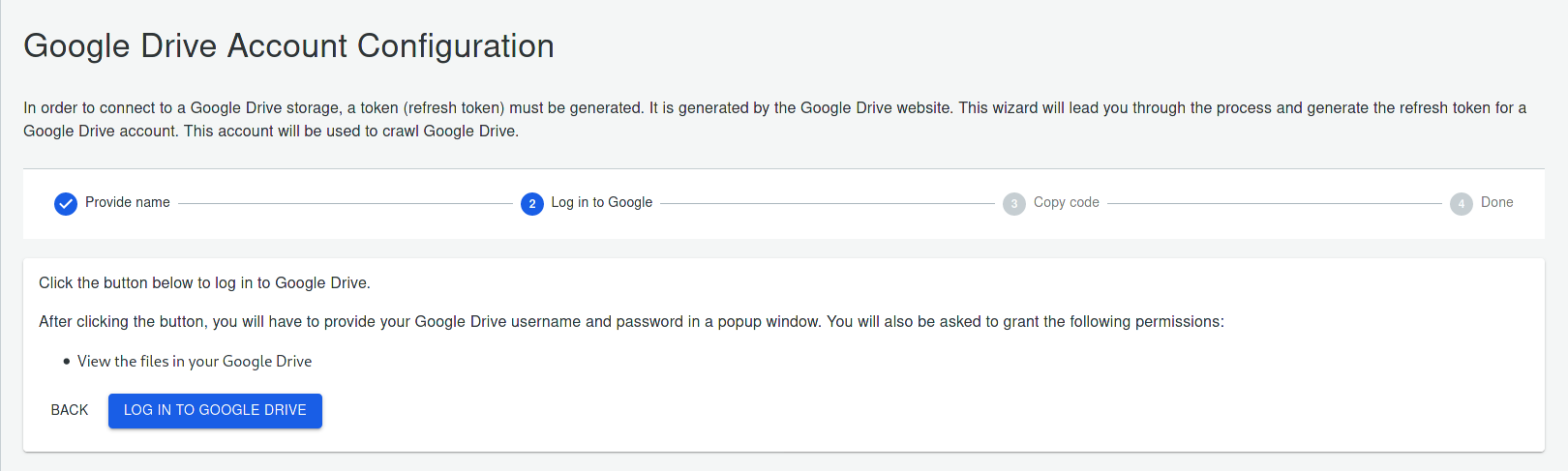
- Click on LOG INTO GOOGLE DRIVE
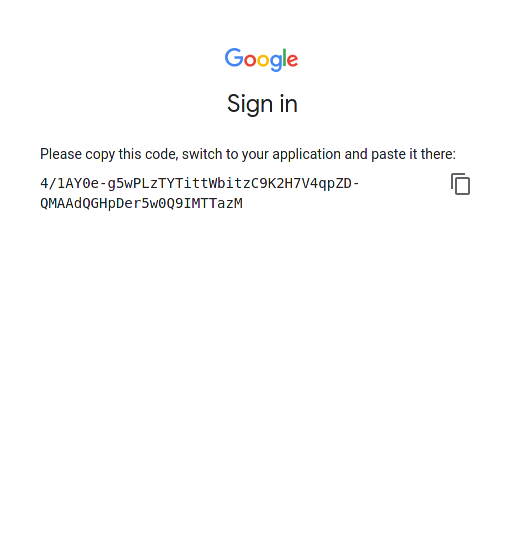
- A dialog will appear to log into Google. Log with your desired Google account and if a warning will appear click on Advanced and then Go to ChemLocator (unsafe)
- Copy the token that was provided and close the window
- Paste the token into the textbox of the last page
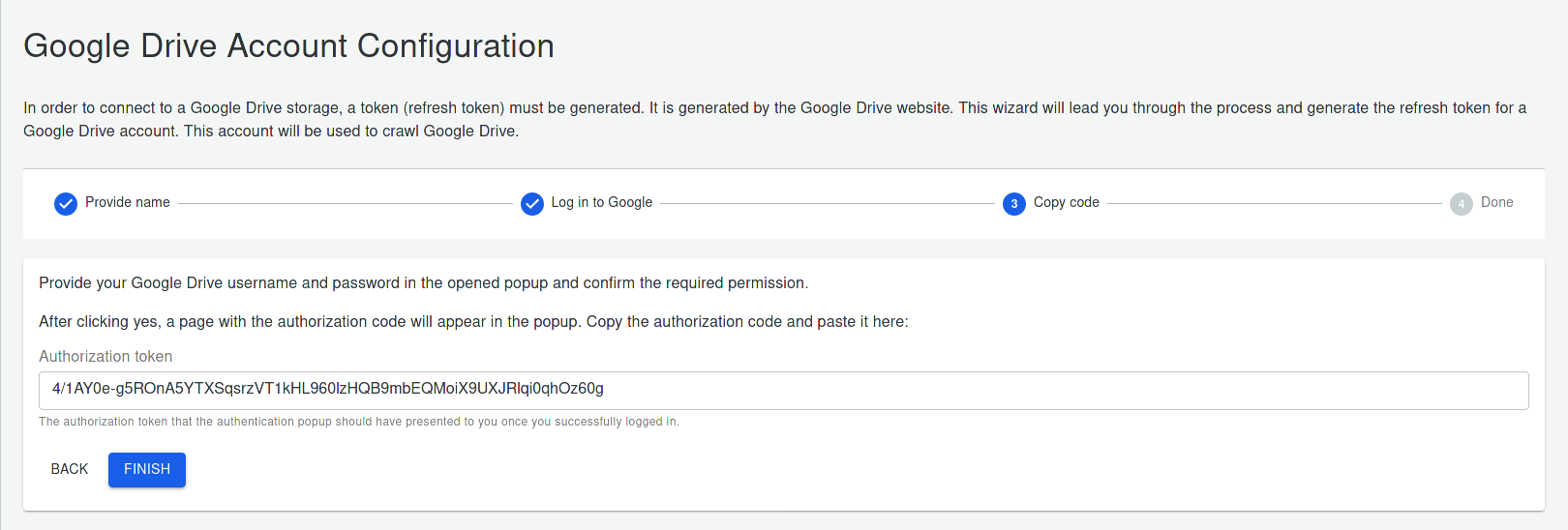
- Click FINISH and then BACK TO CLOUD ACCOUNTS
Now you can set up a content source of type Personal Google Drive and add a folder link from you personal Google Drive.