Registering new structures
The registration process is always summarized in a Registration summary.
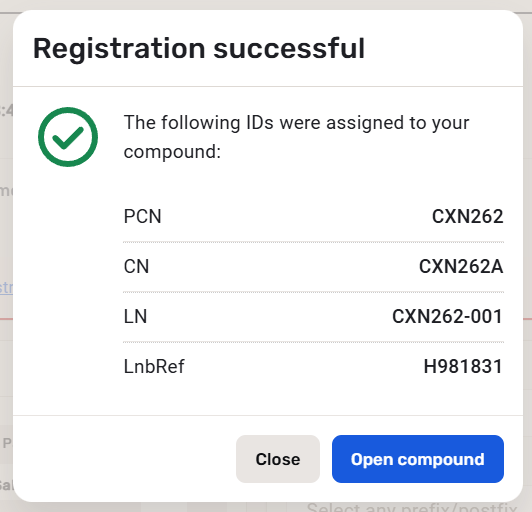
In case of successful registration, regardless if it is a single compound or multi-component compound, the Registration summary displays the IDs of the registered preparation (lot).
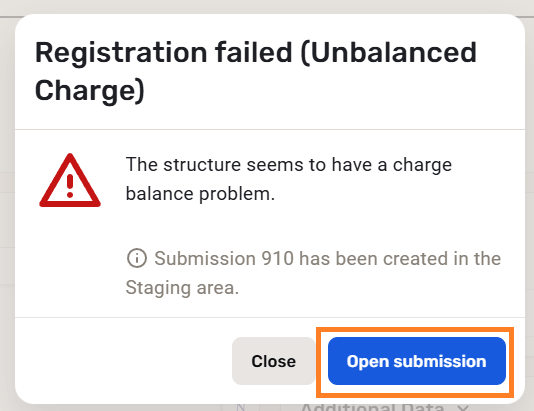
In case of a failing registration the Registration summary displays the cause of the unsuccessful registration, like in the case below:
 |
|---|
| Registration Summary window for failed registration |
Steps:
-
Click on the View this on Submission page.
-
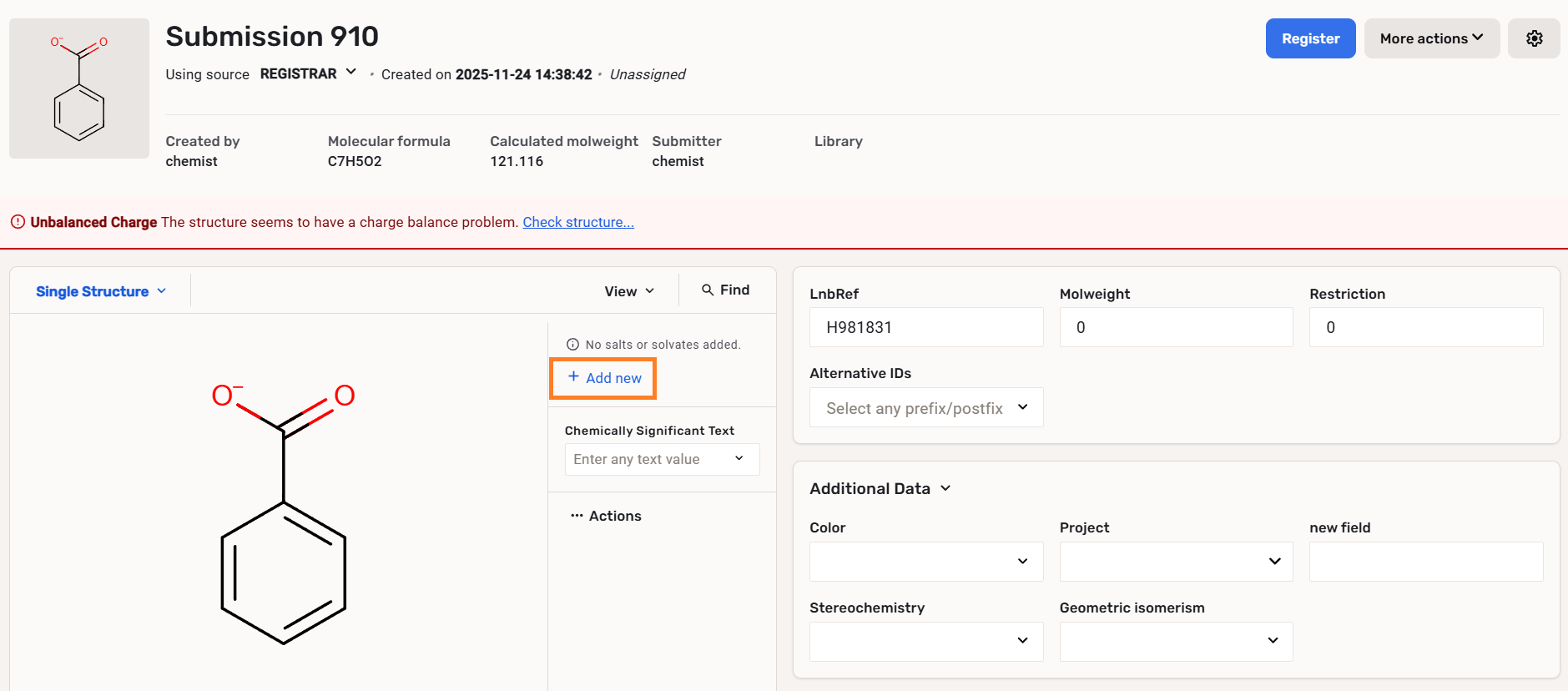
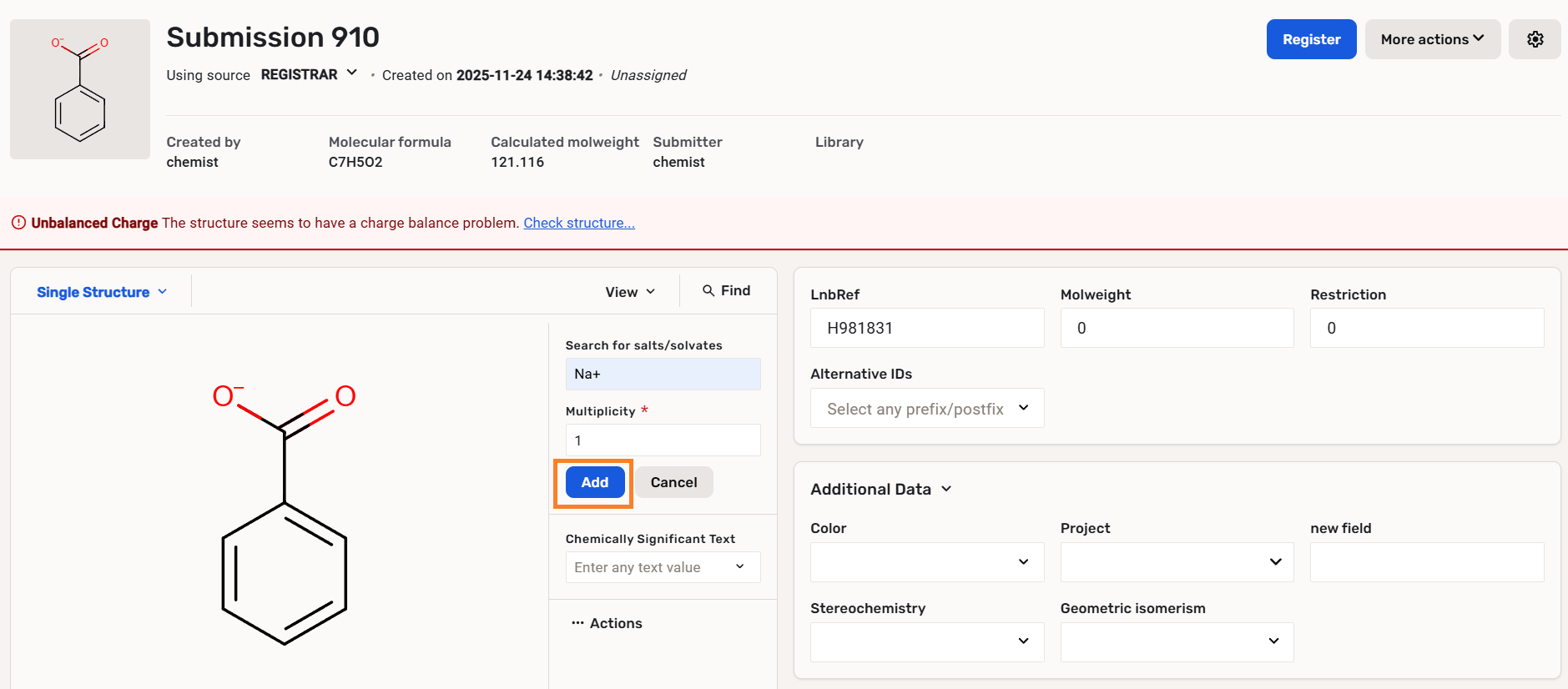
On the Submission page add a salt component from the Salt Dictionary in order to balance the charge of the compound.
 |
|---|
| Adding a salt on Submission page |
 |
|---|
| Set a salt and multiplicity |
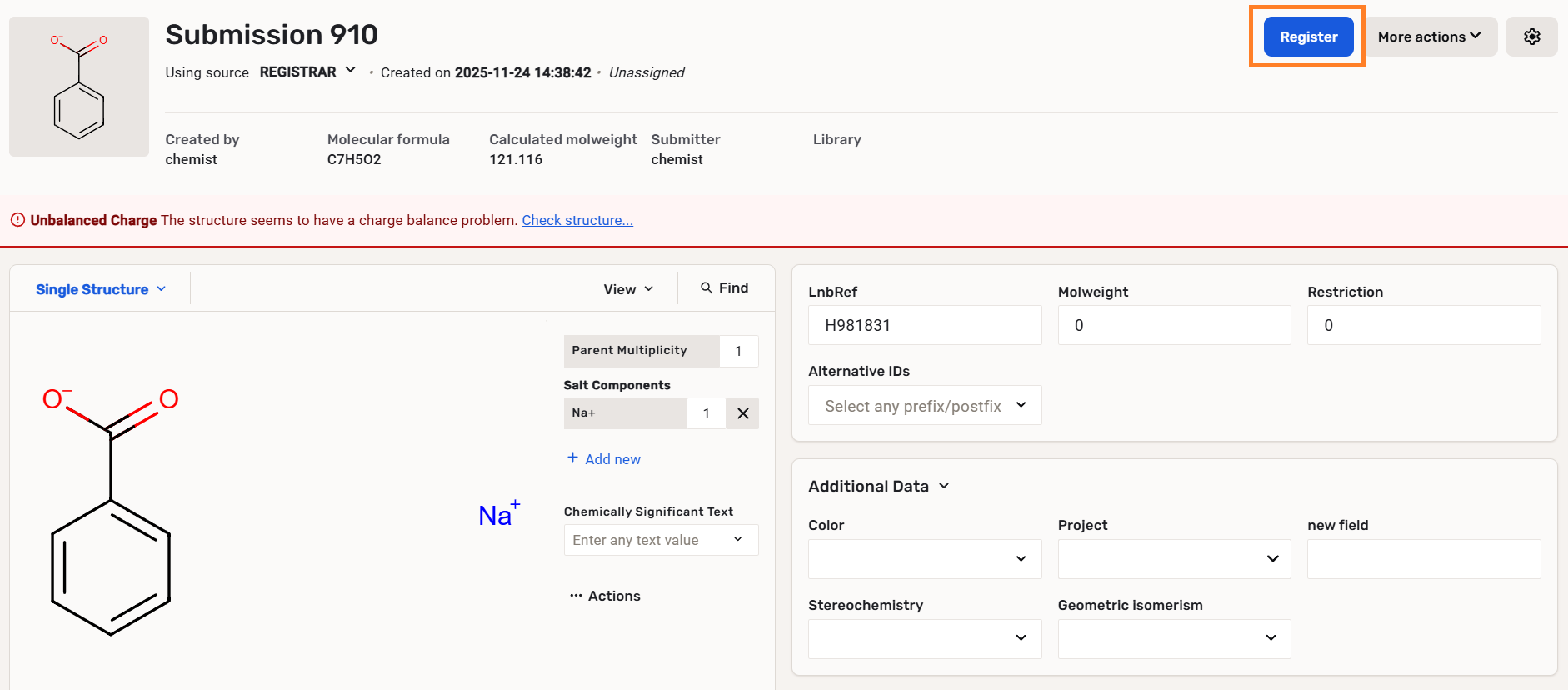
- Click on the Register button. Click on Proceed.
 |
|---|
| Registering the new structure |
- Inspect the Registration summary window.
 |
|---|
| Registration summary window about successful * *registration |